UMT/WG T MT Rev3.0 – 08/10/2021 Pag. 17-EN
8.2 On/Off unit
Even if the unit is powered, it will stay in stand-by (regulation OFF) until the user turns-on the
regulation (regulation ON).
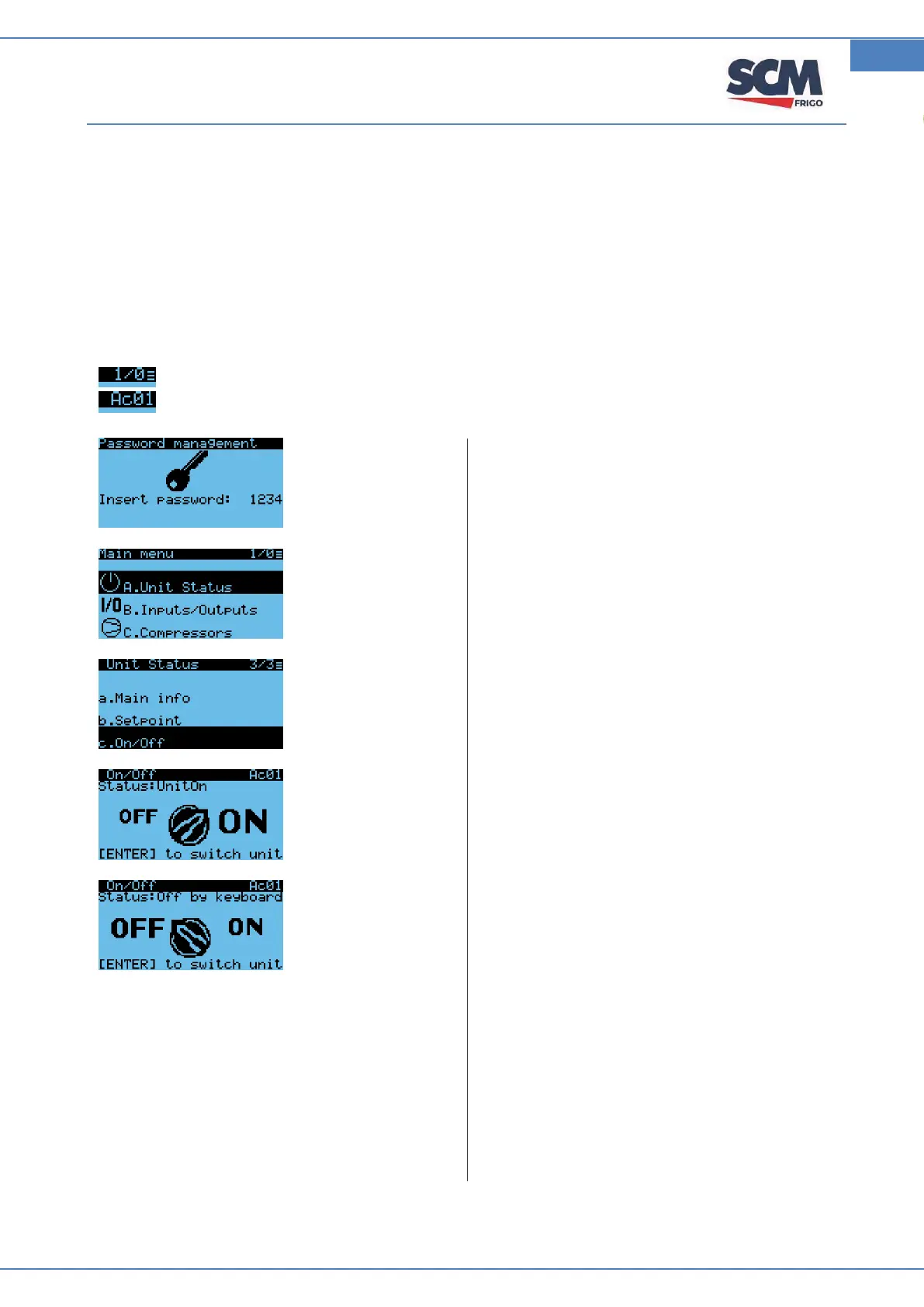
The main steps to switch ON the regulation are reported here below:
From main menu, press “Enter” button and appear access with password (see A mask).
Note.
Current mask / total masks. The horizontal rows mean access level
Letters and numbers are the name of mask.
Set password (default: 1234) and press “Enter”.
Select “Unit Status” and press “Enter”.
Select “On/off” and press “Enter”
Press “Enter”, to change from off to ON
Press “Enter”, to change from on to OFF.



 To Next Page