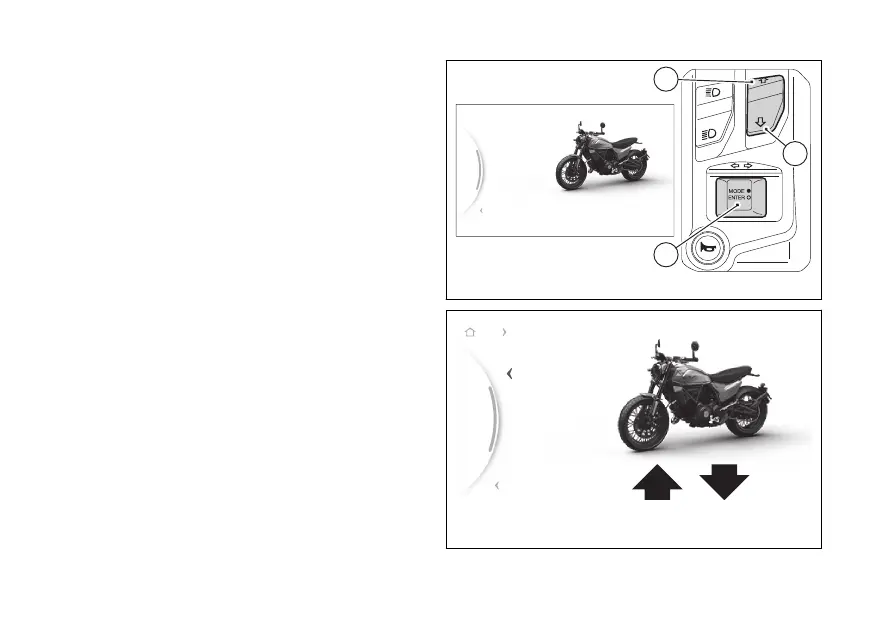
menu – Riding Mode - DQS
(if present)
This function is available if the DQS system is
installed and allows activating or disabling it.
●
From the Interactive Menu, use (1) and
(2) to select the item menu" and press
ENTER (3).
●
Select the "Riding Mode" item and press ENTER
(3).
●
Select the Riding Mode you wish to customise
and press ENTER (3).
●
Select the “DQS” item and press ENTER (3).
The levels “On” and and the bike with the
by the highlighted, followed by the
reference indications, are displayed.
Use (1) and (2) to scroll and select the desired
level. Press ENTER (3) to validate, then select "Back",
and press ENTER (3) again to exit.
The Ducati Quick (DQS) is the electronic
control system that allows the rider to up under
acceleration without using the clutch and keeping
the open: this results in lower time
and hence faster lap time.
...
Gear
N
Default
DQS
DTC
Power
Back
Fig 98
...
Gear
N
Off
On
Back
Back
Road Quickshifter
Fig 99
127


 To Next Page