Phone (if any)
This function is available only if the Bluetooth
control unit is installed, can be found in the
Interactive Menu (see page 100), displays the list of
the last 7 missed, made or received calls and can only
be selected if a has been connected via
Bluetooth.
For the Bluetooth pairing procedure, refer to sub-
section “Bluetooth device pairing and management”
(page 22).
●
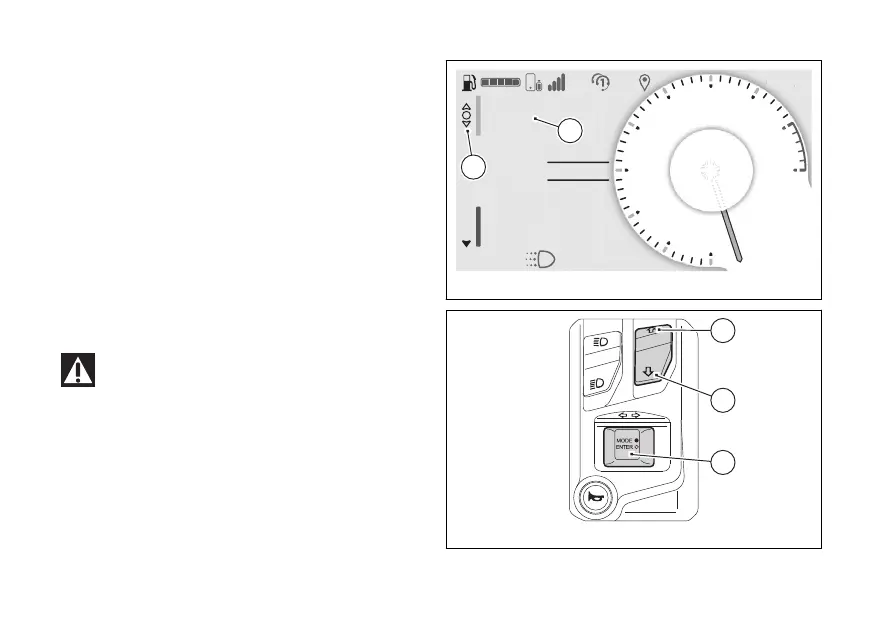
Select the Interactive Menu (A) by pressing and
holding (1) down for a long time.
●
Use (1) and (2) to select item "Phone” (B)
and press the ENTER (3).
Ducati has tested many of the most popular
and recent however, the operating
systems and technological choices made by
manufacturers are not under Ducati's
control. Therefore, it is not possible to guarantee
operation on all phones on the market and their
and firmware. To check compatible
and operating systems, visit the Ducati
website.
N
Gear
A
Air 22°C
0
km/h
ROAD
km1229
Total
DTC 3
DQS ON
Phone
Fig 8
Fig 9
29



 To Next Page