Need help?
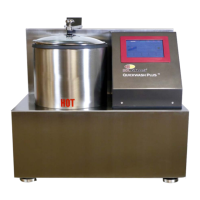
Do you have a question about the SDL Atlas Vortex M6 and is the answer not in the manual?
Explains the meaning of warning and safety symbols used in the manual.
Highlights critical warnings regarding installation, maintenance, and operation safety.
Emphasizes the importance of understanding instrument capabilities and safety precautions.
Warns about moving parts and hazardous live voltages, restricting access to internal circuitry.
Provides guidelines for safe lifting, carrying, and transportation of the instrument.
Outlines the warranty period, terms, and conditions for the instrument.
Steps for inspecting the instrument for damage or shortages upon arrival.
Lists the standard accessories provided with the Vortex M6 instrument.
Lists optional items available for purchase to enhance testing capabilities.
Instructions for removing shipping materials to prepare the instrument for use.
Steps for cleaning the washtub and connecting the fill hoses.
Warns about potential hydrogen gas in hot water systems and necessary precautions.
Specifies requirements for water supply faucets and hose couplings.
Advises on safe water temperatures and minimum pressure requirements.
Illustrates the correct method for connecting fill hoses to the water supply.
Instructions for connecting the drain hose to standpipes, walls, or tubs.
Details on installing the drain hose into a standpipe, including height and adapter use.
Securing the drain hose for wall installations using provided strap.
Securing the drain hose for laundry tub installations.
Guidance on connecting the power cord and electrical requirements.
Crucial warnings about avoiding extension cords, adapters, and circuit overloads.
Procedure for adding initial water to prevent pump damage.
Running a cycle to verify correct installation and instrument function.
Step-by-step guide for executing standard wash cycles via the interface.
Adjusting drain times and enabling/disabling alarms.
Accessing settings for light, date, time, and network features.
Customizing the operation light behavior.
Setting the instrument's date and time.
Setting up remote monitoring via Smart Link and Wi-Fi.
Choosing the display language for the instrument interface.
Information on purchasing testing consumables like detergents and ballasts.
Information on arranging official calibration by authorized technicians.
Guidelines for cleaning the instrument and precautions for cold environments.
Instructions for cleaning or replacing filter screens in fill hoses.
Schedule for monthly, semi-annual, annual, and five-year maintenance tasks.
Explains errors related to the lid not being closed and temperature deviations.
Addresses faults related to water flow detection for cold and hot water.
 General
| Brand | SDL Atlas |
|---|---|
| Model | Vortex M6 |
| Category | Laboratory Equipment |
| Language | English |

 To Next Page