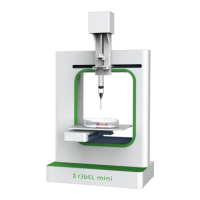
r3bEL mini User Manual
2
Contents
1 r3bEL mini Overview .............................................................................................. 5
2 Safety Precautions ................................................................................................. 6
2.1 General Safety ................................................................................................... 6
2.2 Protection .......................................................................................................... 6
3 Accessory Checklist ............................................................................................... 7
3.1 Additional Items ................................................................................................. 7
4 Software Installation ............................................................................................... 8
4.1 USB Control ...................................................................................................... 8
4.1.1 Step 1: Download Printer Control Software ............................................ 8
4.1.2 Step 2: Download Arduino IDE ............................................................... 9
4.1.3 Step 3: Download Slic3r ...................................................................... 11
4.2 Setting up Pronterface ..................................................................................... 18
4.3 Custom Buttons ............................................................................................... 20
4.4 Understanding the Custom Button Functions ................................................... 22
5 Connect via Wi-Fi ................................................................................................. 23
5.1 Printer Driver Installation (Windows) ................................................................. 23
5.2 Configuring the Wi-Fi ....................................................................................... 26
5.2.1 YAT Terminal (Windows) ...................................................................... 26
5.2.2 Coolterm (macOS) .............................................................................. 31
5.3 Web Control Interface ...................................................................................... 37
6 Setting up for Printing ........................................................................................... 38
6.1 Loading and Unloading Syringes ...................................................................... 38
6.1.1 Loading a syringe ................................................................................ 38
6.1.2 Unloading a syringe ............................................................................. 38
7 Your First Print ..................................................................................................... 39
8 Shutdown Procedure ............................................................................................ 41
9 Maintenance ........................................................................................................ 42
9.1 Calibration Guide ............................................................................................. 42
9.2 Resetting Bed Leveling Plane ........................................................................... 44


 To Next Page