r3bEL mini User Manual
37
5.3 Web Control Interface
Enter that IP address you got when you configured the Wi-Fi in the browser address bar on your
PC, tablet or smartphone to connect. The web control works best in Google Chrome and Firefox.
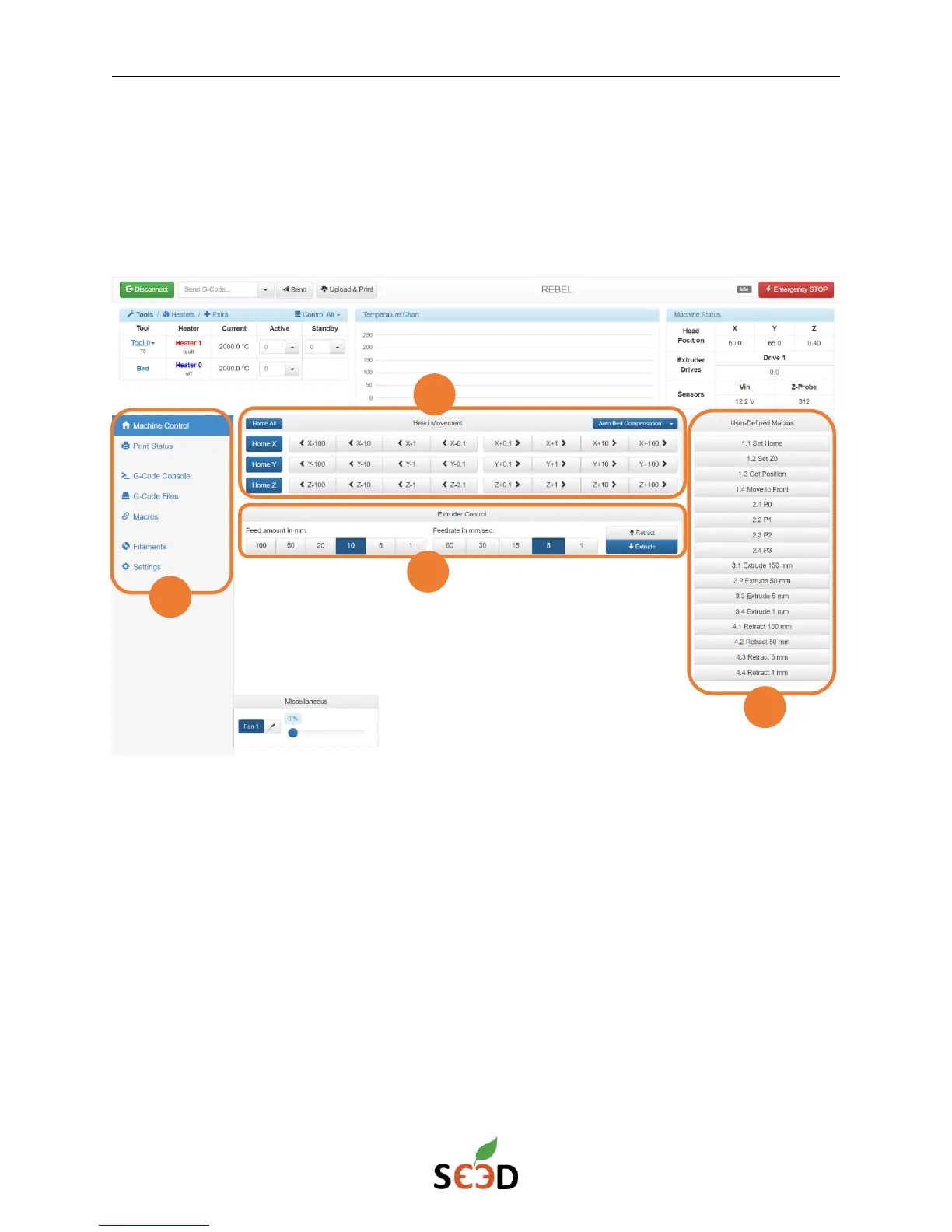
When you connect, it will prompt you for a password, enter se3d and hit enter. The interface will
look like:
1. Familiarize yourself with the Web control options:
a. Machine control: Enables you to control the Printer and extruder movements
b. Print Status: Shows the status of the file being printed. Enables you to pause/
resume your prints.
c. G-code console
d. G-code files: The g-code files uploaded in the SD card
e. Macros: User defined custom macros
2. Printer movement control
3. Extruder control
4. User defined custom buttons


 To Next Page