r3bEL mini User Manual
44
9.2 Resetting Bed Leveling Plane
To reset the bed levelling plane, you will need to be connected to your bioprinter in Web Control
and have your microSD card adapter ready.
1. Home all axes by clicking the Home All button in Pronterface. This will bring the extruder
to (0,0,0). Press on the P0 button under the user defined macros section and it will move
the head to (-48,-52,0).
2. Ensure you are at the right position by clicking the Get Position custom button and
verifying the response in the command window.
3. To obtain and record the Z values at 4 probe points around the bed for resetting the bed
levelling plane follow the below steps and use the space below to record your Z values:
P0 0.0 P1 P2 P3
a. Manually decrease the Z height (-Z) until the needle tip is almost touching the
bed. Click on Set Z0 and note down the value in P0.
b. Manually lower the bioprinter bed (+Z) by 3mm using the control panel.
c. Press the custom button P1 to move the extruder to the first probe point.
d. Manually decrease the Z height (-Z) until the syringe tip is almost touching the
bed (same needle height as at P0).
e. Click the Get Position button and record the Z height for P1.
f. Increase the Z height 3mm, press the P2 button to move to P2, and lower the Z
height until the syringe tip reaches the same height as the other two points. Click
Get Position and record the Z height for P2.
g. Increase the Z height 3mm, press the P3 button to move to P3, and lower the Z
height until the syringe tip reaches the same height as the other two points. Click
Get Position and record the Z height for P3.
4. Turn off the bioprinter and unplug the microUSB cable. Remove the microSD card from
the controller board and using the microSD card adapter, plug it into your computer.
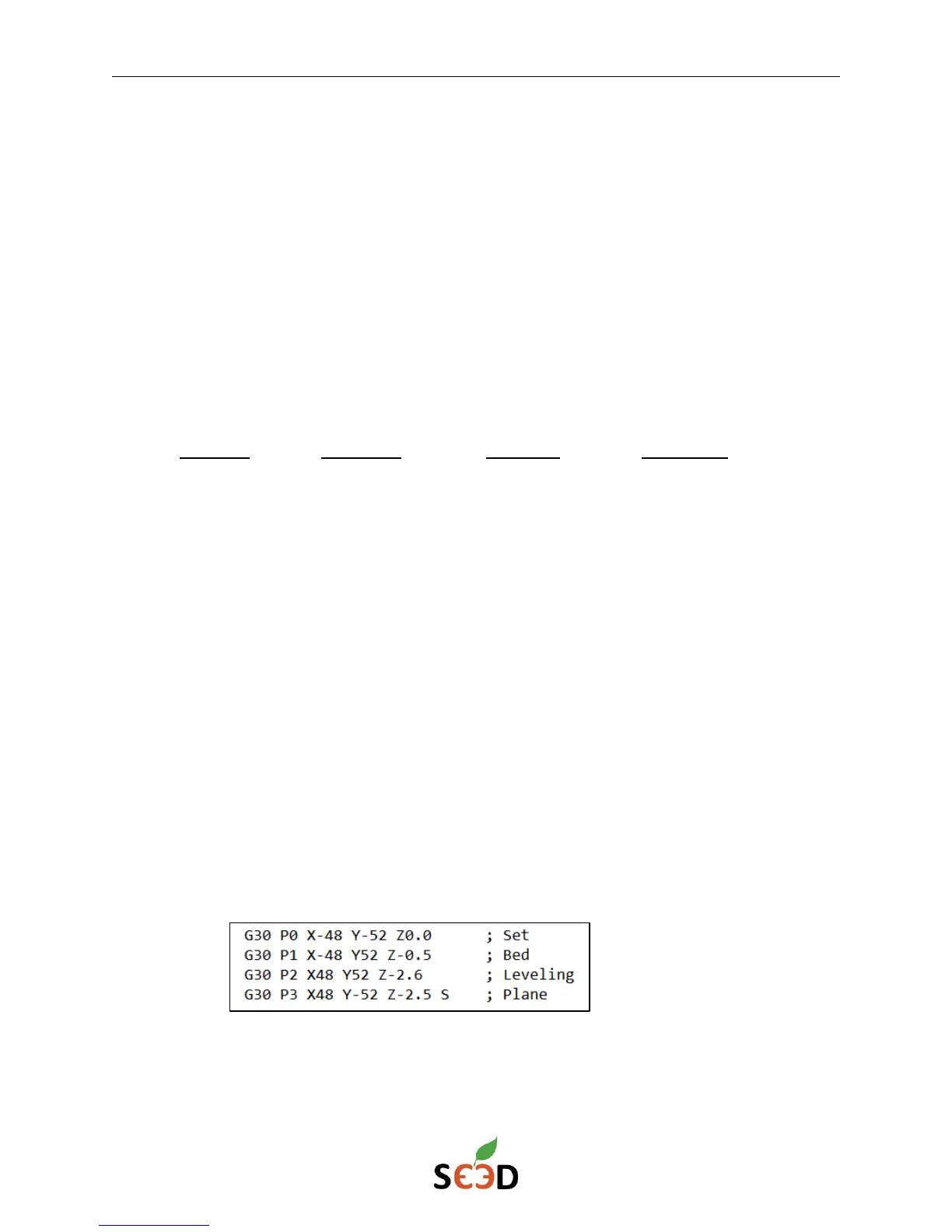
5. In the microSD card’s sys folder, open the bed.g file in a text editor program. Input your
new recorded Z values. An example is shown below:
6. Save the file and place the microSD card back in the controller board.
7. Restart the bioprinter and reconnect in Web control. Click the Home All button. Verify
that the bioprinter bed levelling is correct. It not, repeat steps 2-7.


 To Next Page