r3bEL mini User Manual
23
5 Connect via Wi-Fi
5.1 Printer Driver Installation (Windows)
The Duet drivers ensure that the computer recognizes the bioprinter and that you do not have
any connection issues when you connect the printer. If you are running Windows operating
system follow the steps below, omit this step if your computer runs on operating system other
than Windows.
1. To download the Duet driver files, go to the Startup-guide – r3bEL mini, scroll to the
“Programs to download” section and download the Duet Driver file. Unzip the two files
(duet.inf and duetinf.cat) to a local folder on your PC.
2. Connect the Duet to your PC using the USB cable.
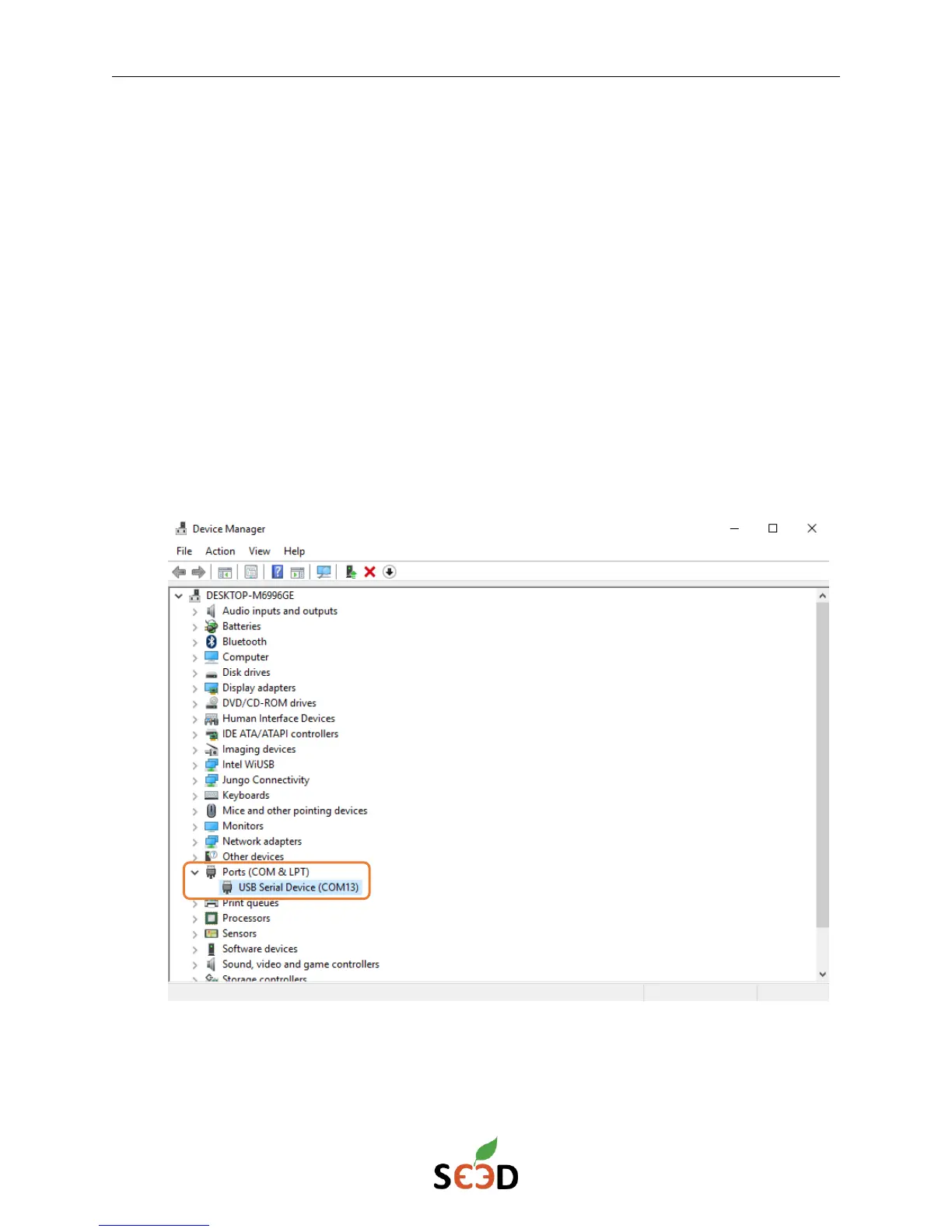
3. Open Device Manager. Find the Ports section and identify the device that shows up
when you connect the bioprinter.


 To Next Page