Operation • 85
5.4 Configuring voice output (menu)
In the menu you can configure voice output and the beeps if required.
NOTE
The languages available on the device depend on the model in
question.
* Information on how to navigate in the multifunctional display menu can be
found on page 84.
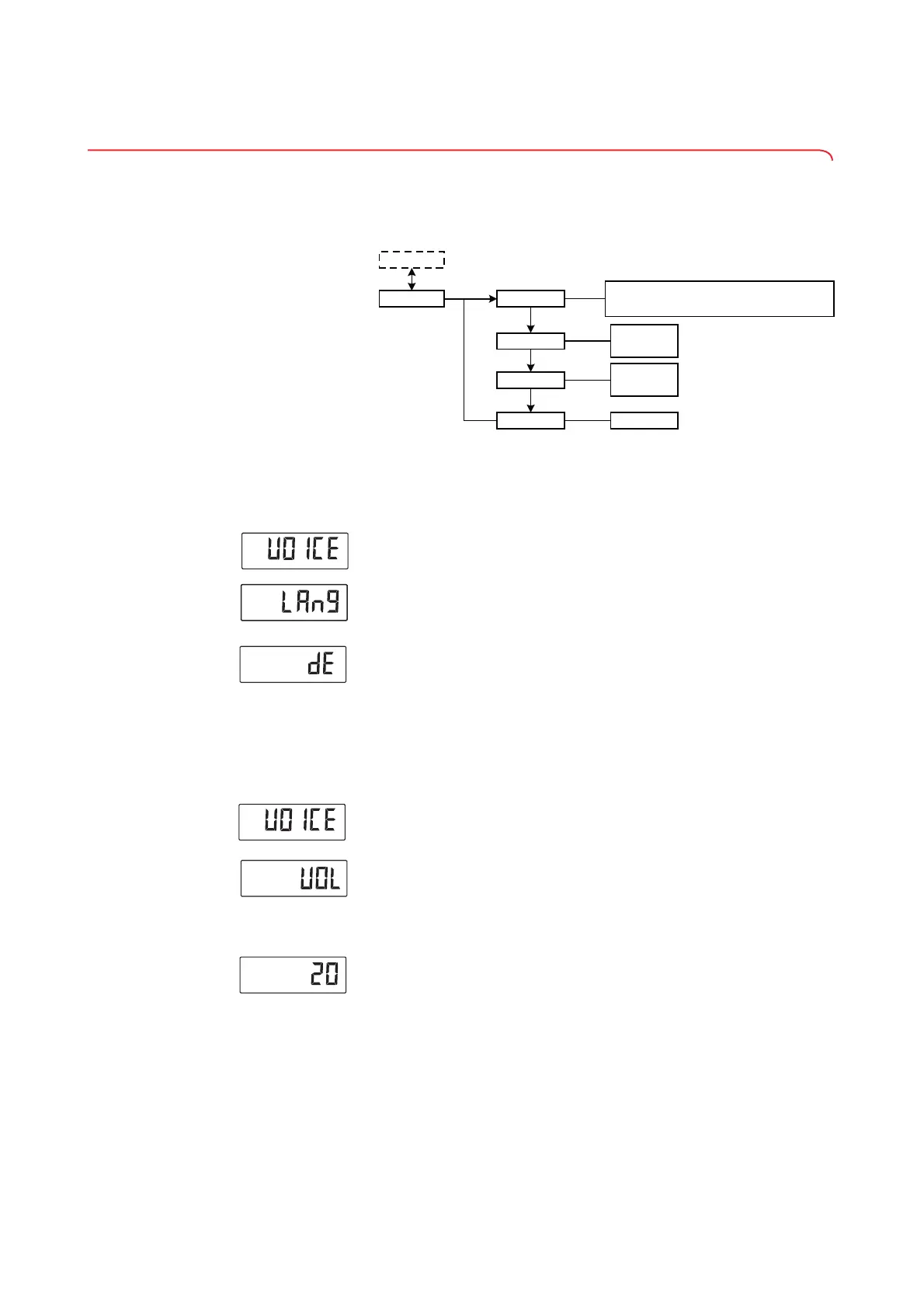
Selecting language (LAng) You can select the language for voice output.
1. Select the item "VOICE" from the menu.
2. Confirm your selection.
3. Use the arrow key (send/print) to select the menu item "LAng".
4. Confirm your selection.
The current setting is displayed.
5. Select the desired setting:
6. Confirm your selection.
You exit the menu automatically.
Setting volume (VOL) You can adjust the volume of voice output (0 = off, 100 = max.).
1. Select the item "VOICE" from the menu.
2. Confirm your selection.
3. Use the arrow key (send/print) to select the menu item "VOL".
4. Confirm your selection.
The current setting is displayed.
5. To change the setting or call up a different submenu, press the arrow key
(send/print) until the desired setting (in this case: volume "20") is dis-
played.
6. Confirm your selection.
You exit the menu automatically.
Language
Instruction
Results
Volume
..........
Voice Output
1...100
• On
• Off
• On
• Off
*
•
• DE
• EN (US/GB)
•
ES (ES/ME)
•
• ZH
ID
•
KO
•
RU
•
FR
•
TH
•
PT
YUE
•
•
DA
•
FI
IT
•
•
JA
•
NL
PL
•
•
SV
TR



 To Next Page