Replacement instructions
seca 703
05.10.12 /MRE 6 30-34-00-849_E
2 Display
Please be sure to observe the sequence listed below when removing/fitting the parts!
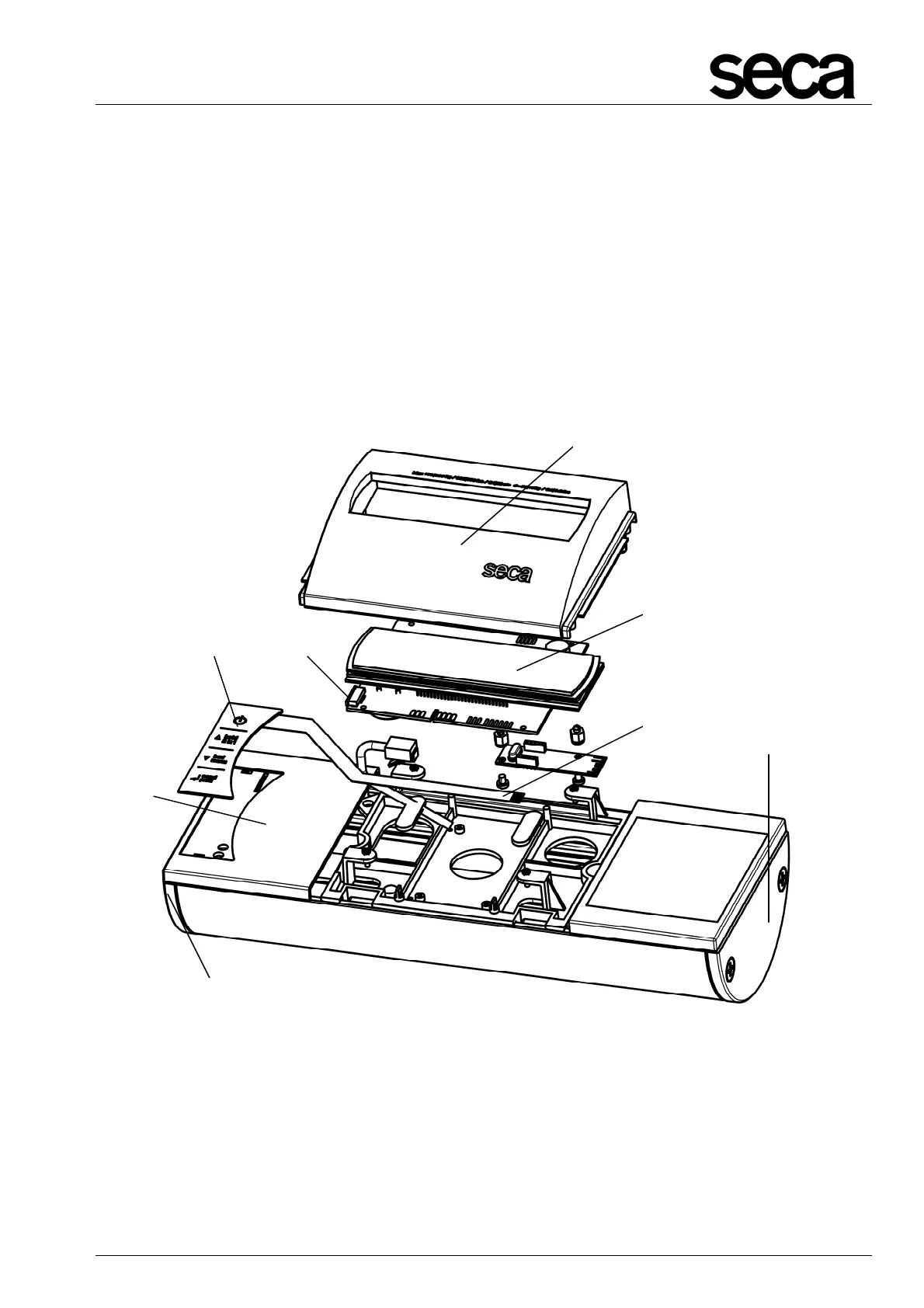
2.1 Replacing the membrane keypad
Unscrew the side covers (H) on the left and right.
Move the left and the right operating housing slightly outwards and remove the display
cover (I).
Detach the 6-pole FFC (K) from the FFC connector (A) for the NEC2 display (B) and
remove the left operating housing (C) with the membrane keypad (D).
Figure 4: Replacing the membrane keypad
I
H
H
K
A
B
C
D



 To Next Page