Page 55
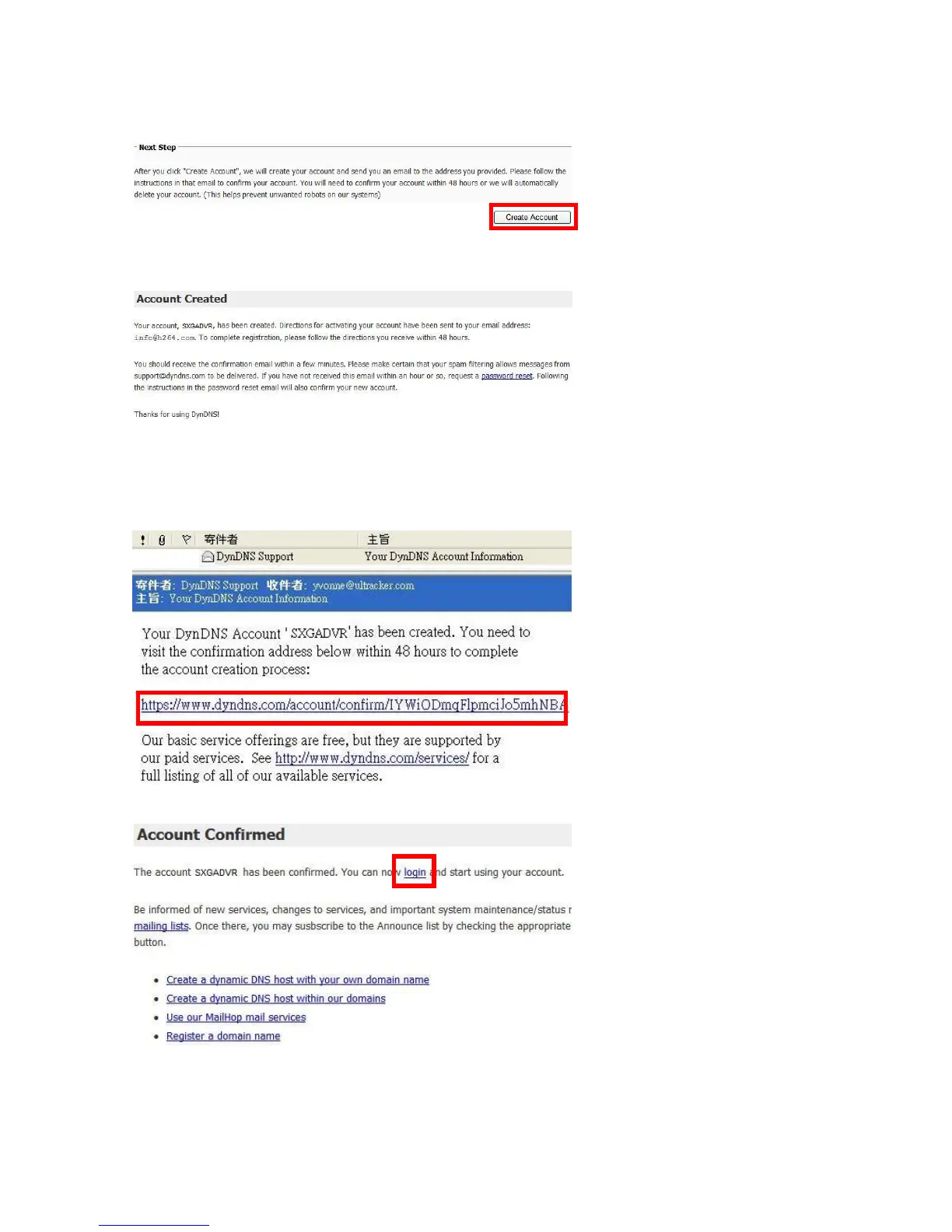
Click the button [Create Account] on the bottom of the page.
The account is created, and users should receive the confirmation email within a few
minutes.
Step 3
DynDNS Support. Visit the
confirmation address to complete the account creation process.
Check the email box, and find the confirmation email sent by
The account is confirmed, click [login] to start using the account.
Lo



 To Next Page