EasyManua.ls Logo

Secutron MR-2312-DDR - User Manual

Default Icon
96 pages
Print Icon
To Next Page IconTo Next Page
Loading...
Installation and Operation Manual
LT-906SEC Rev. 3.2
January 2020
MR-2300 Series
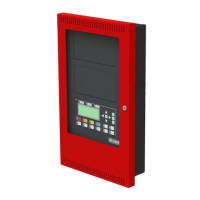
LCD Fire Alarm Control Panel

Table of Contents

Other manuals for Secutron MR-2312-DDR

Questions and Answers

  • C
    Catherine ColemanAug 5, 2025
    What to do if Secutron MR-2312-DDR shows Battery Trouble?
    • D
      Donna LeeAug 5, 2025
      If your Secutron Control Panel indicates a Battery Trouble, it's likely due to low voltage (below 20.4 V). The suggested solution is to replace the batteries as soon as possible.
  • B
    Brandy MeyerAug 9, 2025
    What to do if Secutron MR-2312-DDR shows Ground Fault?
    • B
      Bryan TuckerAug 9, 2025
      If your Secutron Control Panel is showing a Ground Fault, inspect for any external wiring that might be touching the chassis or any other earth ground connection.
  • J
    John BruceAug 13, 2025
    How to fix Circuit Trouble on Secutron MR-2312-DDR Control Panel?
    • J
      Jennifer WoodAug 14, 2025
      To address a Circuit Trouble issue on your Secutron Control Panel, check for open wiring on the affected circuit, and ensure the circuit is not disconnected or bypassed.
  • S
    sue16Aug 17, 2025
    What to do if Secutron MR-2312-DDR reports Remote Fail?
    • U
      ubowmanAug 17, 2025
      If your Secutron Control Panel reports a Remote Fail, check for any failure reported by, or failure to communicate with a remote annunciator or other remote device.
  • S
    shillAug 22, 2025
    How to fix ground fault on Secutron MR-2312-DDR Control Panel?
    • J
      Jennifer HuffmanAug 22, 2025
      To address a ground fault in your Secutron Control Panel, check for any external wiring that might be touching the chassis or any other Earth Ground connection.
  • E
    evelynmooreAug 27, 2025
    What to do if Secutron Control Panel shows common trouble?
    • R
      rsmithAug 27, 2025
      If your Secutron Control Panel displays a common trouble, inspect for any missing interconnection wiring. Also, verify that no modules are missing from the original configuration and ensure all cabling is securely connected.
  • S
    Sheri ChavezAug 31, 2025
    How to troubleshoot circuit trouble on Secutron Control Panel?
    • A
      Ashlee CooperAug 31, 2025
      To troubleshoot a circuit trouble on your Secutron Control Panel, check for any open wiring on the affected circuit loop. Also, ensure that the circuit hasn't been disconnected or bypassed, as disconnecting a circuit will cause a system trouble.

Summary

System Components, Sub-Assemblies & Accessories

Mechanical Installation

DIP Switch and Jumper Selections for Main Board and Adder Modules

Main Fire Alarm Board

Configuration settings via DIP switches and jumpers for the main fire alarm board.

Field wiring

Main Fire Alarm Board Field Wiring

Wiring instructions for initiating and indicating circuits on the main panel.

Power supply connection

Instructions for connecting the main power supply and batteries.

Turning on the Panel

Before Connecting the Power

Pre-power-on checks and safety precautions before connecting the system.

Connecting the Power

Step-by-step guide for connecting AC power and batteries.

Troubleshooting

Common issues, symptoms, and possible causes for panel malfunctions.

Indicators, Controls and Operations

Supported Protocols;Devices

Configuration

Panel Config (Command-Menu)

Configuration options for panel settings, including features and zone types.

Walk Test (Command-Menu)

Performing a walk test to verify initiating circuit wiring.

Dialer Config (Command-Menu)

Configuration settings for the panel's dialer, including account info and reporting.

Test Dialer (Command-Menu)

Performing manual tests on dialer lines and resetting the dialer.

Appendix C: Specifications

Appendix D: Power Supply and Battery Calculations (Selection Guide)

Secutron MR-2312-DDR Specifications

General IconGeneral
BrandSecutron
ModelMR-2312-DDR
CategoryControl Panel
LanguageEnglish

Related product manuals