EasyManua.ls Logo

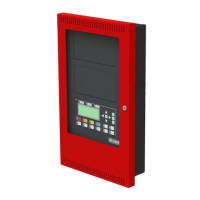
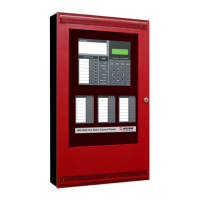
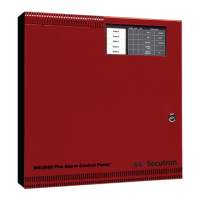
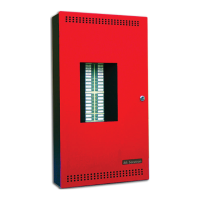
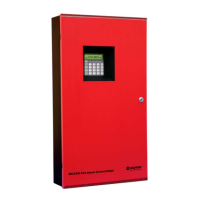
Secutron MMX-2003-12NDS - User Manual

Default Icon
48 pages
Print Icon
To Next Page IconTo Next Page
Loading...
Intelligent Fire Alarm Network
User Guide
MMX
TM
LT-893SEC Rev 1
May 2017

Other manuals for Secutron MMX-2003-12NDS

Questions and Answers

  • I
    ismithAug 20, 2025
    Why does my Secutron Fire Alarm show 'Unconfigured CPU Trouble'?
    • W
      Wendy DavilaAug 20, 2025
      The 'Unconfigured CPU Trouble' message on Secutron Fire Alarms appears when annunciators or loop adders connected to the panel are either not programmed in the Configurator or are configured with an incorrect address.
  • J
    Jesse MillerAug 21, 2025
    What to do if my Secutron Fire Alarm displays 'I/O Adder Mismatch Trouble'?
    • T
      Tammy Wong DDSAug 21, 2025
      The 'I/O Adder Mismatch Trouble' message on Secutron Fire Alarms shows when the hardwired adder modules are in the wrong order, the wrong quantity, or not connected. Ensure the number of physical hardwired adder modules matches the configuration and that they are properly connected.
  • K
    karenmartinezAug 25, 2025
    Why am I getting a 'Display Mismatch Trouble' on my Secutron Fire Alarm?
    • J
      justinbellAug 25, 2025
      The 'Display Mismatch Trouble' message on Secutron Fire Alarms indicates that the number and order of display modules (RAX-1048/TZ, FDX-008, and IPS-2424) connected to the panel do not match the configuration. Verify that the display modules are connected correctly.
  • K
    kathy68Aug 26, 2025
    What does 'Unconfigured Device Trouble' mean on my Secutron Fire Alarm?
    • J
      Julie HoweAug 26, 2025
      The 'Unconfigured Device Trouble' message on Secutron Fire Alarms appears when an analog device is physically installed but is not included in the configuration program.
  • D
    Derek ReevesAug 28, 2025
    How to fix 'Printer Data Loss Trouble' on a Secutron Fire Alarm?
    • S
      steinjefferyAug 28, 2025
      The 'Printer Data Loss Trouble' message on Secutron Fire Alarms indicates that a printer is configured but not physically connected to the panel when a message is sent to it. Clear this trouble by pressing the System Reset button.
  • S
    Samuel NguyenAug 30, 2025
    What causes 'Slave (RAXN-LCDs) Configuration Version Mismatch Trouble' on Secutron Fire Alarms?
    • V
      Vanessa BurgessAug 30, 2025
      The 'Slave (RAXN-LCDs) Configuration Version Mismatch Trouble' message on Secutron Fire Alarms means that the firmware versions on all the CPUs are not compatible.
  • K
    Krystal FordSep 1, 2025
    Why does my Secutron Fire Alarm show 'Slave (RAXN-LCDs) Configuration Address Mismatch Trouble'?
    • T
      Trevor RobinsonSep 1, 2025
      The 'Slave (RAXN-LCDs) Configuration Address Mismatch Trouble' message on Secutron Fire Alarms appears when the addresses of the configured slaves do not match.
  • P
    pamelamcdonaldSep 3, 2025
    What does 'Slave Configuration Type Mismatch' mean for Secutron Fire Alarms?
    • A
      Adam MarshallSep 3, 2025
      The 'Slave Configuration Type Mismatch' message on Secutron Fire Alarms indicates that the physical loop adder does not match the loop adder type specified in the configuration program. For example, this will appear if the physical adder module is an ALC-396, but the configuration program specifies an ALC-H16.
  • K
    kristophergouldSep 4, 2025
    Why is my Secutron Fire Alarm displaying 'Wrong Device Type'?
    • A
      Anthony WhitakerSep 5, 2025
      The 'Wrong Device Type' message on Secutron Fire Alarms shows if the type of analog device does not match the type listed in the configuration program. For example, this message appears if an ionization sensor is connected at address 013, but the configuration program lists address 013 as a photoelectric sensor (or vice versa).
  • L
    longchristinaSep 6, 2025
    What causes the 'Multiple Unconfigured Device Trouble' on Secutron Fire Alarms?
    • J
      jason73Sep 6, 2025
      The 'Multiple Unconfigured Device Trouble' message on Secutron Fire Alarms indicates that there are two identical (duplicate) devices at the same address on the same loop.

Summary

Introduction to the MMX System

About This Manual

Provides information on the Command Menu features of the MMX Network Fire Alarm and Audio system.

Front Panel Overview

Panel Layouts, Indicators, and Controls

Details indicator and control locations for DSPL-420, DSPL-2440, and DSPL-420-16TZDS models, plus common indicators and controls.

Troubleshooting Common Issues

System Start Up and Operations

Initial Startup and Passcodes

Guides on initial system setup, including startup procedures and passcode management.

Menu Operations Overview

Overview of menu functions: Reports, Bypass, Walk Test, System Settings.

Paging and Telephone Operations

Paging System Controls

Details controls and indicators for Master Paging and Selector Panels.

Firefighter Telephone System

Details controls and indicators for Master Telephones and Selector Panels.

Secutron MMX-2003-12NDS Specifications

General IconGeneral
ModelMMX-2003-12NDS
TypeFire Alarm Control Panel
CompatibilitySecutron Devices
Zones12
Voltage24 VDC
Current per NAC2A
NAC Circuits4

Related product manuals