EasyManua.ls Logo

Sega F355 Challenge - User Manual

Sega F355 Challenge
143 pages
Print Icon
To Next Page IconTo Next Page
Loading...
1ST PRINTING FEB. 01
MANUAL NO. 420-6507-05
OWNER’S MANUAL
SEGA ENTERPRISES, INC. USA
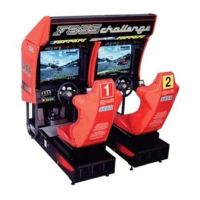
TWIN TYPE
www.seuservice.com

Other manuals for Sega F355 Challenge

Questions and Answers

  • K
    Kevin MosleyAug 17, 2025
    What to do if Sega Video Game machine is not activated?
    • C
      Carolyn EdwardsAug 17, 2025
      If your Sega Video Game machine isn't turning on when you flip the main switch, there could be a few reasons. First, make sure the power cord is fully plugged into the outlet. Next, verify that you're using the correct power source and voltage. If the AC unit circuit protector tripped due to an overcurrent, eliminate the cause of the overcurrent and reset the circuit protector. Lastly, if the Connect BD fuse blew because of a momentary overload, replace it with a 514-5036-7000 FUSE 6.4 X 30 7000mA 125V fuse.
  • H
    Holly PeckAug 19, 2025
    How to fix no sound on Sega Video Game?
    • E
      erica43Aug 19, 2025
      If no sound is coming from your Sega Video Game, first check the sound volume adjustment on the SWITCH UNIT. If that's not the issue, perform a Sound Test to check for malfunctioning BD and Amp. Also, ensure the connector connection from the Base to the Speaker is correct.
  • C
    Caleb ThomasAug 22, 2025
    Why is steering wheel strength incorrect on Sega Video Game?
    • V
      Vincent WeberAug 22, 2025
      If the steering wheel reaction strength is incorrect or the center is off on your Sega Video Game, try turning the power off and then on again to complete the power-on check. If that doesn't work, adjust the V.R. position in the test mode. If the issue persists, the V.R. might be malfunctioning and need replacement.
  • A
    Anthony TaylorAug 25, 2025
    What to do if Accel and Brake Pedals don't work on Sega Video Game?
    • H
      hthorntonAug 26, 2025
      If the Accel. and Brake Pedals on your Sega Video Game aren't working right, try adjusting the V.R. value in test mode. If that doesn't solve it, the V.R. might be faulty and need to be replaced. Also, check and adjust the engagement of the ADJUST GEAR.
  • D
    Dana HernandezAug 27, 2025
    How to troubleshoot no steering wheel reaction on Sega F355 Challenge?
    • S
      Scott MorganAug 28, 2025
      If there's no steering wheel reaction on your Sega Video Game, check the connector connection from the Base to the Handle. If the connector is correctly connected, contact where you purchased the product from.
  • D
    Daniel SuttonAug 30, 2025
    Why is interactive play not possible on Sega F355 Challenge Video Game?
    • J
      Jessica OsborneAug 30, 2025
      If interactive play isn't working on your Sega Video Game, make sure the cable connections are correct. Also, ensure that the GAME ASSIGNMENTS settings in the Test mode are correct.
  • K
    kelleyjeffSep 2, 2025
    Why does Sega F355 Challenge Video Game monitor image sway or shrink?
    • B
      Beth CarlsonSep 2, 2025
      If the on-screen image of the Sega Video Game monitor sways or shrinks, the power source and voltage might not be correct. Make sure that the power supply and voltage are correct.
  • J
    Julie MorrisSep 4, 2025
    How to fix Sega F355 Challenge Video Game fluorescent lamp that doesn't light up?
    • E
      Edward CabreraSep 5, 2025
      If the fluorescent lamp in your Sega Video Game isn't lighting up, it might need replacement. Also, check the connector connections in the billboard case to ensure they are secure.
  • K
    Karen LewisSep 8, 2025
    Why is steering wheel reaction insufficient on Sega Video Game?
    • L
      lori26Sep 8, 2025
      If the steering wheel reaction strength is insufficient on your Sega Video Game, the reaction mechanism might have changed over time. Try adjusting the V. R. value in the Test mode.
  • G
    Gabriela CollinsSep 10, 2025
    What causes paddle shift to not operate on Sega Video Game?
    • M
      Michael FisherSep 12, 2025
      If the PADDLE SHIFT on your Sega Video Game isn't working correctly, the switch may be malfunctioning and needs to be replaced.

Summary

BEFORE USING THE PRODUCT, BE SURE TO READ THE FOLLOWING:

INSPECTIONS IMMEDIATELY AFTER TRANSPORTING THE PRODUCT TO THE LOCATION.

SPECIFICATIONS

1. HANDLING PRECAUTIONS

2. PRECAUTIONS CONCERNING INSTALLATION LOCATION

LIMITATIONS OF USAGE REQUIREMENTS

Essential requirements for power supply, wiring, and environmental conditions.

3. OPERATION

PRECAUTIONS TO BE HEEDED BEFORE STARTING THE OPERATION

Safety measures and checks before commencing product operation.

PRECAUTIONS TO BE HEEDED DURING OPERATION (PAYING ATTENTION TO CUSTOMERS)

Safety guidelines for customer interaction and behavior during operation.

6. ASSEMBLING AND PRECAUTIONS

ASSEMBLING THE COCKPIT

Procedure for assembling the primary seating and control units.

SECURING IN PLACE (ADJUSTER ADJUSTMENT)

Steps for properly leveling and stabilizing the machine using its adjusters.

POWER SUPPLY, AND EARTH CONNECTION

Steps for connecting the main power and ensuring proper grounding.

TURNING POWER ON

Process for initial power-up and system checks after assembly.

ASSEMBLING CHECK

Verification steps to confirm correct assembly and functionality.

7. PRECAUTIONS TO BE HEEDED WHEN MOVING THE MACHINE

8. CONTENTS OF GAME

9. EXPLANATION OF TEST AND DATA DISPLAY

9 - 2 SYSTEM TEST MODE

Mode for checking system functionality, monitor, and assignments.

9 - 3 GAME TEST MODE

Mode for testing game-specific functions and assignments.

10. CONTROL PANEL (HANDLE MECHA)

11. ACCELERATOR & BRAKE

12. PADDLE (WING) SHIFT

14. MONITOR

14 - 1 CAUTIONS AND WARNINGS CONCERNING THE SAFETY FOR HANDLING THE MONITORS

Critical safety warnings for handling monitor components, including high voltage.

16. PERIODIC INSPECTION TABLE

17. TROUBLESHOOTING

18. GAME BOARD

20. COMMUNICATION PLAY

Sega F355 Challenge Specifications

General IconGeneral
BrandSega
ModelF355 Challenge
CategoryVideo Game
LanguageEnglish

Related product manuals