4
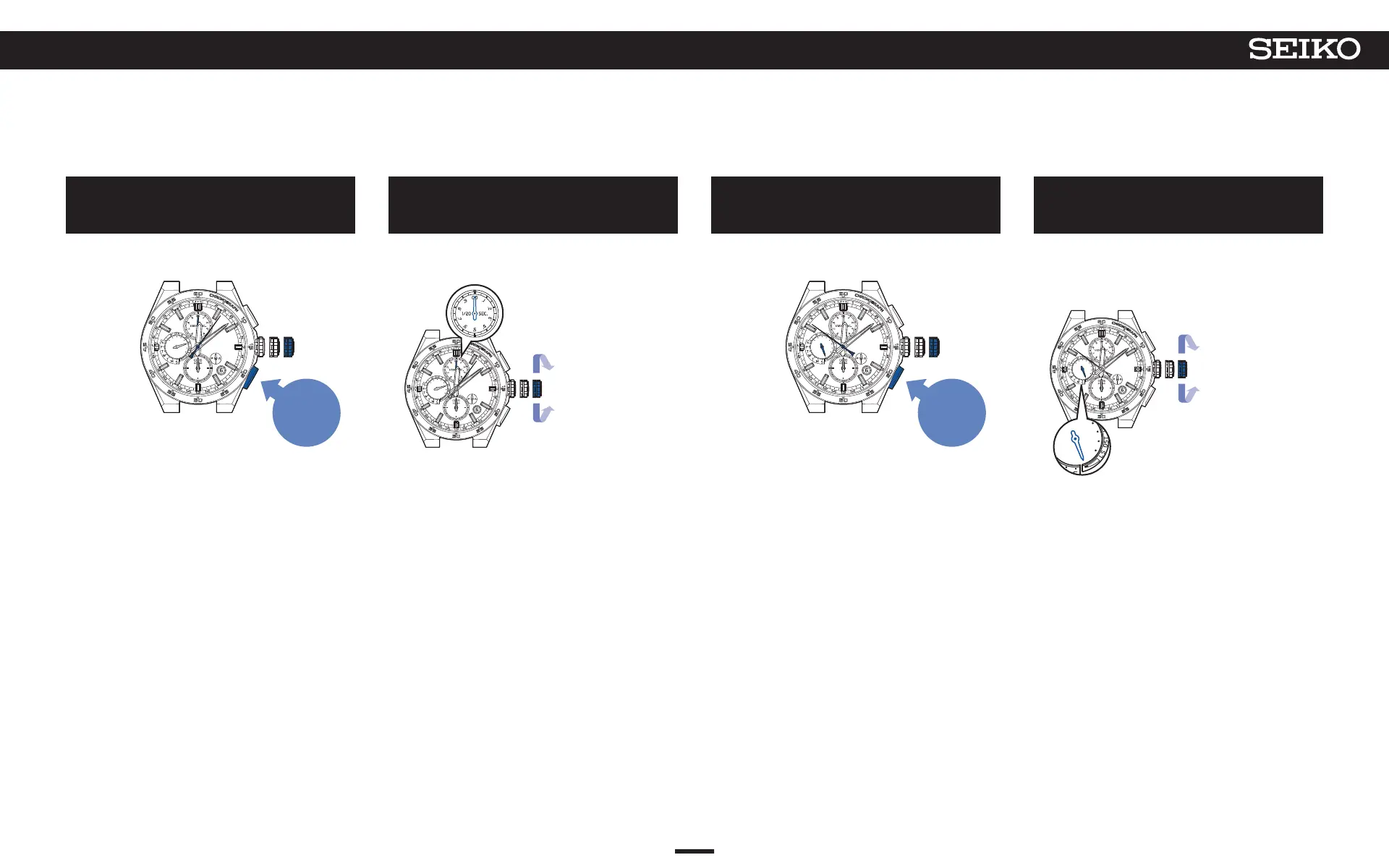
Press Button B and then release it
The watch goes into the preliminary position setting
mode of the stopwatch 1/20-second hand.
Press
and then
release
The seconds hand stops at the 6-second position.
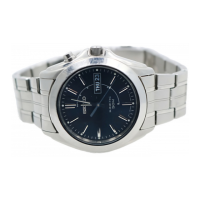
The stopwatch 1/20-second hand turns and stops to
indicate the preliminary position.
5
Turn the crown to set the stopwatch
1/20-second hand to 0.00 seconds
* When 0.00 seconds is displayed, go to operation
F.
Turn the crown clockwise to
advance 1 step.
Turn the crown
counterclockwise to
set back
1 step.
Turn quickly to move
continuously.
Turn again to stop
moving.
6
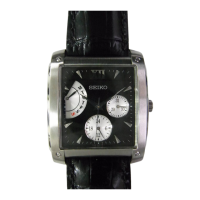
Press Button B and then release it
The watch enters the mode to adjust the preliminary
position of the multi-function indicator hand.
Press
and then
release
The seconds hand stops at the 51-second position.
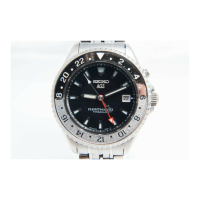
The multi-function indicator hand stops to indicate the
preliminary position.
7
Turn the crown to adjust the multi-function indicator
hand to a charging status display of “low”
* If the hand is indicating a charging status display of
“low,” go to operation H.
Turn the crown quickly
to move it
continuously. Turn the
crown again to stop.
Turn the crown clockwise to
advance 1 step.
Turn the crown
counterclockwise to
set back
1 step.
53
7
TROUBLESHOOTING
5X83 GPS SOLAR



 To Next Page