U.3.6
SEL-421/SEL-421-1 Relay User’s Guide Date Code 20020501
PC Software
Settings Database Management and Drivers
Settings Database Management and Drivers
Database Manager
The ACSELERATOR software uses a relay database to save relay settings. The
ACSELERATOR software contains sets of all settings files for each relay that
you specify in the Database Manager. See Virtual File Interface on
page R.5.14 in the Reference Manual for a list of the settings file in the
SEL-421 Relay. Choose appropriate storage backup methods and a secure
location for storing your relay database files. Use the File > Active Database
menu to retrieve a relay database from computer memory.
Relay Database
The default relay database file already configured in the ACSELERATOR
software is Relay.rdb. This database contains example settings files for the
SEL products with which you can use the
ACSELERATOR software. Open the
Database Manager to access the database. Click on File in the
ACSELERATOR
top toolbar, then select and click the Database Manager menu item. You will
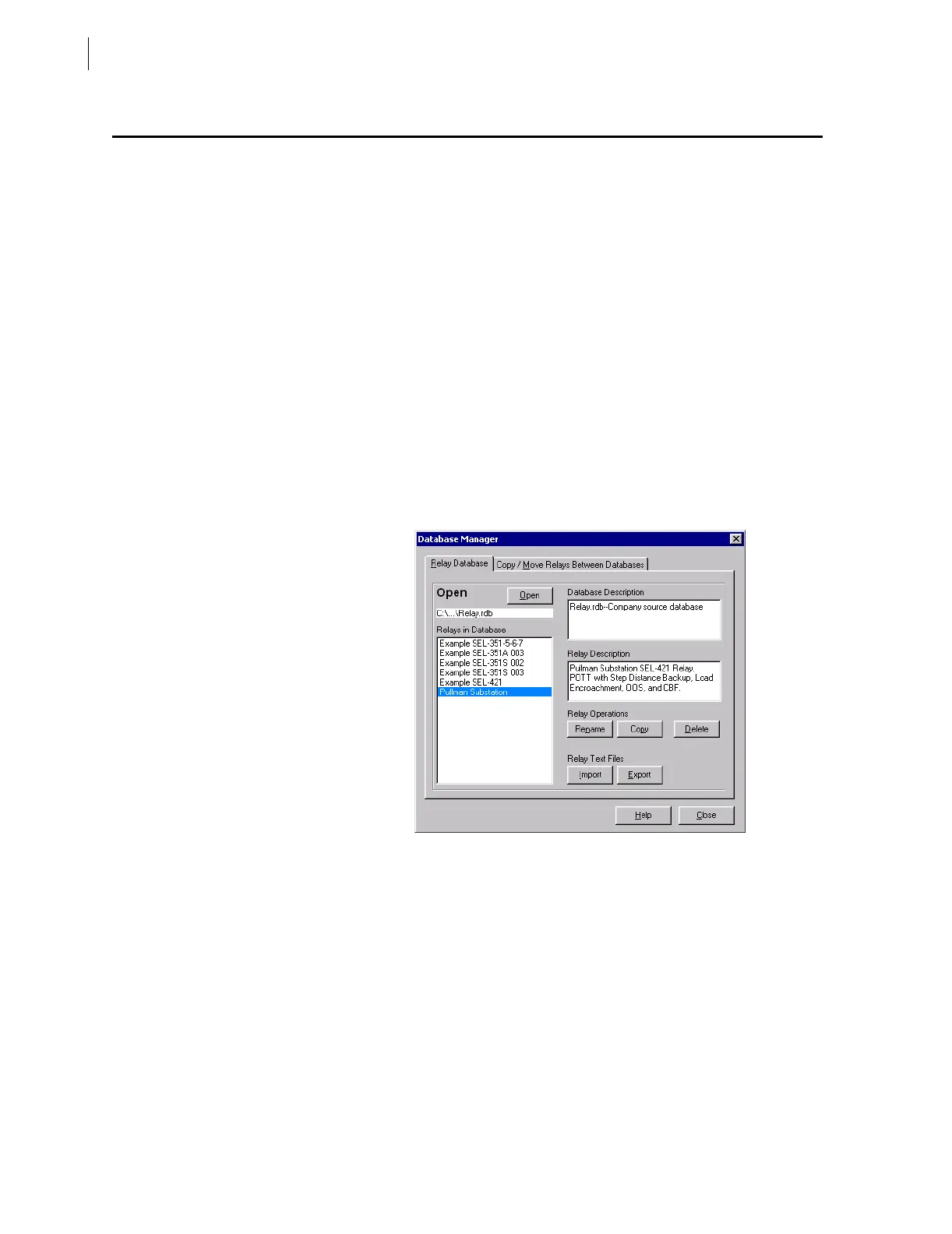
see the dialog box similar to Figure 3.6. You can enter descriptions for the
database and for each relay in the database in the Database Description and
Relay Description dialog boxes. Type in the Relay Description dialog box
special operating characteristics that describe the relay settings. These can
include the protection scheme settings and communications settings.
Figure 3.6 Database Manager Relay Database in the ACSELERATOR Software.
Highlight one of the relays listed in Relays in Database and select the Copy
option button to create a new collection of relay settings. The
ACSELERATOR
software prompts you to provide a new name. Be sure to enter a new
description in Relay Description.
Copy/Move Relays Between Databases
You can create multiple relay databases with the Database Manager; these
databases are useful for grouping similar protection schemes or geographic
areas. Select the Copy/Move Relays Between Databases tab to access the
dialog box shown in Figure 3.7. Click the Open B option button to open a
relay database. Type a filename and click open; for example, Relay2.rdb is the
B relay database in Figure 3.7.



 To Next Page