U.2.26
SEL-421/SEL-421-1 Relay User’s Guide Date Code 20020501
Installation
Front-Panel Labels
Front-Panel Labels
The SEL-421 Relay features a versatile front panel that you can customize for
your needs. Use SEL
OGIC control equations and slide-in configurable front-
panel labels to change the function and identification of target LEDs and
operator control pushbuttons and LEDs. Horizontal and vertical relay
configurations have slide-in labels as shown in Figure 2.1 on page 2.4 and
Figure 2.2 on page 2.4.
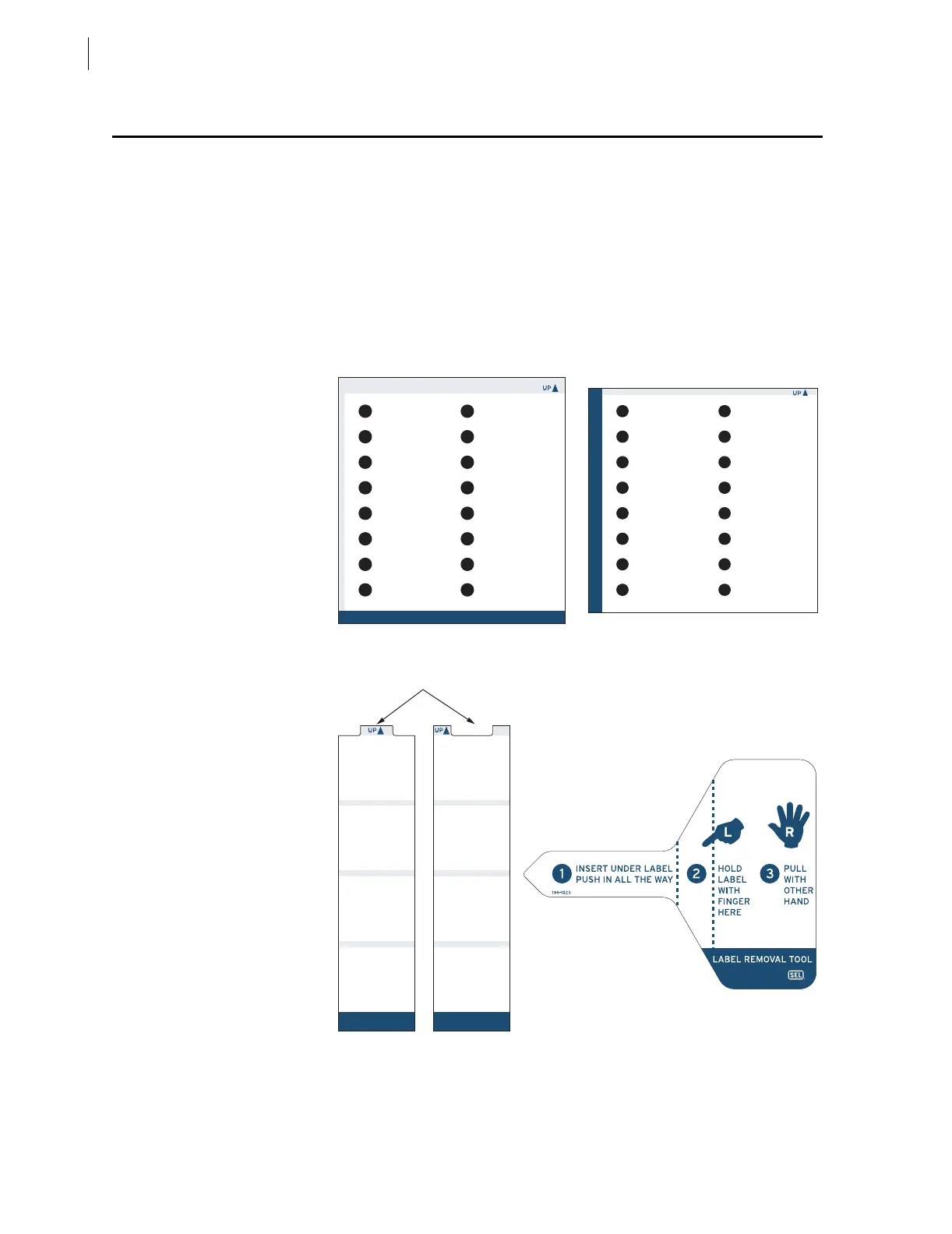
The blank slide-in label set, shown in Figure 2.18, is included with the
SEL-421 Relay. The Operator Control Labels and front-panel pockets are
keyed for left and right placement corresponding to the left and right operator
control pushbuttons and LEDs.
Figure 2.18 Blank Slide-In Label Set and Label Removal Tool.
If you need additional configurable front-panel label supplies, order the
horizontal labels kit or the vertical labels kit in Table 2.6. The table lists the
part numbers of each kit component as an aid for determining which Part
LEFT RIGHT
TARGETS
TARGETS
Horizontal Target LED Label
Key
Operator Control Labels
Label Removal Tool
Vertical Target LED Label



 To Next Page