U.6.23
Date Code 20020501 User’s Guide SEL-421/SEL-421-1 Relay
Testing and Troubleshooting
Test Methods
Step 8. Test the element. Increase the current source to produce a
current magnitude of 1.125 A secondary in the relay. Keep the
current source at this level past the expected element timeout
(longer than 3.2 seconds). Return the current source to zero
after the element time out.
Step 9. Examine the SER report. Start the
ACSELERATOR HMI
interface by selecting the HMI menu (top toolbar) and then
clicking Meter and Control.
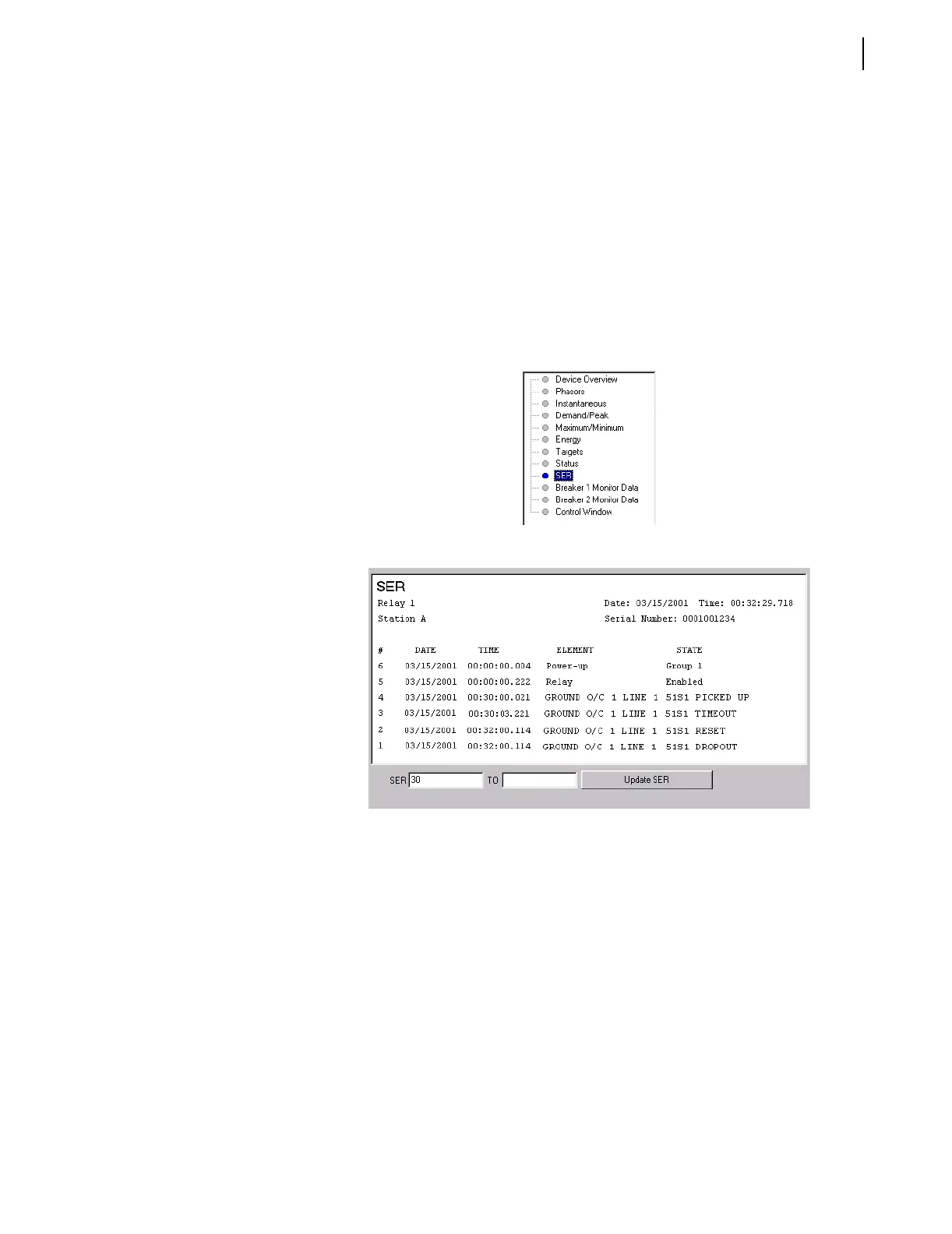
Step 10. View the SER report. Click the SER button of the HMI tree
view (see Figure 6.16). The
ACSELERATOR software displays
the SER report similar to Figure 6.17. The time difference
between SER entries “51S1 PICKED UP” and “51S1
TIMOUT” is approximately 3.2 seconds.
Figure 6.16 HMI Tree View: ACSELERATOR Software.
Figure 6.17 SER Report:
ACSELERATOR HMI.



 To Next Page