U.5.5
Date Code 20020501 User’s Guide SEL-421/SEL-421-1 Relay
Front-Panel Operations
Front-Panel Layout
Use the front-panel settings (the SET F command from a communications
port or the Front Panel settings in the
ACSELERATOR software) to access the
metering screen enables. Entering a Y (Yes) for a metering screen enable
setting causes the corresponding metering screen to appear in the ROTATING
DISPLAY. Entering an N (No) hides the metering screen from presentation in
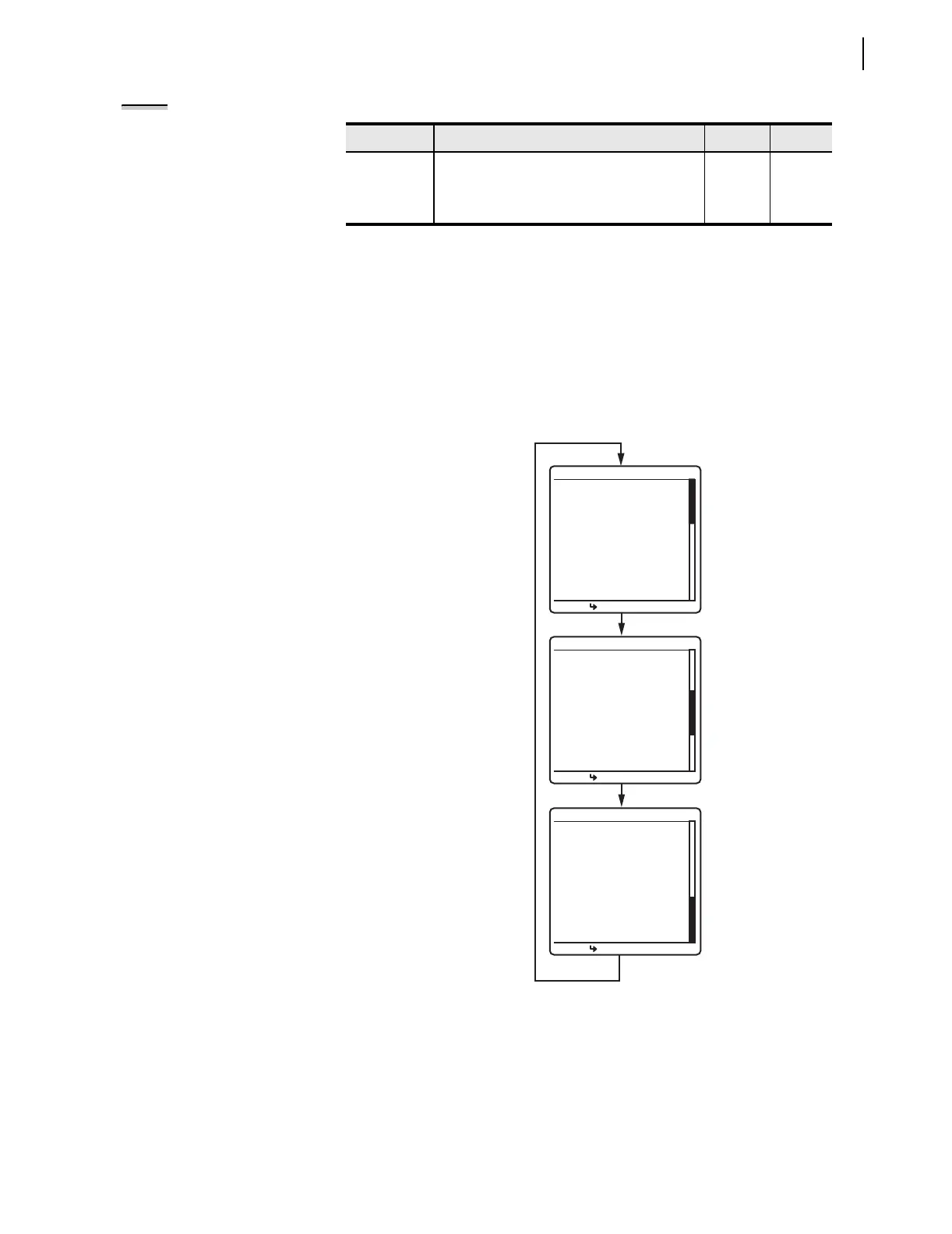
the ROTATING DISPLAY. Figure 5.4 on page 5.5 shows a sample
ROTATING DISPLAY consisting of an example display points screen, and
the two factory-default metering screens, RMS_I and FUND_VI (the screen
values in Figure 5.4 are representative values).
Figure 5.4 Sample ROTATING DISPLAY.
FUND_VI Fundamental Voltage and Current Screen
a
Y, N Y
FUNDSEQ Fundamental seqUence Quantities Screen Y, N N
FUND_BK Fundamental Breaker Currents Screen Y, N N
a
The default displays are RMS_I and FUND_VI.
Table 5.2 Metering Screens Enable Settings (Sheet 2 of 2)
Name Description Range Default
NOTE: The initial display can
present only the RMS_I line current
screen. This can occur when you have
not enabled any of the metering
screens and display points.
Circuit Breaker 1
--Closed--
ROTATING DISPLAY
Press For Menu
Line Current (A) RMS
IA =
119.6
IB =
119.7
IC =
119.5
FREQ = 60.00 Hz
ROTATING DISPLAY
Press For Menu
Line Quantities FUND
ROTATING DISPLAY
Press For Menu
Voltage (kV)
VA = 130.4 + 6˚
VB = 130.3 -114˚
VC = 130.5 -126˚
Current (A)
IA = 119.6 35˚
IB = 119.7 -95˚
IC = 119.5 155˚
FREQ = 60.00 Hz
Circuit BK1 SF6 Gas
--Alarm--
Circuit Breaker 2
--Closed--


 To Next Page