10S
13
English
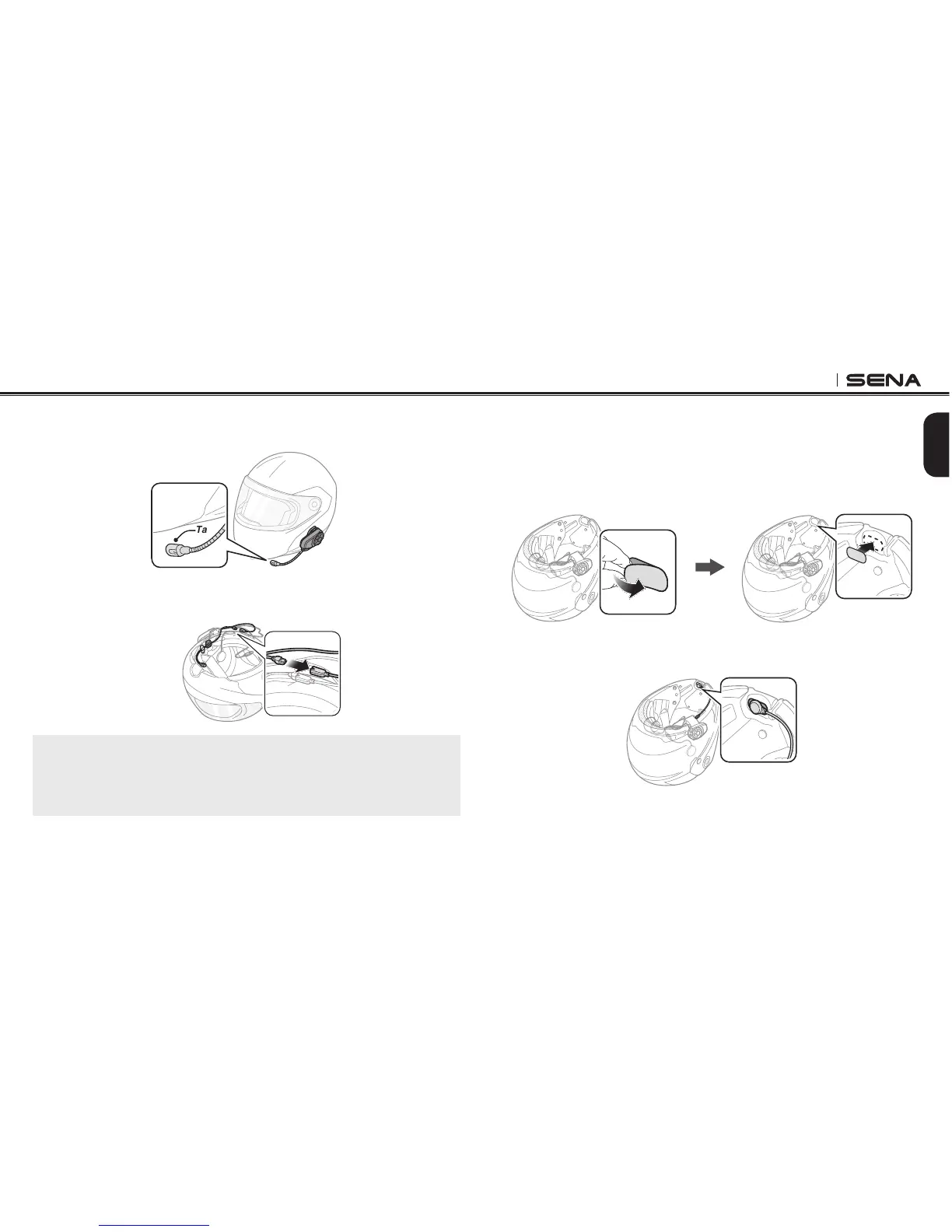
4. Adjust the head of the microphone so that the tab is facing away
from your mouth.
Tab
5. Align the arrows on the clamp unit and microphone cables and
insert the microphone cable into the microphone connector.
Note:
Three cables connect to the main unit. The longest is the cable for the right
speaker. The second longest cable is for the left speaker. The shortest
cable is for the microphone.
3.3.2 Using the Wired Microphone
If you have a full face helmet, you can use the wired microphone.
1. Peel off the cover of the hook and loop fastener for wired
microphone to expose the adhesive tape. Then, attach the hook
and loop fastener on the inside of the helmet’s chin guard.
2. Attach the wired microphone to the hook and loop fastener for
wired microphone.



 To Next Page