50R Low Profile Motorcycle Bluetooth
®
Communication System with Mesh Intercom™
| 12
2 INSTALLING THE HEADSET ON YOUR HELMET
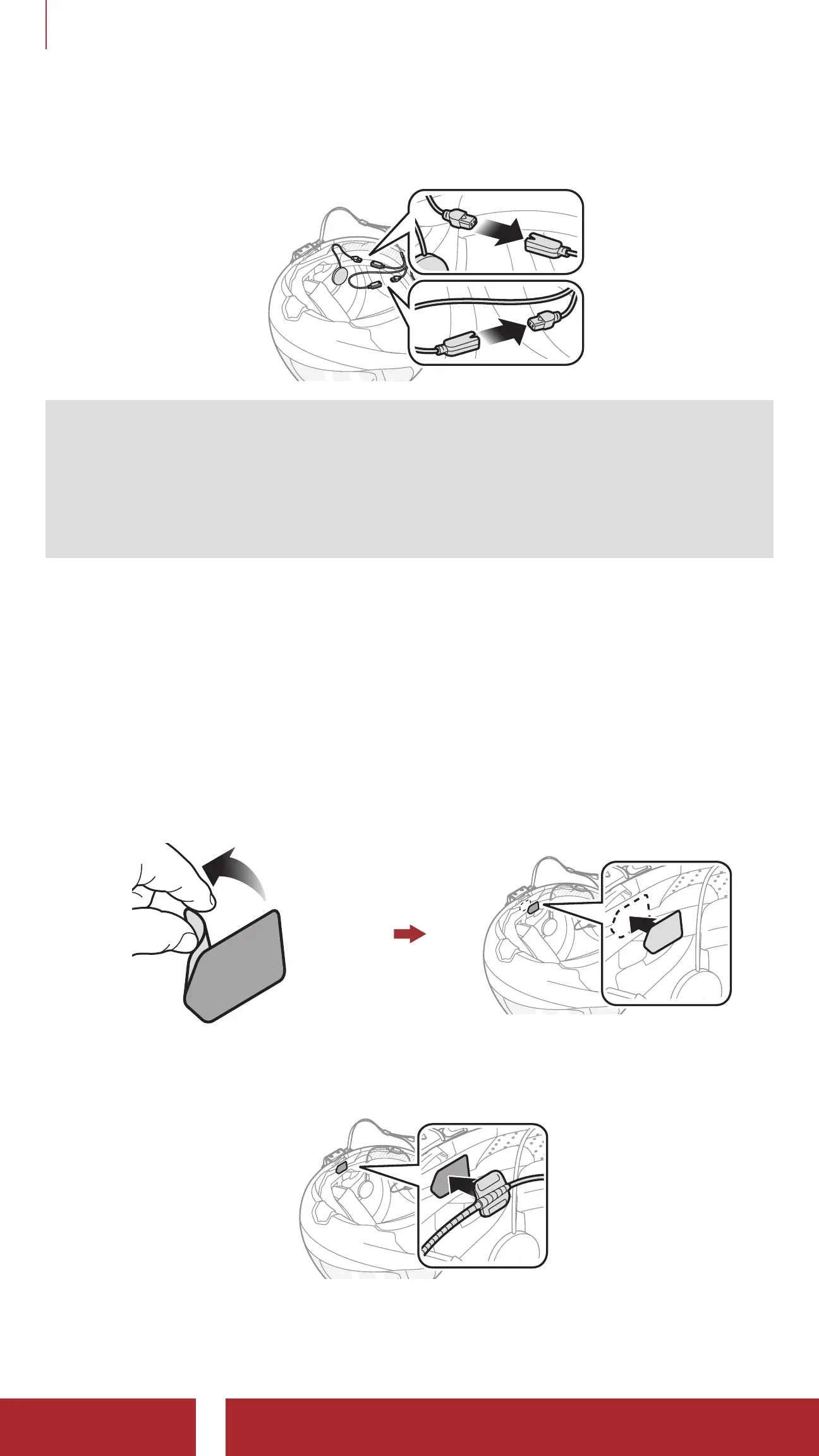
3. Align the arrows on the main unit and speaker cables and insert
speaker cables into each speaker connector.
Note:
• The cable for the speakers has two leads. The longer lead is for the
right speaker and the shorter lead is for the left speaker.
• If the helmet has deep ear pockets, you can use the speaker pads
to bring the speakers closer to your ears.
2.3 Installing the Microphones
2.3.1 Using the Wired Boom Microphone
1. Peel off the cover of the hook and loop fastener for wired boom
microphone to expose the adhesive tape. Then, attach the hook and
loop fastener on the inside surface of the left external shell.
2. Attach the wired boom microphone’s mounting plate to the hook and
loop fastener.



 To Next Page