50R Low Profile Motorcycle Bluetooth
®
Communication System with Mesh Intercom™
| 30
7 MESH INTERCOM
7.1. 2 Group Mesh
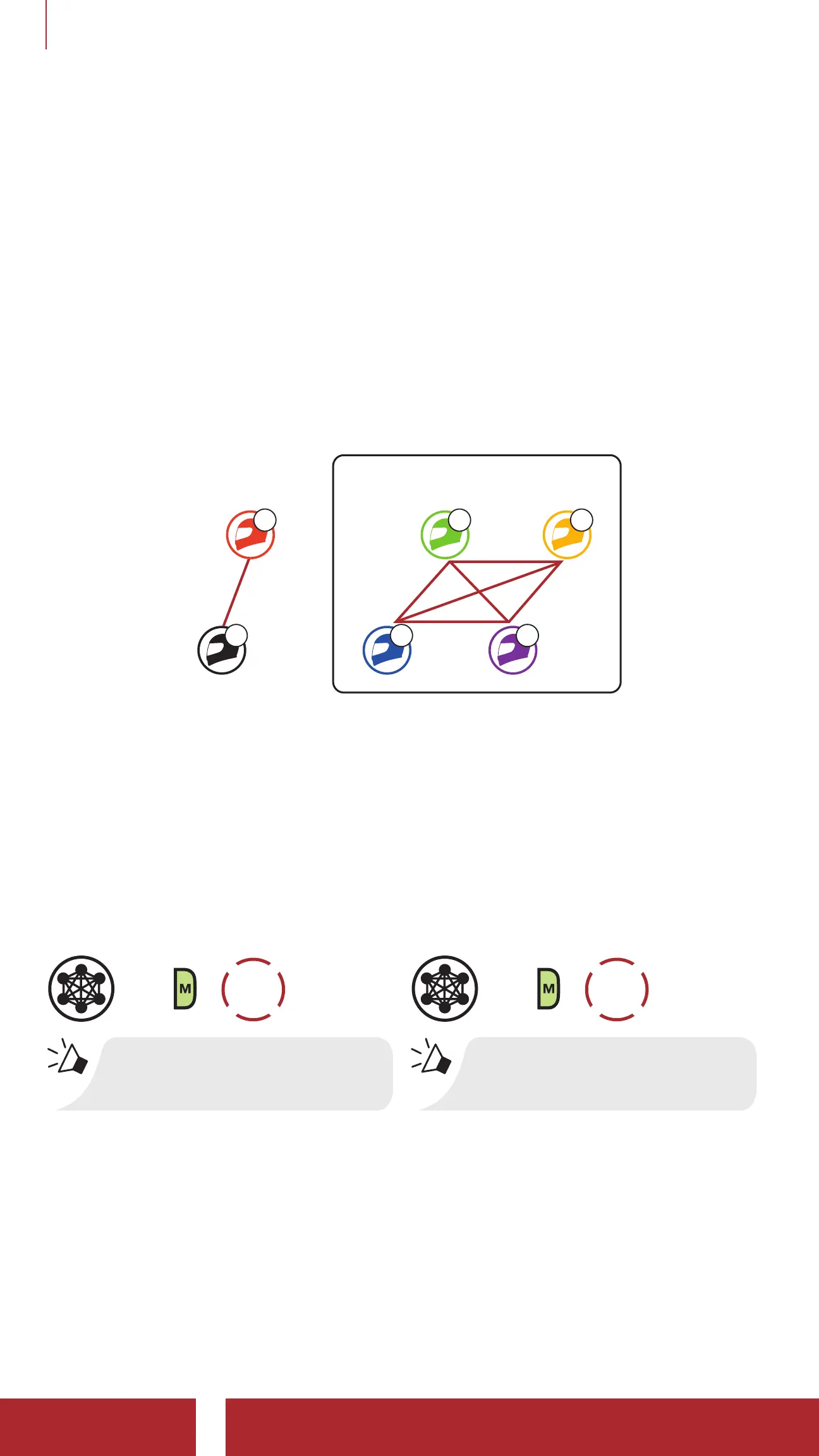
Group Mesh is a closed group intercom function that allows users to
join, leave, or rejoin a group intercom conversation without pairing each
headset. Users can freely communicate with each other in the same
private group in Group Mesh.
For closed intercom conversations using Mesh Intercom, a Group
Mesh needs to be created by the users. When users create a private
group in Group Mesh by Mesh Grouping, the headset automatically
switches from Open Mesh to Group Mesh. Up to 24 users can all be
connected in each private group.
A
B
Group Mesh
C E
D F
7. 2 Starting Mesh Intercom
When Mesh Intercom is enabled, the 50R will automatically connect to
nearby 50R users and allow them to talk to each other by pressing the
Mesh Intercom Button.
Mesh Intercom On
=
1x
TAP
“Mesh intercom on”
Mesh Intercom Off
=
1x
TAP
“Mesh intercom off”
7.3 Using the Mesh in Open Mesh
When Mesh Intercom is enabled, the headset will be in Open Mesh
(default: channel 1) initially.



 To Next Page