17
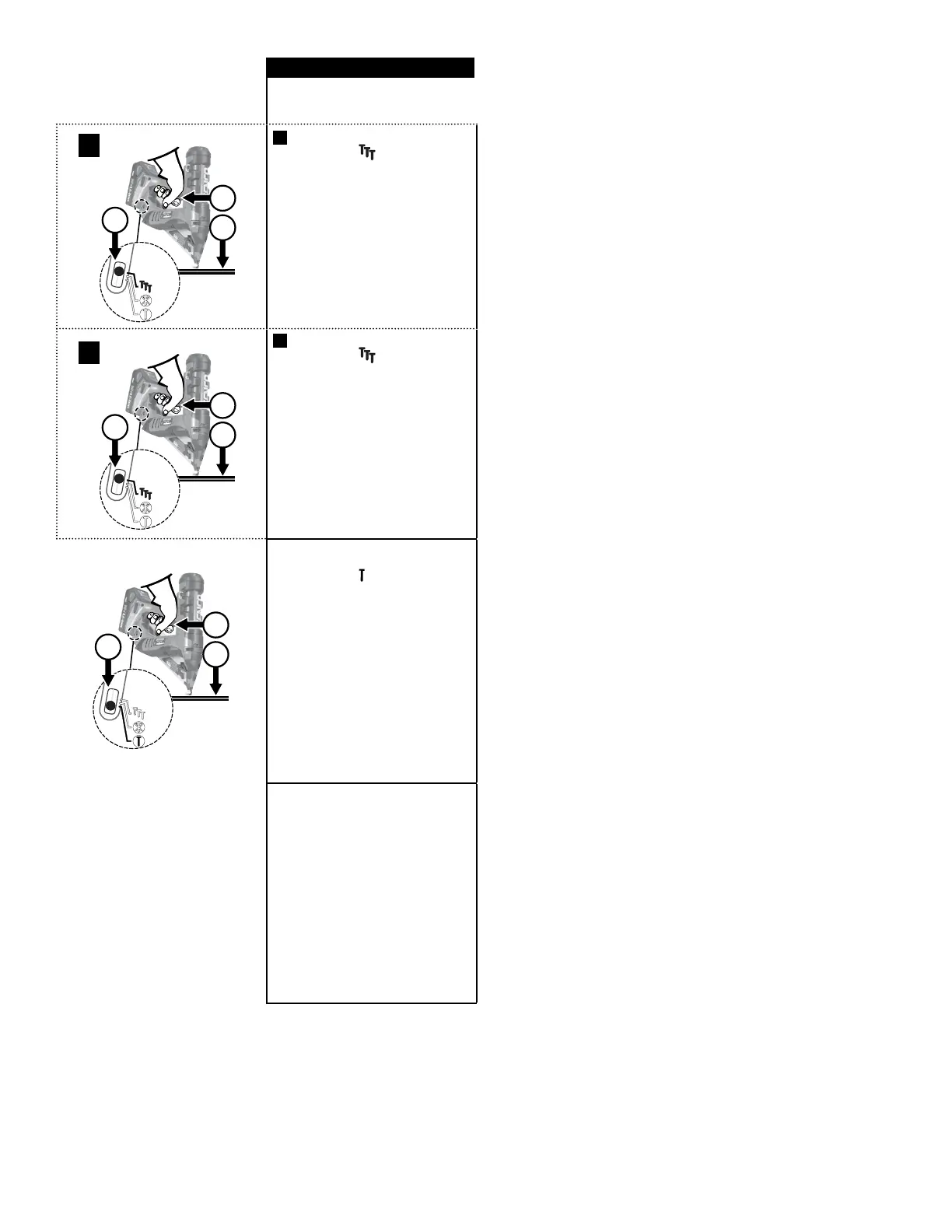
In the “contact-actuation” mode,
nails can be driven in two ways:
3
2
1
A
A
The rst way:
①
Press the side of the
selector switch. This will be in-
dicated by the ashing green
LED on the selector switch.
②
Press the workpiece contact
(safety) element against the
work surface.
③
Pull the trigger and the fas-
tener is driven.
2
3
1
B
The second way:
①
Press the side of the se-
lector switch for 0.5 seconds.
This will be indicated by the
ashing green LED on the
selector switch.
②
Pull trigger.
③
Depress workpiece contact
element against work surface
and drive a fastener.
This mode of operation is preferred
when you desire high production,
rapid fastener placement.
2
3
1
In the “sequential-actuation” mode,
nails can only be driven one way:
①
Press the side of the
selector switch. This will be
indicated by the solid green
LED on the selector switch.
②
Position workpiece contact
(safety) element against work
surface and depress the
safety.
③
Pull trigger to turn on the mo-
tor and drive a fastener.
This mode of operation is helpful
when you require precise fastener
placement.
i
The Fusion tool may retract the
driver partially when the battery
charge is very low. if this happens,
place a freshly charged battery
on the tool, depress the safety
and trigger to allow it to automati-
cally adjust to position the driver
correctly. The self adjustment will
sound like a series of short pulses;
this is normal and it is not caused
by any defect in the tool.
Once the tool resets, it will function
normally.


 To Next Page