1 2
5 6
3 4
7 8
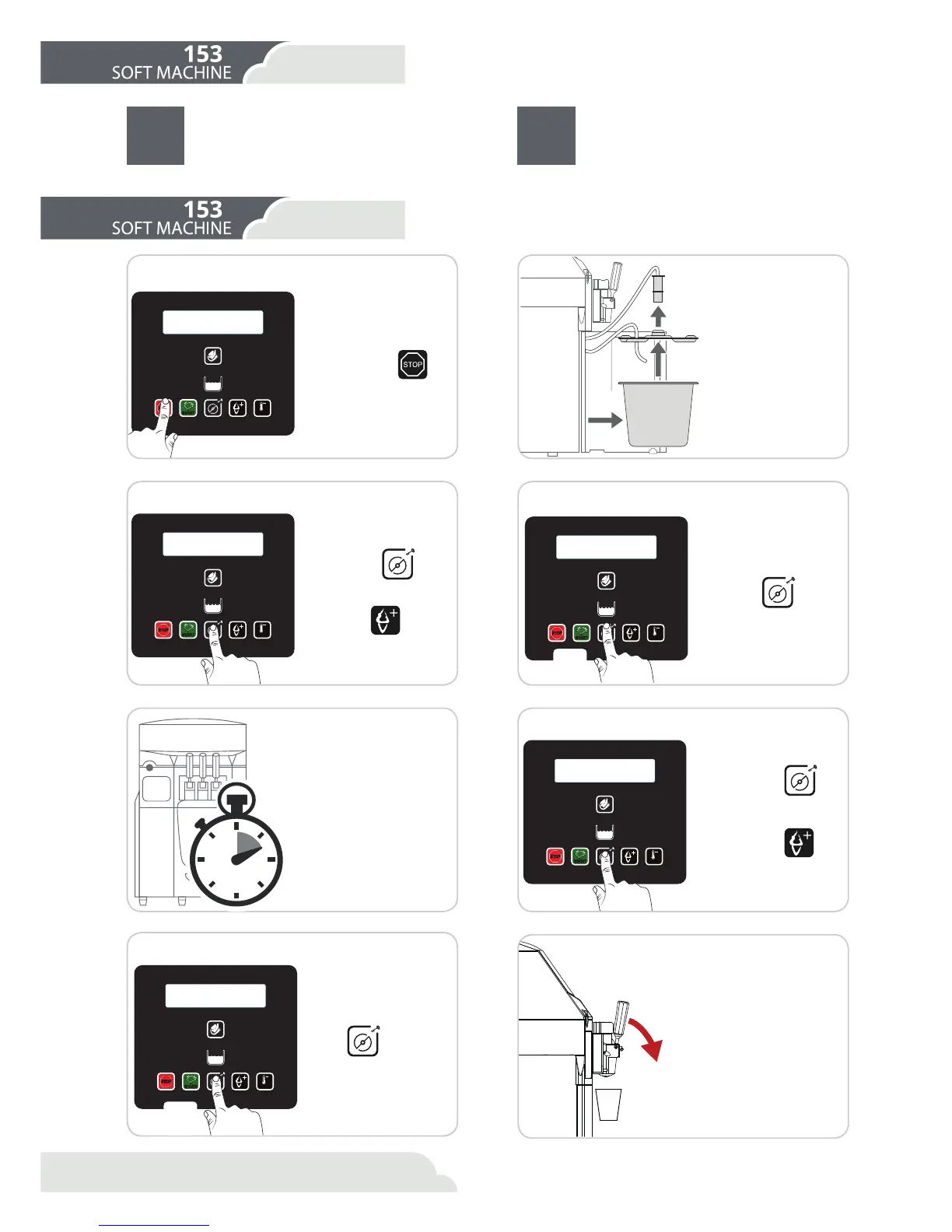
Press Stop
Press button
to
stop the machine.
([WUDFWWKHWDQNDQG
remove the lid
Select cylinder
for emptying
Emptying
Place a container below the
tap and open the control le-
ver. Empty the cylinder until
the machine stops automat-
LFDOO\ ΖI WKHUH LV VWLOO SURG-
uct in the cylinder when the
machine stops, repeat the
process. When the machine
stops, close the control lever.
Commence emptying
Press
three times.
The VXUIDFHZDVKLQJ of the machine must
compulsorily be carried out HYHU\GD\ after
WKHȴQDOLFHFUHDPRIWKHGD\6HHFKDSWHU
surface washing).
&OHDQLQJDQGK\JLHQH in the machine must
be carried out compulsorily DIWHU D PD[
LPXP RI KRXUV since the product was
loaded into the machine (See chapter on
Cleaning and Hygiene)
Pull upwards.
Select cylinder
for Hot cleaning
Press button
.
2Q WKH PHQX VHOHFW XV-
ing button
the cyl-
inder that you wish to do
the Hot cleaning.
Commence Hot cleaning
Press
four
times.
Press button
.
2Q WKH PHQX VHOHFW
using button
the
cylinder that you wish
to empty.
Wait for Hot cleaning
:DLWIRUPLQXWHV
:KHQ ȴQDOL]LQJ WKH
Hot cleaning, the ma-
chine will go in Stop
mode.
RESET
MIX
STOP
START
K
K
RESET
MIX
STOP
START
RESET
MIX
STOP
START
4
RESET
MIX
STOP
START
RESET
MIX
STOP
START
3
20
6.Cleaning
6.2 Cleaning and hygiene
6.2.1 Emptying
6.1 When to clean the machine?
6.Cleaning
:KHQWRFOHDQ(PSW\LQJ



 To Next Page