1 2
1 2
3 4
)LOOWKHWDQNZLWKGLV-
infectant
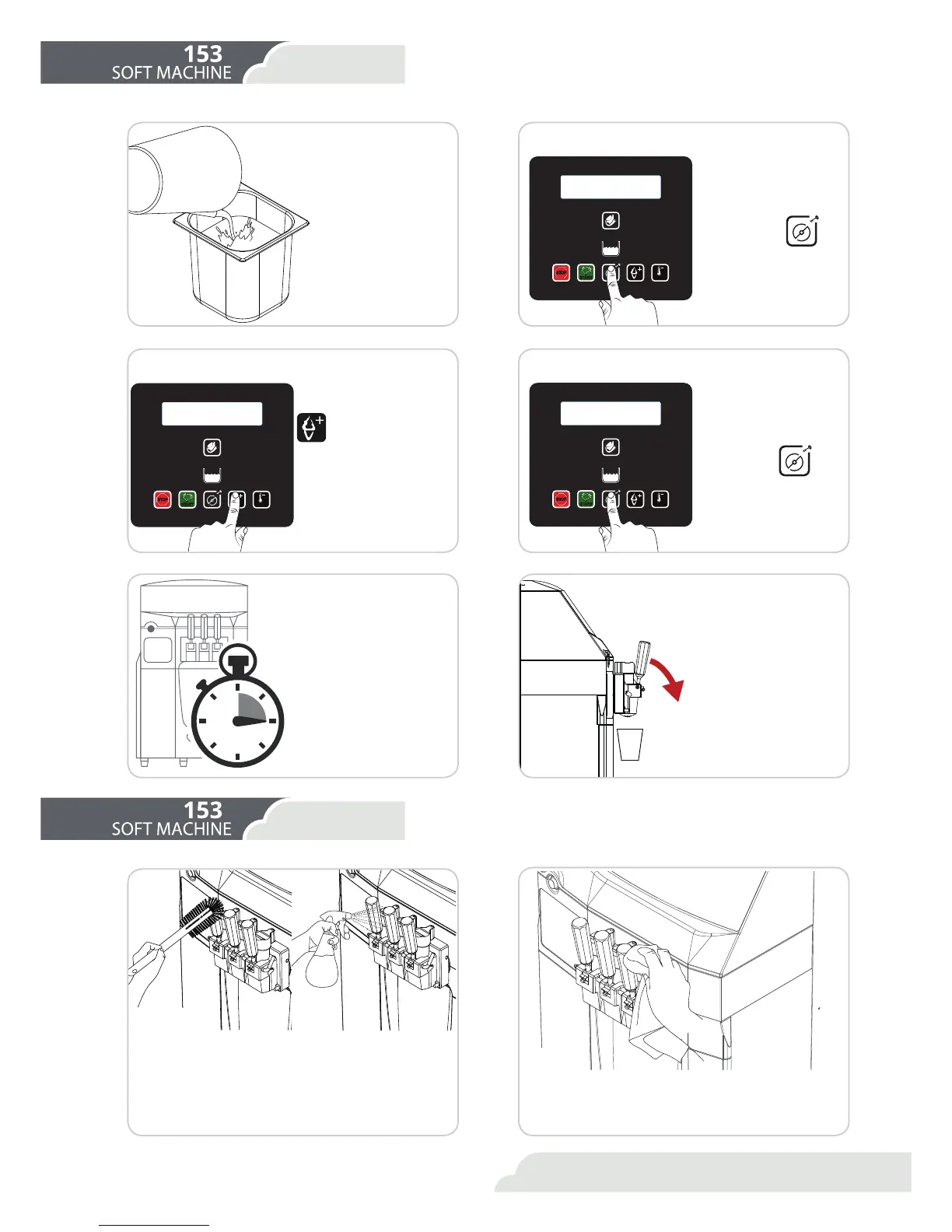
Put in the tray, ac-
cording to the cylin-
der, three liters of dis-
infectant solution.
Wait 15 minutes
/HW WKH GLVLQIHFWDQW VROX-
tion work for 15 minutes.
Empty the machine and re-
SHDWZLWKZDWHU
Washing
Drying
Continue the steps from
the chapter “Emptying”.
Repeat the foregoing
process replacing the
disinfectant solution with
water. Carry out at least
two rinses.
)LOODEXFNHWZLWKDGLVLQIHFWDQWVROXWLRQ'LSWKHEUXVK
in the bucket and clean the product outlet area, the
control lever, the bolt and the piston.
With the solution as a spray, clean the product outlet
DUHDWKHFRQWUROOHYHUWKHRULȴFHVDQGWKHLQWHULRURI
WKHEROW'RQRWVSUD\WKHGLVLQIHFWDQWVROXWLRQGLUHFWO\
onto the photocell under the tap.
Using a clean, disinfected towel rub the tap area, the
door of the refrigerator and all the other areas that
may get wet or dirty from the product.
6 7
Select cylinder
Commence Filling
Press button
.
(QWHUWKH/RDGLQJ&OHDQLQJ&DOLEUDWLQJPHQX
2Q WKH PHQX ZH XVH WKH
button to select the
F\OLQGHUWKDWZHZLVKWRȴOO.
Press button .



 To Next Page