Only use a dry cloth to clean the product.
Replacing the ear pads
For hygienic reasons, you should replace the ear pads from time to time. Spare ear pads are available from your EPOS partner.
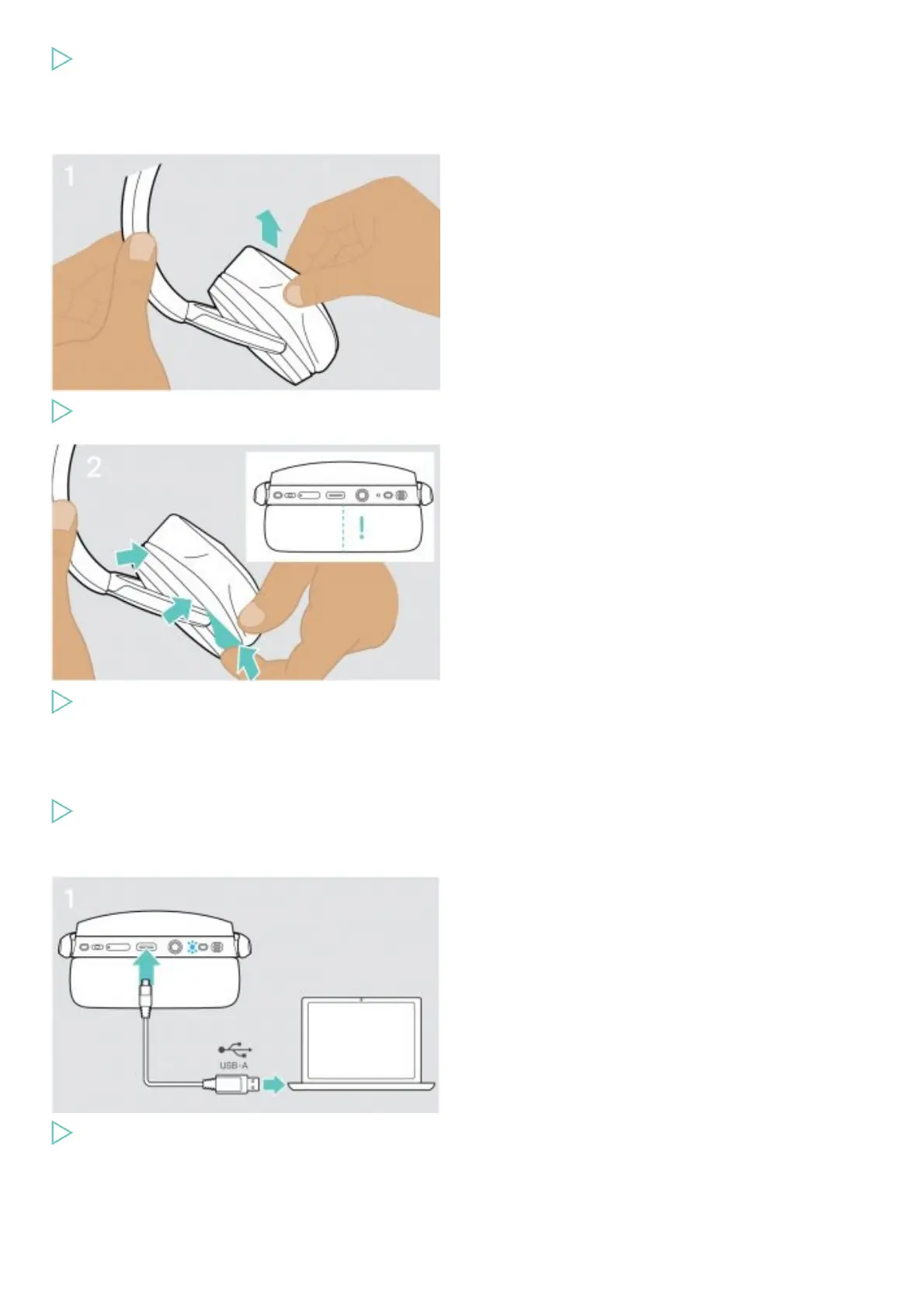
Carefully remove the old ear pad from the ear cup.
Insert the fixation band – stitched line facing to bottom – in the space on the ear cup
Updating the firmware of the products
To update the installed firmware:
Install the free of charge EPOS Connect software.
Updating the firmware of the headset
Connect the USB cable to your headset and your computer.
The LED lights up.











 To Next Page