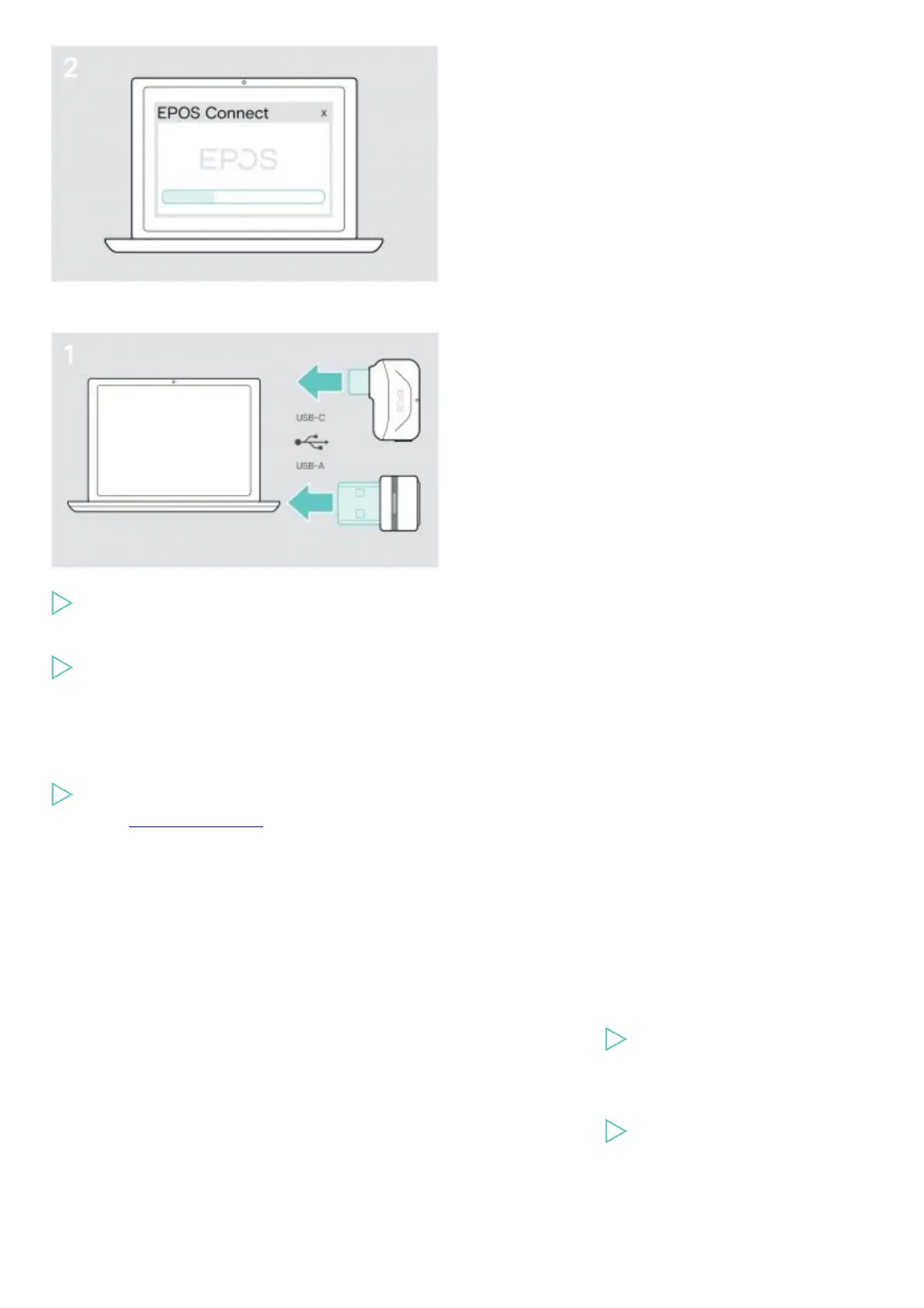
Updating the firmware of the dongle
Plug the dongle into the USB port of your computer.
The LED lights up.
Start EPOS Connect.
If there is a new firmware available the software will guide you through the update process.
Replacing / removing the headset‘s rechargeable battery
The rechargeable battery must only be replaced or removed by an authorized EPOS service center.
Contact your EPOS service center if the rechargeable battery needs to be replaced. To find the EPOS service partner in your
country, visit www.eposaudio.com.
Outside the warranty period, the rechargeable batteries may be replaced or re-moved by any qualified service center.
If a problem occurs …
Problem Problem cause Solution
Headset cannot be turned on Rechargeable battery empty
Recharge the headset battery.
Active Noise Cancellation (ANC) cannot
be turned on
Rechargeable battery empty
Recharge the headset battery.











 To Next Page