Putting the receiver into operation
18
Connecting receivers in a network
You can connect several receivers in a network. The receivers are remote
controlled via a PC running the “Wireless Systems Manager” (WSM)
software. This software will assist in the quick and safe configuration of
multi-channel systems.
For further information on downloading the software, visit the ew G3
product page on our website at www.sennheiser.com.
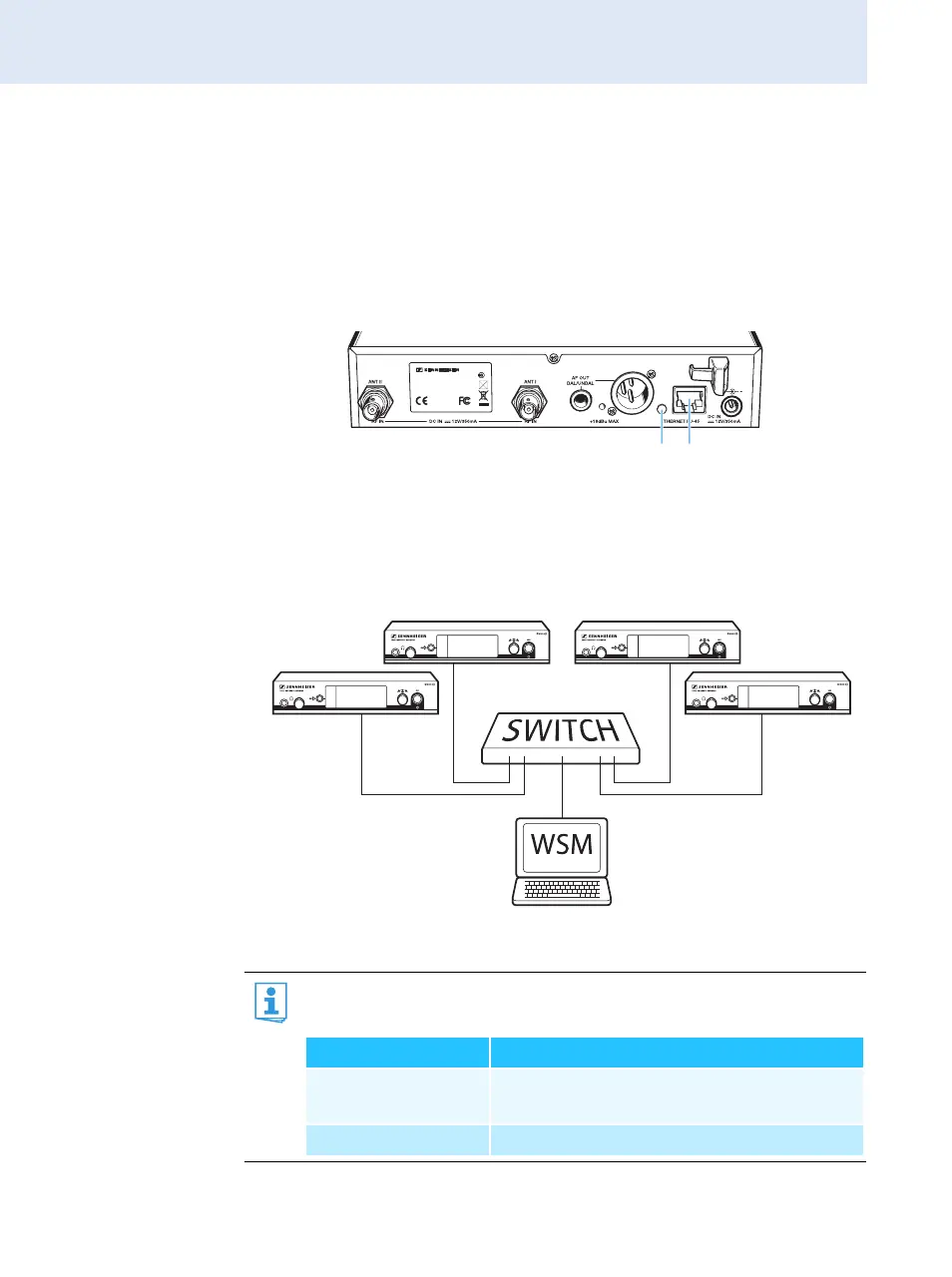
왘 Connect a standard network cable (at least Cat 5) to the LAN socket
of the receiver.
왘 Connect your receivers to an Ethernet switch.
왘 Additionally, connect a PC to the Ethernet switch as shown.
왘 Set up your multi-channel system as described on page 46.
The yellow LED at the rear of the receiver indicates the network
activity:
XXX - XXX MHzFREQ. RANGE-X:
SER. NO.: XXXXXXXXXX
TRUE DIVERSITY RECEIVER EM 5 00
IDENT. NO.: XXXXXX
IC: 2099A-XXXXXXX
DESIGNED IN GERMANY, ASSEMBLED IN USA
0682
Yellow LED ... Connection status
... lit Network cable connected to the Ethernet
switch or PC
... off No connection







 To Next Page