24
Adjusting settings via the operating menu
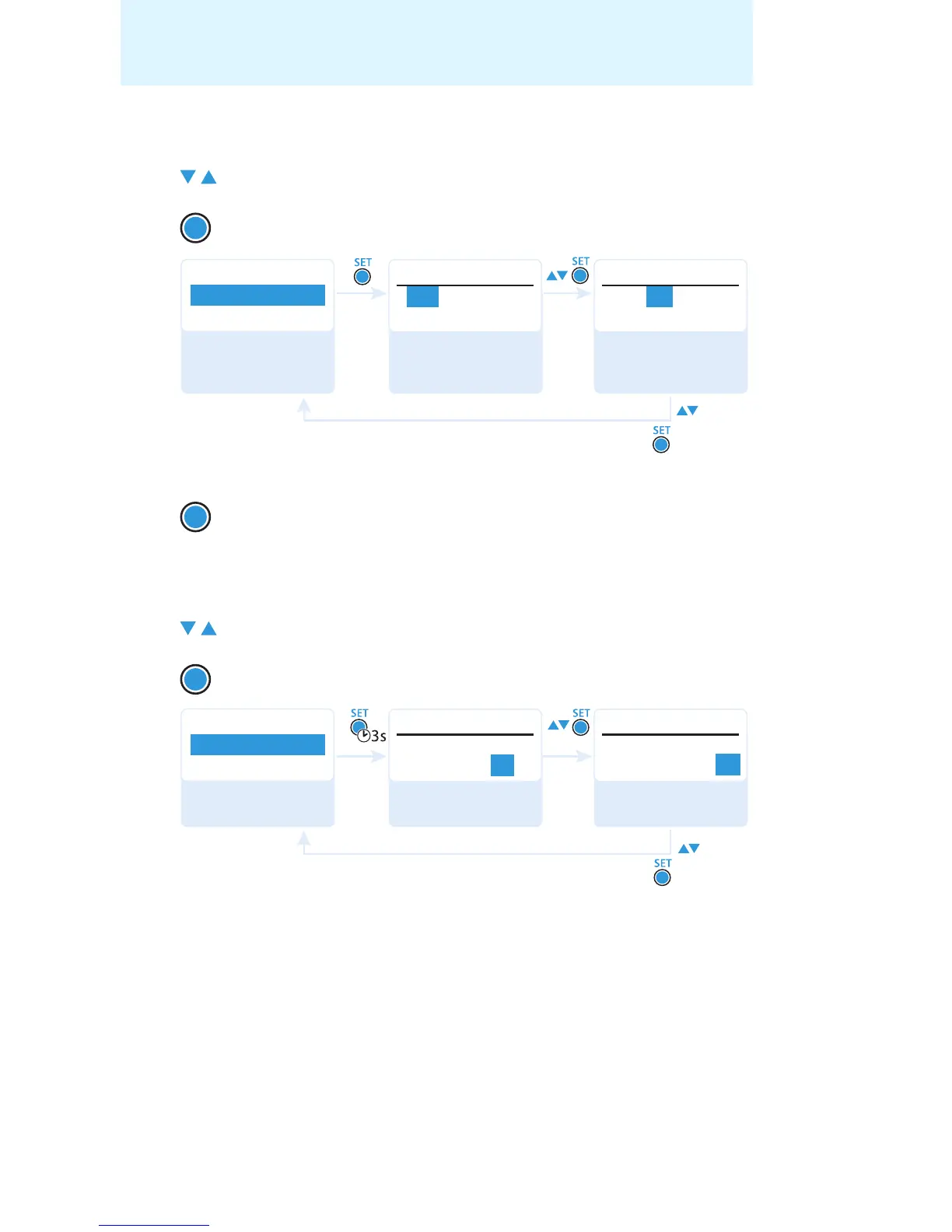
Setting a transmission frequency for the current channel
왘
Set the desired frequency.
Selecting a frequency bank and a channel and assigning this
channel a transmission frequency
왘
Set the desired frequency bank.
왘 Set the desired channel.
왘 Set the desired frequency.
왘 Press the rocker button until the “Tune” menu item appears.
왘 Press the SET button.
The frequency selection appears.
왘 Press the SET button.
Your settings are stored. The “Tune” menu item appears.
왘 Press the rocker button until the “Tune” menu item appears.
왘 Press the SET button and keep it pressed until the frequency
bank selection appears.
SET
543 .200 MHz
Tune
548.200 MHz
B.Ch: U1.1 B.Ch: U1.1
Tune
Advanced
Menu
Tune
“Stored”
Select the MHz
value and confirm
Select the kHz
value; store the
setting
Call up “Tune”
SET
SET
Tune
B.Ch: U1. 1
548.200MHz 548.200MHz
B.Ch: U1. 1
Tune
Advanced
Menu
Tune
“Stored”
Select the frequency
bank and confirm
Select the channel;
store the setting
Call up “Tune”
(special function)










 To Next Page