12
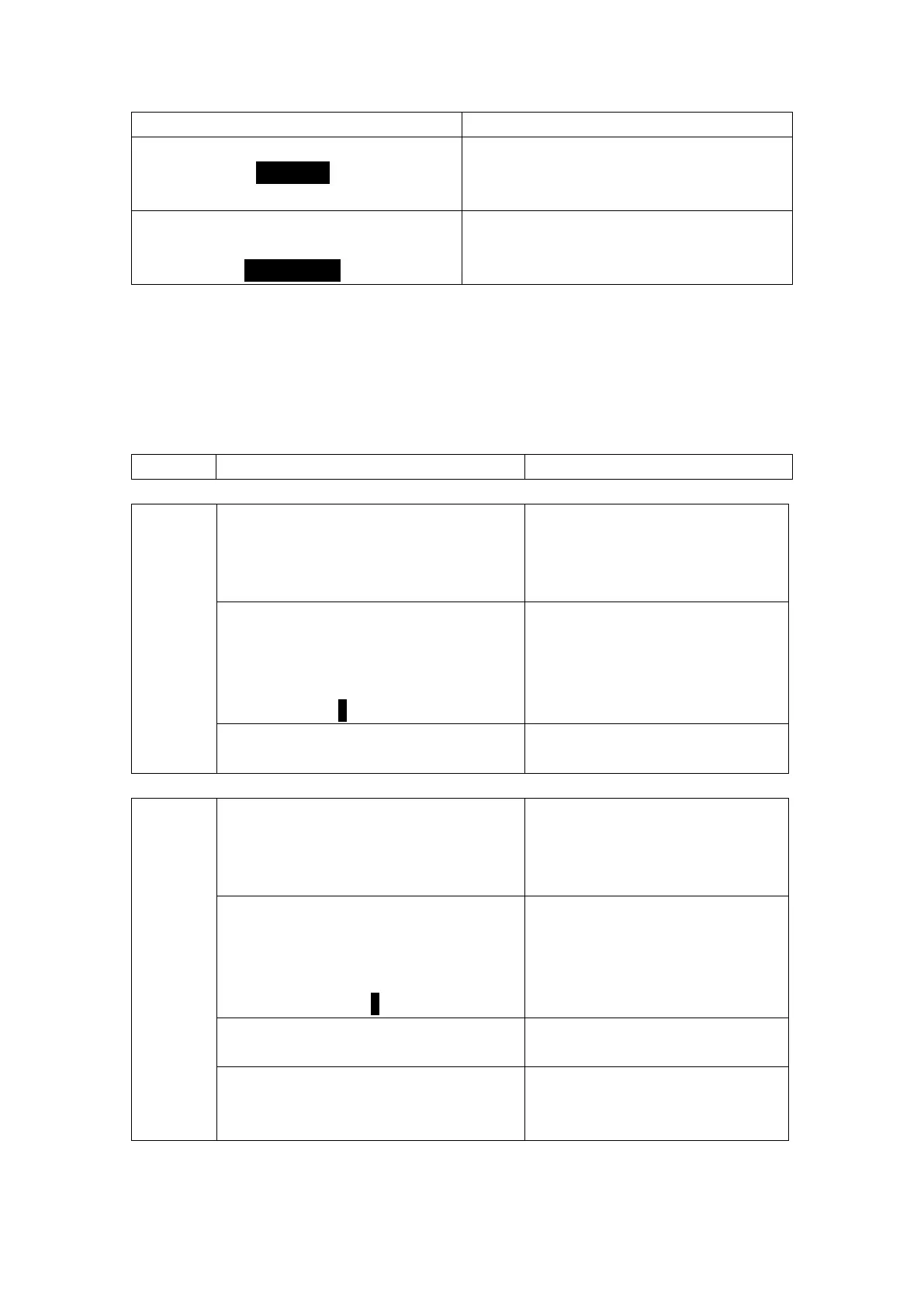
EASY CALIBRATE
USE 4 7 10 >
USE DIN19267>
Calibrates the system with standard 4.0, 7.0, and
10.0 pH buffers
EASY CALIBRATE
USE 4 7 10>
USE DIN19267>
Calibrates the system using pH =4.65, pH=6.79,
and pH= 9.23 buffers, under DIN19267.
EasyCal procedures:
Only the 2 following buffers can be used by EasyCal:
1) Standard pH=4.00, pH=7.00, and pH=10.00
2) DIN 19267: pH =4.65, PH=6.79, and pH= 9.23
Set the sensor temperature before performing EasyCal for new electrode installations.
The procedure is the same for 1) and 2). Using 1) for an example:
EASYCAL 4 7 10:
EASYCAL 4 7 10
Place Sensor
in pH Buffer
#1
Place the sensor in pH buffer 1, and
wait 30 seconds for the sensor to
stabilize.
EASYCAL Buffer #1
4.10 PH
173 mV
Please Select
4 7 10
Use the “RIGHT” key to navigate the
pH value options and press the
“ENTER” key to select.
No operation is required.
EASYCAL 4 7 10
Place Sensor
in pH Buffer
#2
Place the sensor in pH buffer 2, and
wait 30 seconds for the sensor to
stabilize.
EASYCAL Buffer #2
7.10 PH
2 mV
Please Select
4 7 10
Use the “RIGHT” key to navigate the
pH value options and press the
“ENTER” key to select.
No operation is required.
EASY CALIBRATE
4 7 10
Successfully!
No operation is required.



 To Next Page