5
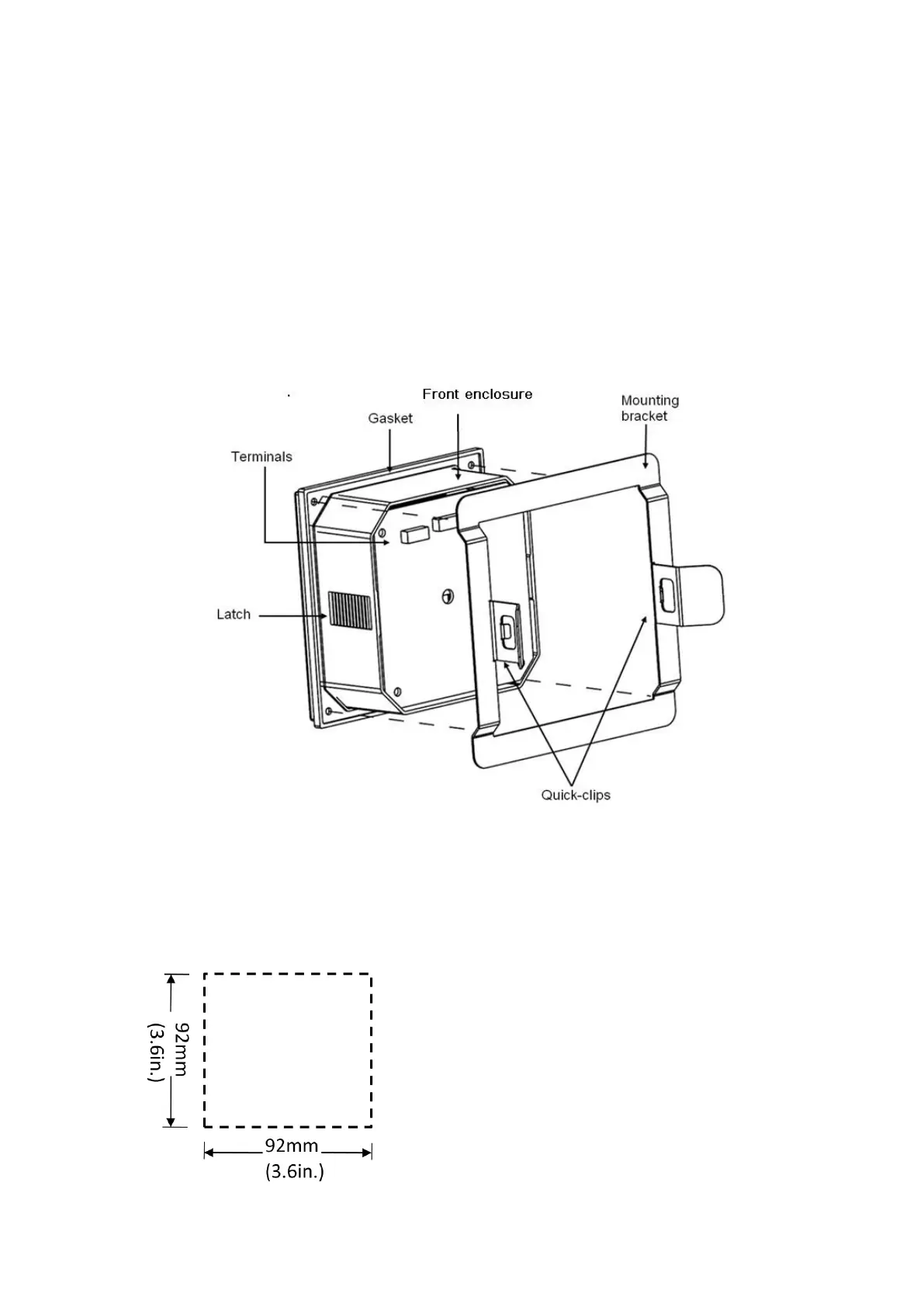
3) Slide the gasket over the back of the instrument.
4) Place the instrument into the panel cut-out.
5) Attach the mounting bracket to the back of the instrument by pulling apart the quick clips
and sliding it over the back of the instrument. Make sure that the quick clips are securely
attached to the latches.
6) Inspect the instrument to make sure that the instrument and the gasket are secured to the
panel appropriately.
7) To disassemble, press the clips of the mounting bracket against the panel and pull the
instrument away from the front.
Diagrammatic sketch:
Panel mount installation detail schematic
2.2.1.1 Panel Cut-Out



 To Next Page