Command No.
68H:
DIGITAL_
CLAMP[7..0]
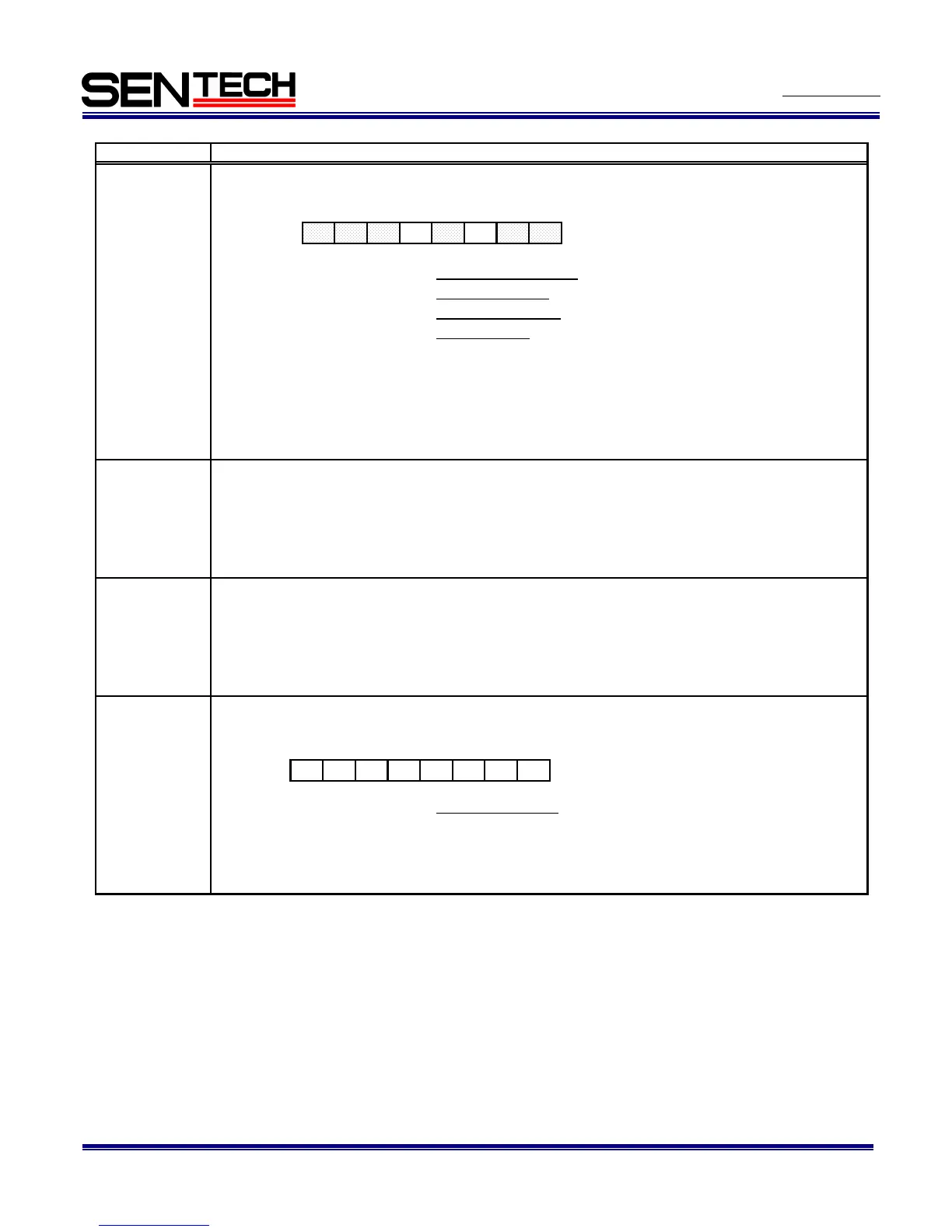
D7 to D5: No function Sets always as "000"
D4: Mirror image 0: Normal image, 1: Mirror image
D3: No function Sets always as "0"
D2: Clamp mode 0: Auto adjust, 1: Manual adjust
D1 to D0: No function
6AH:
MD_CLAMP_L
[7..0]
6BH:
MD_CLAMP_L
[15..8]
6CH:
MD_CLAMP_R
[7..0]
MD_CLAMP_R
[15..8]
00H: Video output, 01H: Gray schale,
02H: Ramp wave, 03H: 100% White,
04H: White clip, 05H: Color bar (RGB bayer),
Others: Black
Sets the manual digital clamp for the right side of the image
when the manual adjust is selected at the digital clamp (68H).
[Manual digital clamp (Left)]
Initial data: MD_CLAMP_L[15..0] = The factory adjusted value, data range: 0 to 1023
Sets the manual digital clamp for the left side of the image
when the manual adjust is selected at the digital clamp (68H).
78H:
TESTP[7..0]
[Test pattern selection] Initial data: TESTP[7..0] = 0
Sets the test pattern output form the camera.
D[7..0]
[Manual digital clamp (Right)]
Initial data: MD_CLAMP_R[15..0] = The factory adjusted value, data range: 0 to 1023
Command descriptions
[The digital clamp] Initial data: DIGITAL_CLAMP[7..0] = 0
Sets the digital clamp.
D[7..0]
Sets always as "00"
Below two settings have to set when the "manual adjust" selects at clamp mode;
Manual digital clamp (Left) : MD_CLAMP_L[15..0] (6A & 6BH)
Manual digital clamp (Right) MD_CLAMP_R[15..0] (6C & 6DH)
D7 D6 D5 D4 D3 D2 D1 D0
D7 D6 D5 D4 D3 D2 D1 D0



 To Next Page