Sentry Sample Sequencer 6 Controller 25
Point indication will indicate which sample is actively being measured
Alarm Indication will indicate any samples that caused the analyzer to set an alarm output
Both Alarm and Point indication will indicate the active and any alarmed samples
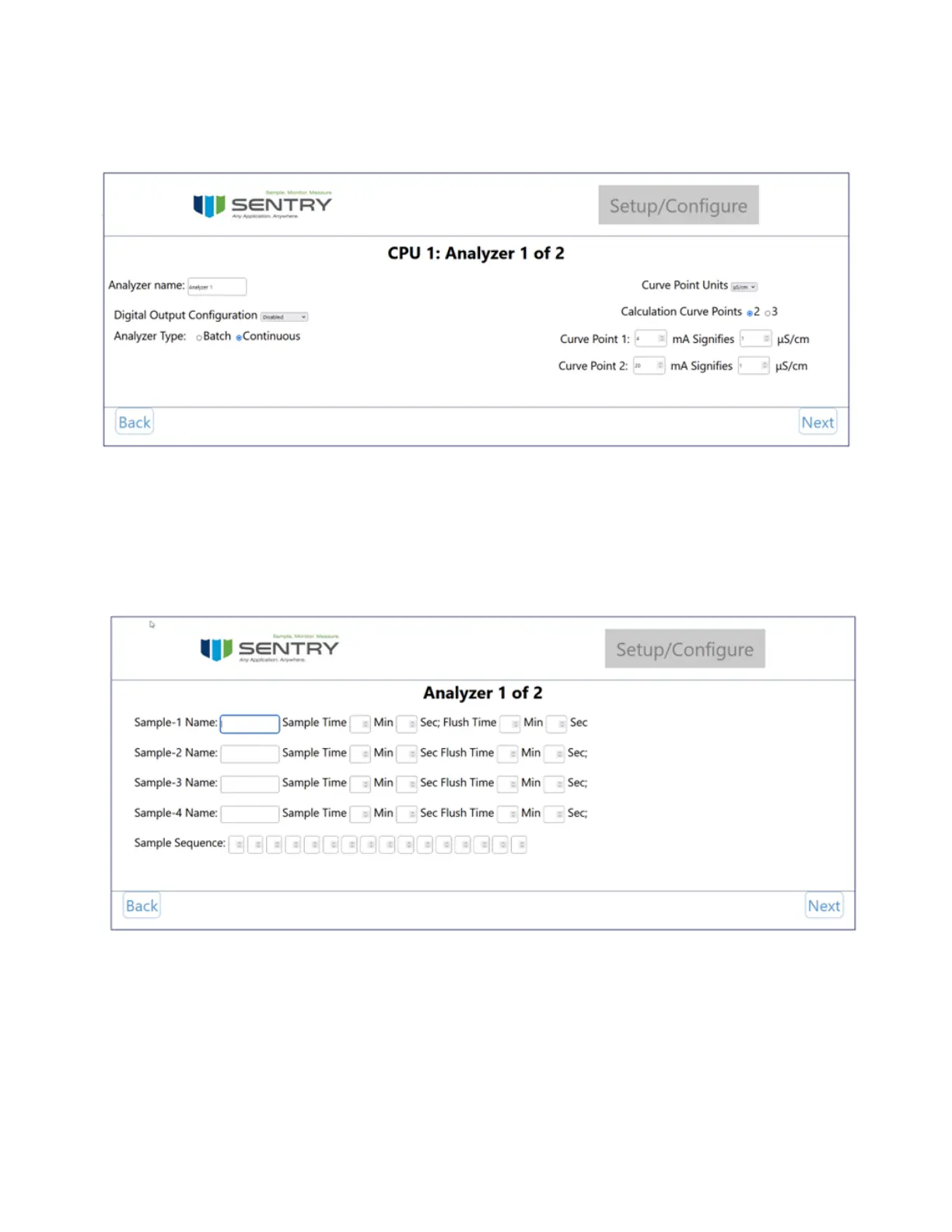
The next page is for conguration of the samples and sequence that will be followed. The sample name, sample time,
and ush time are congured on this page. For more information on sample and ush time visit timing on page 26
Press the up and down arrows to set the Sample Sequence. Note that all samples must be in the sequence in order to
complete the conguration. It is possible to sample one point several times in the sequence.
Once all analyzers are congured the next button will change to nish indicating the end of conguration.
Congure Connected Device
When a device is already congured use the ‘Congure Connected Device’ menu to edit the conguration


 To Next Page