Service Manual
Integra E-Z Oxygen Concentrators
Chart SeQual Technologies Inc. Page 10 of 34 P/N 2917
2.5.4. Attach required tubing, humidifier and additional accessories as prescribed.
CAUTION:
Use of downstream or external flow control device is not recommended.
The Integra E-Z will attempt to control the flow rate to the target flow
set on the indicator. If the unit cannot control to this flow rate an alarm
indication will occur and potential damage may occur to the unit.
CAUTION:
Use of certain administration accessories not specified for use with
this oxygen concentrator may impair the performance.
2.6. Service Mode:
To Enter Service Mode press the Hidden Switch (located behind the top No-Smoking symbol)
and either the “+” or “-“ button for a minimum of 2 seconds. To Exit Service Mode press the
Hidden Switch and either the “+” or “-“ button again or it will exit by itself after 10 seconds.
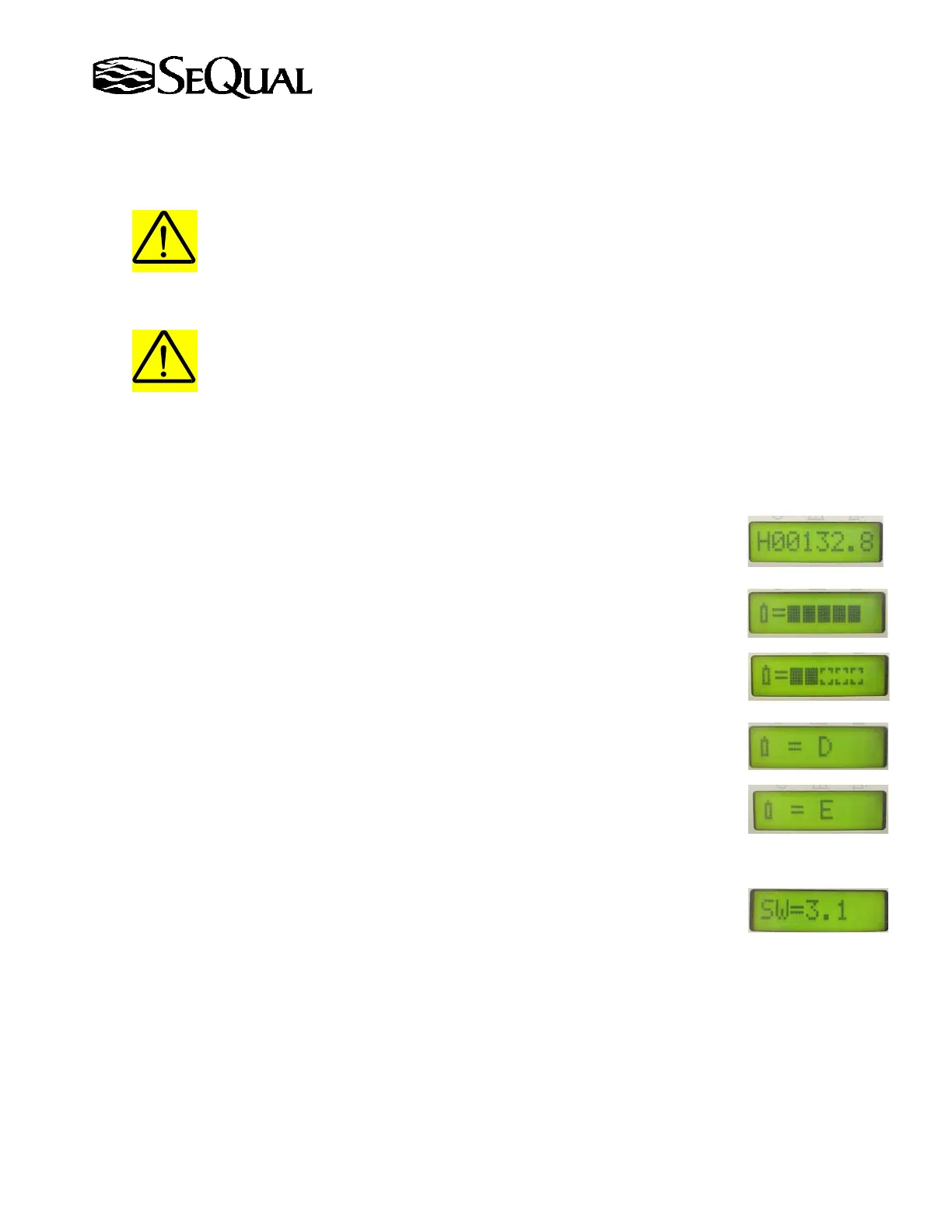
2.6.1. Checking Hourmeter (provider use only)
After entering Service Mode use the “+” or “-“ buttons to scroll through the
options until the hourmeter reading is displayed HXXXXX.X
2.6.2. Checking Battery Level (provider use only)
After entering Service Mode use the “+” or “-“ buttons to scroll through the
options until the software revision displayed. 5 Solid Bars = Full Battery and
0 Solid Bars = Depleted Battery. Recommended battery replacement at 2
Solid Bars (See Maintenance Section).
2.6.3. Enable or Disable Battery Level Alarm (provider use only)
After entering Service Mode use the “+” or “-“ buttons to scroll through the
options until the battery symbol is displayed. If the battery alarm is disabled
you will see a “D”, this is how the unit is shipped from the factory. If the
battery alarm is enabled you will see an “E”. To change the alarm status
press only the Hidden Switch while in Service Mode. The Battery Alarm
will be triggered at 2 Solid Bars.
2.6.4. Checking Software Revision (provider use only)
After entering Service Mode use the “+” or “-“ buttons to scroll through the
options until the software revision displayed SW=X.XX



 To Next Page