Service Manual
Integra E-Z Oxygen Concentrators
Chart SeQual Technologies Inc. Page 8 of 34 P/N 2917
2. Set-up and Operation
2.1. The proper location.
Locate the concentrator in a well-ventilated space that provides adequate airflow. Ensure that
furniture, draperies or clothing will not impede air circulation. The Integra requires 6 air
exchanges per hour to properly ventilate. Avoid placing the unit over a floor heat register or
against a baseboard heating system.
2.2. Air intake filter.
The air intake filter should be inspected and cleaned Weekly. It should be clean and free of
debris. Refer to Routine Maintenance Section.
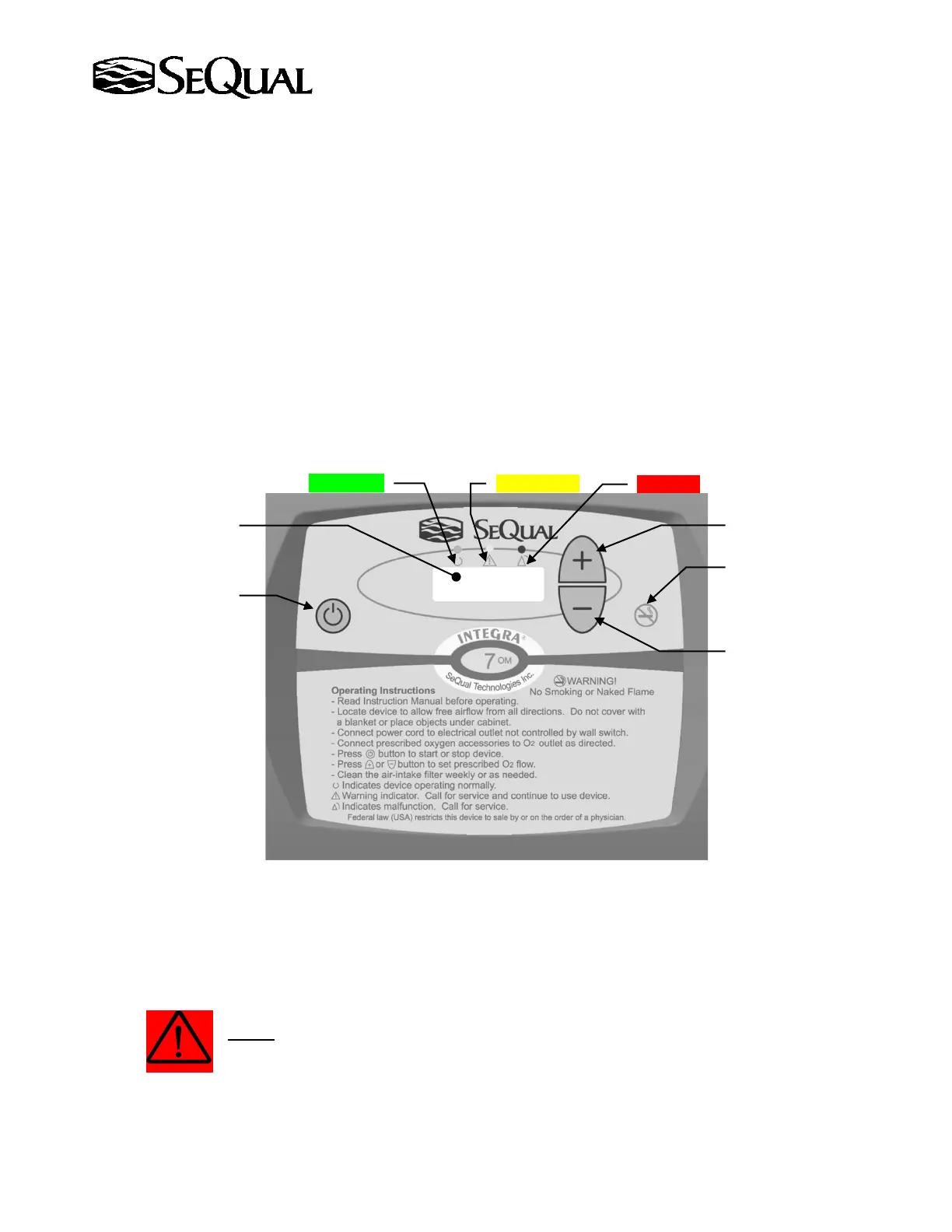
2.3. Control Panel Display
The Control Panel and buttons is shown in the figure below.
2.4. Plug the unit in.
The backlight on the Flow Indicator LCD display will turn ON indicating the unit is energized
and ready for use.
WARNING:
Do Not connect to an extension cord or electrical outlet controlled by a switch. No other appliance
should be plugged into the wall outlet. Voltage requirements are marked on the label on back of unit.
On/Off Button
Yellow Light
Increase Flow Button
Decrease Flow Button
(LPM)
(Hidden Button for
Provider Use Only)



 To Next Page