Service Manual
Integra E-Z Oxygen Concentrators
Chart SeQual Technologies Inc. Page 9 of 34 P/N 2917
Operating Condition
No Off Off Off Off
Unit not running / Flow
Indicator Display Not Lit
No Off Off Off Off Energized
Unit not running / Flow
Indicator Display Lit
2.5. Starting the Integra E-Z
2.5.1. Push the On/Off button and verify the unit Start-Up Sequence
Allow the unit to warm-up and stabilize (approximately 2 minutes but allow up to 10 minutes).
Adjust the flow using "+" and "−" buttons. A shorter warm-up will occur at lower flow rates.
NOTE:
The Integra E-Z flow indicator sets the target flow rate desired by the patient. The
installation of humidifiers or other devices can cause a back pressure on the unit
therefore it is recommend that the flow rate be set prior to attaching accessories to
the concentrator. After an initial startup or after a power interruption the unit may
automatically reduce the flow rate briefly before returning to the set flow rate.
2.5.2. Start-up Sequence OM units
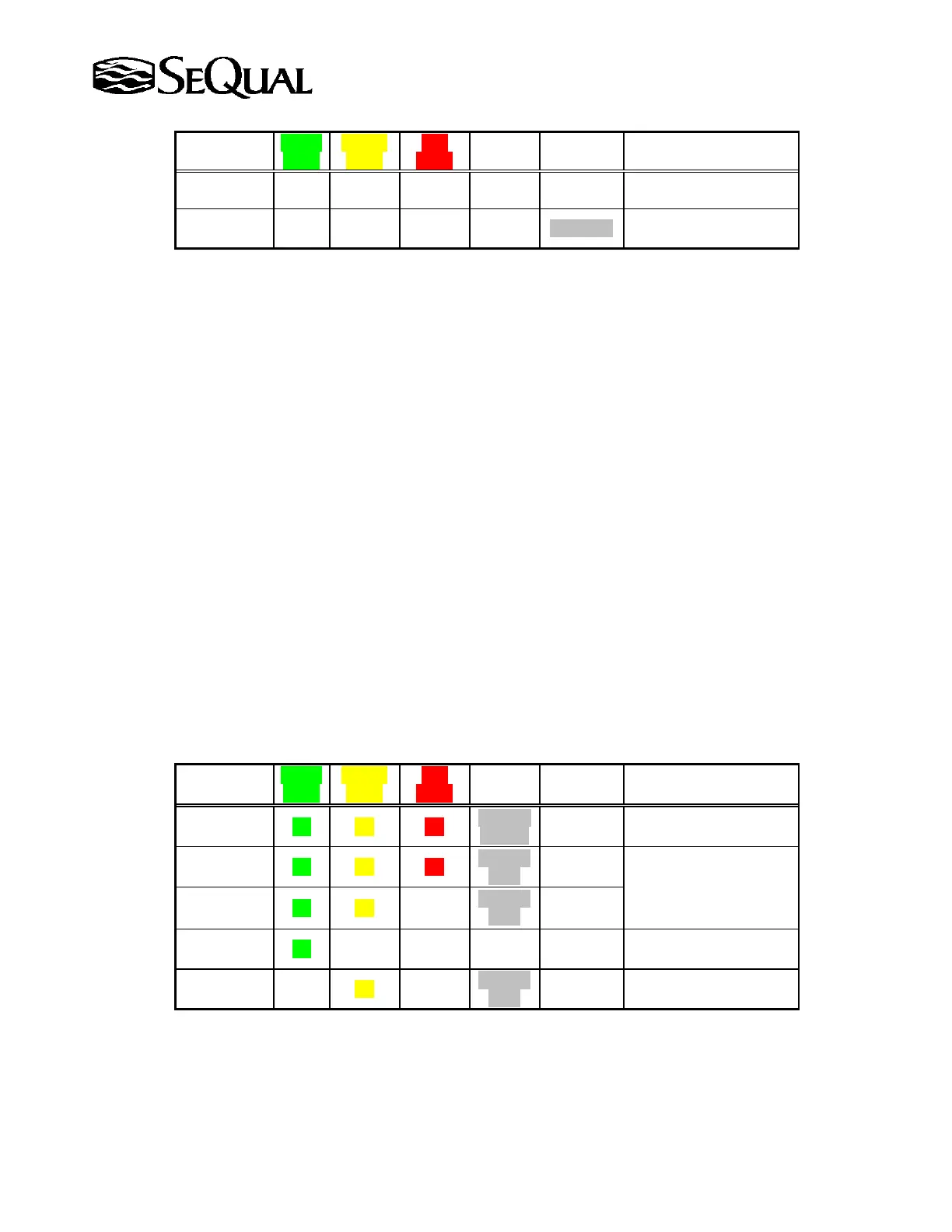
On initial start-up Integra E-Z units light the Green, Yellow and Red LED’s with a 3 second
beep followed by an intermittent beep for the remainder of the warm-up. As concentration
increases to ~70%, the Red LED turns off and the Yellow and Green remain on. When the
concentration reaches normal operating range (above 85%), the Yellow LED will turn off as
well as the intermittent beep. The Green LED will stay lit indicating normal operation.
2.5.3. Start-up Sequence Non-OM units
On Non-OM start-up Integra E-Z units will light the Green, Yellow and Red LED’s with a 3
second beep indicating all alarms indicators are functioning followed by the green LED turning
on. The table below shows operating conditions for Integra E-Z Oxygen Concentrators:
Flow Rate
Shown?
Green
Light
Yellow
Light
Red
Light
Audible
Alarm
Unit
State
Operating Condition
Yes On On On
On for 3
seconds
Started
Running
Unit is Starting
Yes On On On
Periodic
Beep
Running
Unit is warming up*
Yes On On Off
Periodic
Beep
Running
Yes On Off Off Off Running
Normal Operating
Condition
Yes Off On Off
Periodic
Beep
Not
Running
Unit turned
On/Off/On Quickly
* These conditions are displayed only on units equipped with oxygen monitor.



 To Next Page