Service Manual
Integra E-Z Oxygen Concentrators
Chart SeQual Technologies Inc. Page 26 of 34 P/N 2917
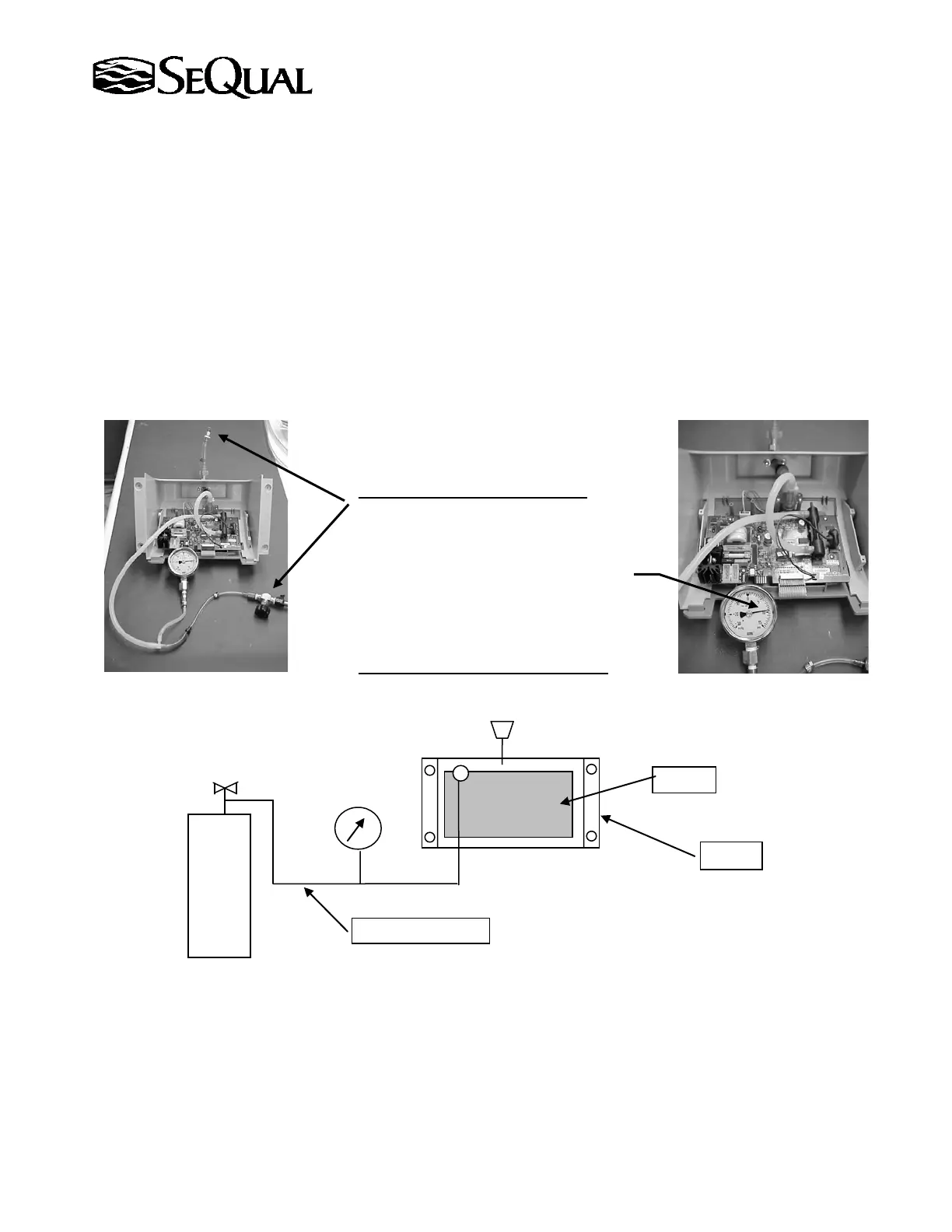
6.3.2.2 Setup and test:
Step 1) Plug the outlet side of the DISS fitting.
Step 2) Connect the tube (originally connected to ATF) to oxygen or nitrogen gas at 10 ± 1 psig.
Step 3) Using a pressure gage with 0-15 psig range, verify the system is pressurize to 10 ±1 psig.
Step 4) Once the system is pressurized, shut the supply valve on the pressure source.
Step 5) Start timing for 60 seconds.
Step 6) Verify that the pressure did not drop more than 1.8 psig for the 60 second test.
NOTE:
If a leak is found, check the connection, at which tubing was removed and
reconnected. Repair of the leak can be done by cutting ½” of tubing and
reconnecting, so tubing sealing will be re-established. Repeat the test.
POD Leak test for Integra E-Z
Once the assembly passes the leak test, install the POD following guidance from Section 6.2
“Removal and Installation of the POD Assembly”.
6.4 Removal and installation of the ATF module
6.4.1 Unplug unit from the AC power source. Confirm that Flow Indicator Backlight is off.
6.4.2 Remove the covers.
6.4.3 Disconnect the white ATF power connector, shown in the picture, by pressing the locking tabs
and pulling the connector housings apart. (see picture on next page)
Plug outlet & apply pressure.
Showing the outlet blocked using
a cap.
gas pressure



 To Next Page