HOW TO PRINT this manual from an HCI workstation
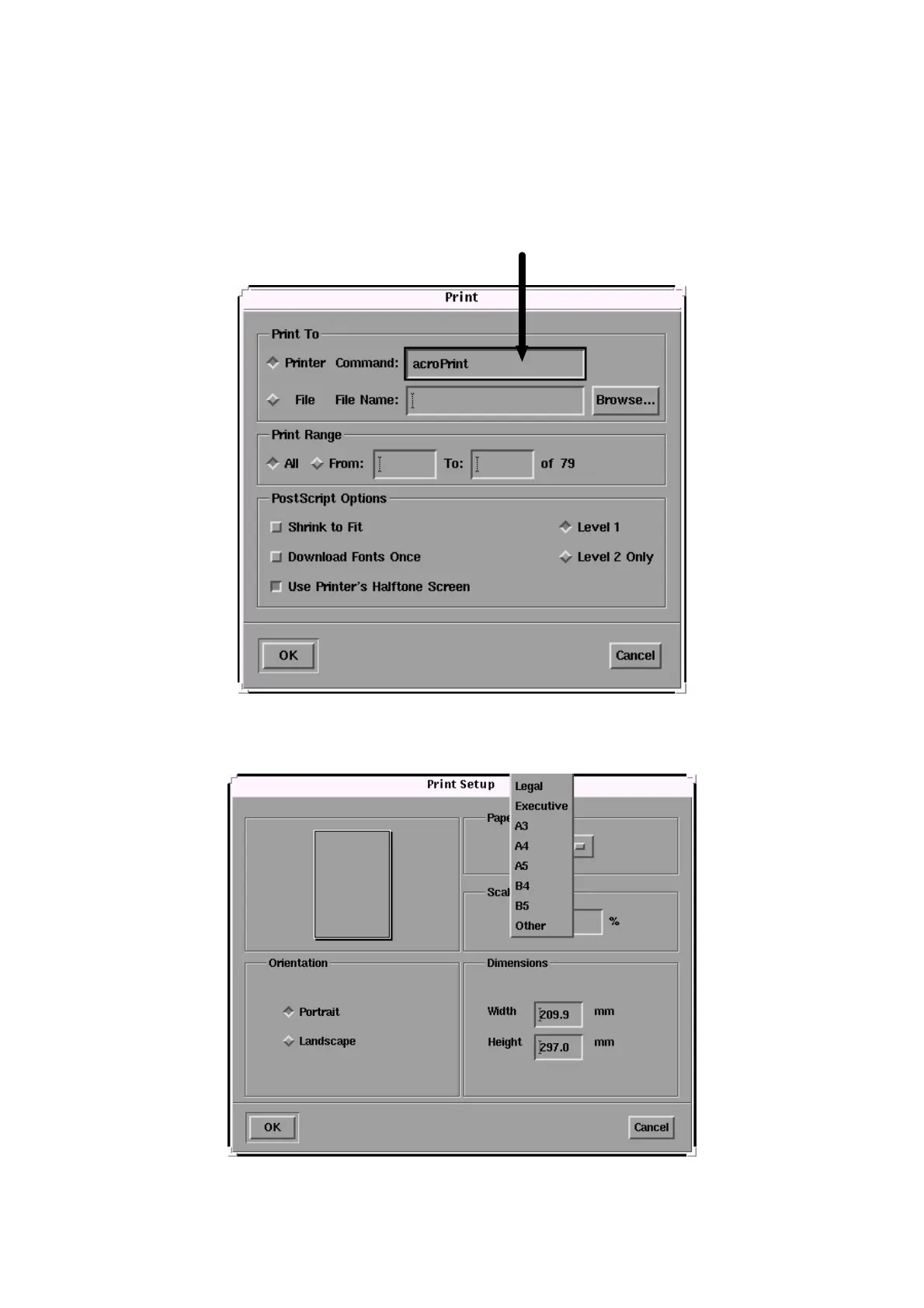
If you are viewing this manual on an HCI UNIX workstation, you have to change the
printer command in the PRINT dialog box as follows:
- Select PRINT from the menu bar
- In the Printer Command text box, type acroPrint
NOTE: The Print Setup allows you to select the paper size.



 To Previous Page