Switched PRO2 – User Guide
Using the Web Interface • 118
Access > LDAP Groups
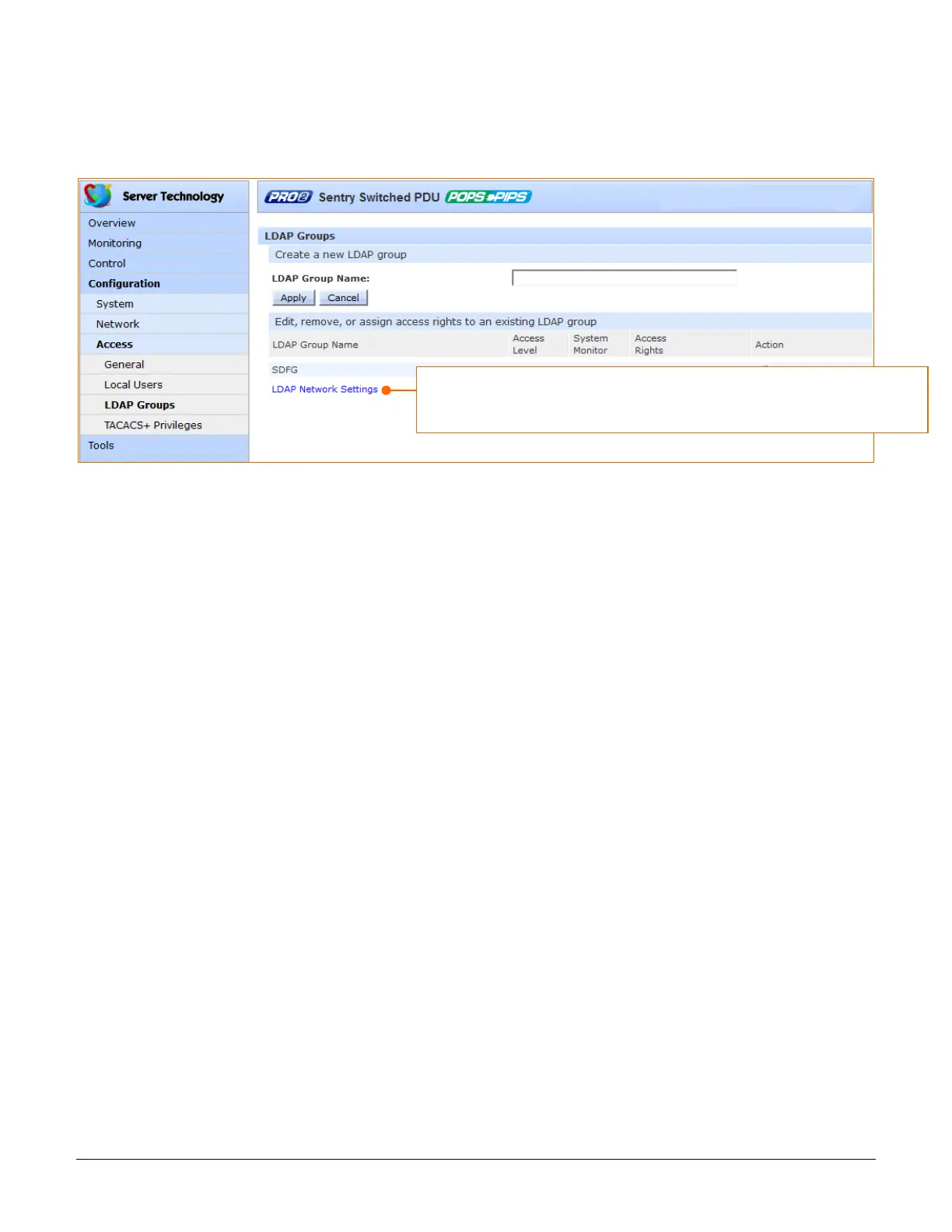
The LDAP Groups page allows the administrator to manage options for LDAP user groups, including creating new
LDAP groups, establishing the LDAP group access level, and granting LDAP group access to various resources of
the PRO2.
To create a new LDAP group:
1. In the LDAP Group Name field, type a 1-32 character LDAP group name; no spaces; LDAP group names
are not case-sensitive.
2. Click Apply.
To grant access rights to an LDAP group:
1. For the LDAP group name displayed in the list, click the Access link. The LDAP Group Access page
displays to allow granting access rights to selected PRO2 monitors, remote ports, outlet groups, and
individual outlets by checking corresponding checkboxes. To deny access to an individual resource,
uncheck the related checkbox. To grant (or deny) access to all resources in a displayed group, click All or
None.
2. Click Apply.
The LDAP Groups page is for LDAP group management only. To configure
parameters for the LDAP network protocol, go to Configuration > Network >
LDAP, or click the LDAP Network Settings link on this page.



 To Next Page