- 16 -
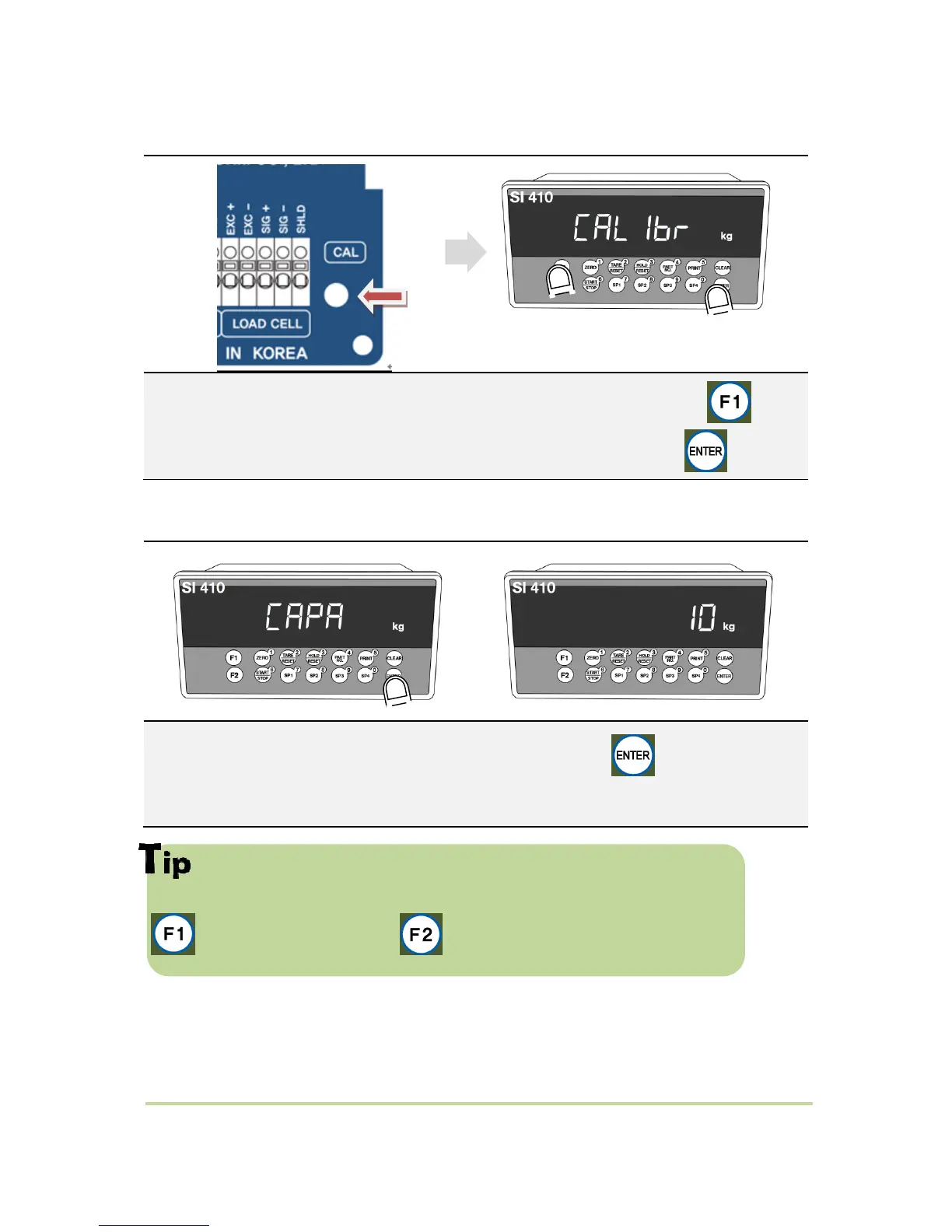
5-2-2. Start Test Weight Calibration Mode
Remove “CAL-BOLT” on the Rear panel,
and press “CAL - LOCK S/W” inside. “
When “CALIBR” displays, press key,
select “WCAL” and press key.
5-2-3. Setting “Capacity of weighing Scale”
If you want to set Max capacity as 1,000kg and the division is 0.1 (100g),
then just input “1000”.
key for going back to zero, key for gradual decrease from unit digit.
After displaying “CAPA”, input max capacity with keys & Press key to save &
move to next step.


 To Next Page