15
1 2
3 4
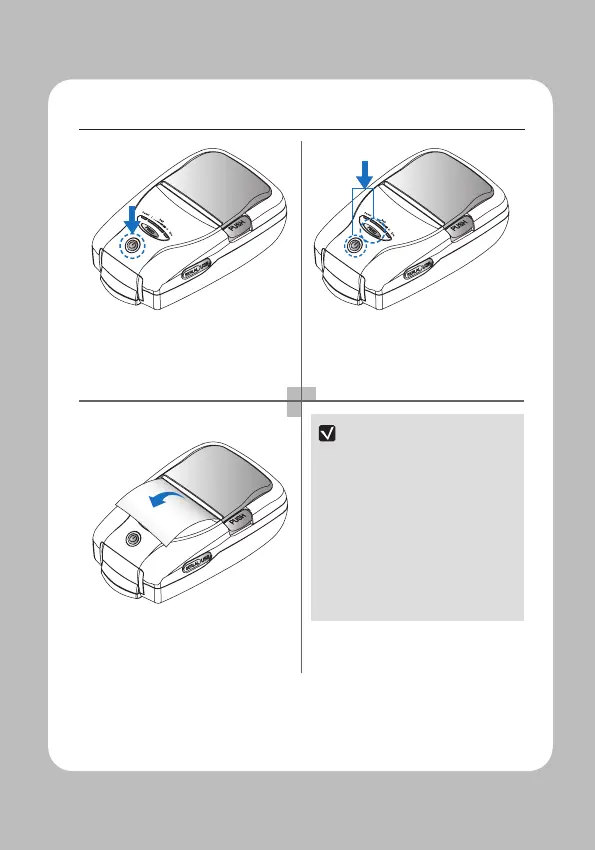
Turn o the power by pressing the
power button for approximately 3
seconds.
While you are holding the FEED button,
press the power button.
NOTE
01 To print ASCII pattern additionally,
press the Feed button once more.
02 After printing ASCII pattern,
the self test will be nished
automatically.
03 If the Feed button is not pressed
to print ASCII pattern, self test will
be nished automatically after 3
seconds.
The self-test will print.


 To Next Page