MAINTENANCE
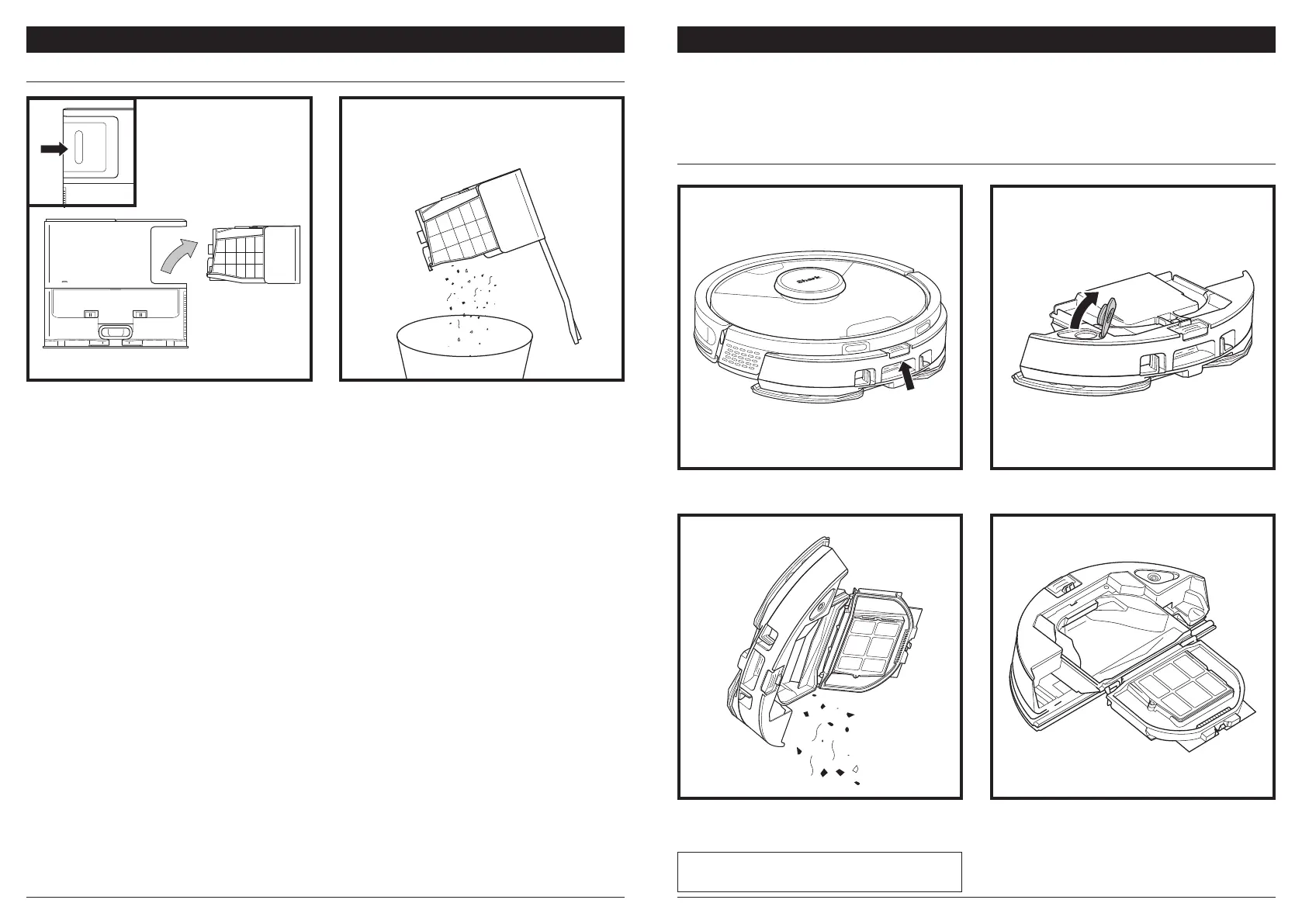
EMPTYING THE SELF-EMPTY BASE DUST BIN
MAINTENANCE
MAINTAINING THE VAC & MOP 2-IN-1 DUST BIN
To remove the Vac & Mop 2-in-1 Dust Bin, press the
release button at the top of the dust bin and slide it
out.
To turn the robot power o, take it o the Self-Empty Base and press the DOCK button on the robot for 5-7
seconds.
CAUTION: Turn o power before performing any maintenance.
To open the dust bin lid, pinch the side latches in the
finger slots and hold them while lifting the lid.
Remove the filter and use a damp cloth to wipe the
dust bin clean. Allow the bin to air-dry for 24 hours
before reinstalling it.
NOTE: Make sure to insert the dust bin completely, until
it clicks into place.
Look between the filter and the plastic shield and
make sure there is no debris buildup.
Depending on the size of the base, empty the base
dust bin every 30 to 60 days or as needed.
To detach the bin, press the Dust Bin Release
button on the back right side of the base, then
slide out the bin.
To empty the bin, hold it over the trash, then press
the release button with the trash can icon on the
side of the bin. The bin lid will open, releasing
dust and debris. Lightly tap the dust bin against
the inside of the trash receptacle to knock o any
remaining debris. Reinstall the bin by sliding it into
the slot in the base until it clicks into place.




 To Next Page