12
CH
MENU
TV/VIDEO
Basic Operation
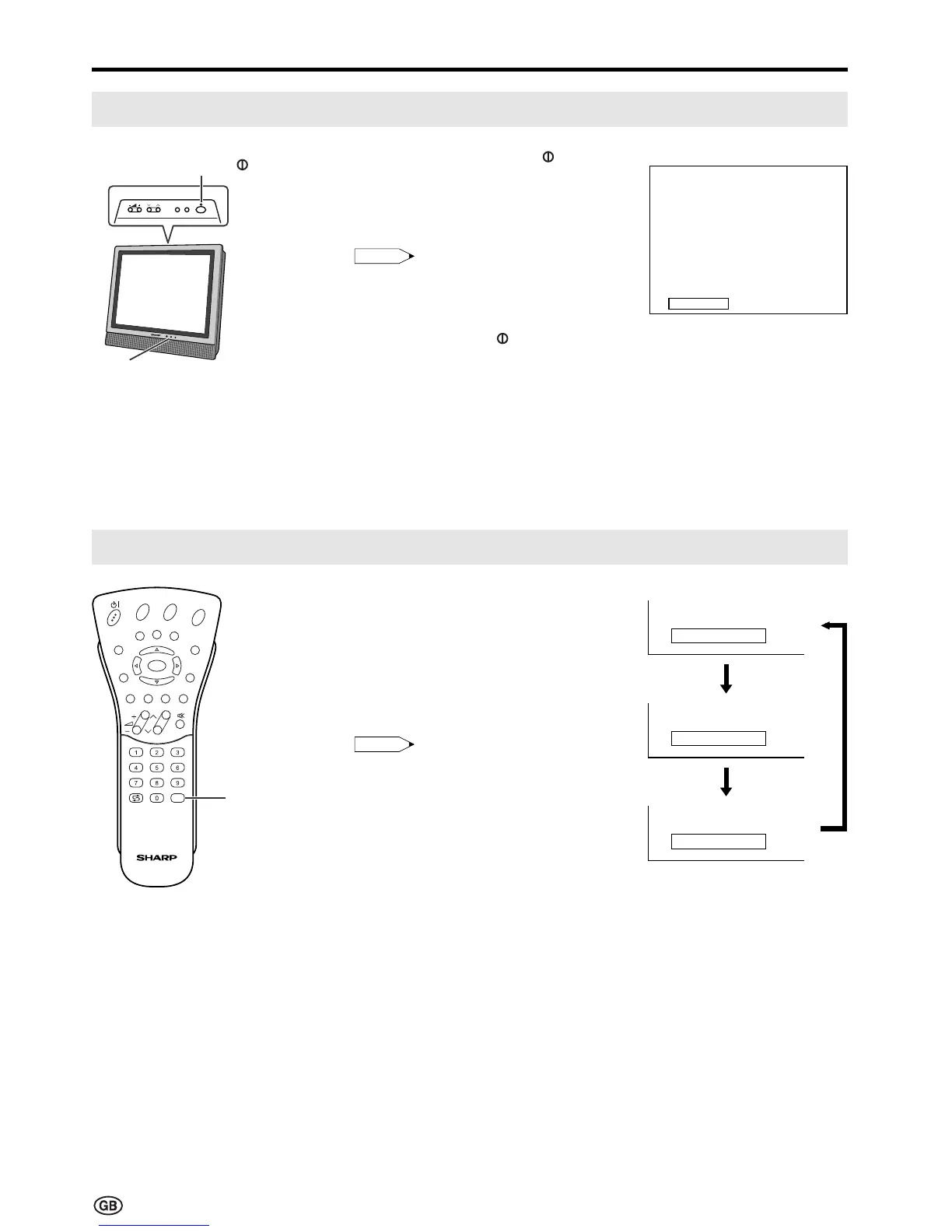
Turning On and Off the Main Power
Switching the TV/VIDEO (AV1/AV2/TV) Mode
1 Turn on the power of the
connected video equipment.
2 Press TV/VIDEO to select the
applicable input source. The
screen displays AV1, AV2 or TV
mode each time TV/VIDEO is
pressed.
Note:
• About the video modes
• AV1: Select this when viewing the
signals from the video
equipment connected to the
AV-IN 1 terminal.
• AV2: Select this when viewing the
signals from the video
equipment connected to the
AV-IN 2 terminals using the
VIDEO or S-VIDEO terminal
for video input.
• If both VIDEO and S-VIDEO
terminals are connected with cables,
the S-VIDEO input terminal is
selected as the high priority.
Power/Standby indicator
MAIN
POWER ( )
1 S06
On-screen display
AV1 mode
AV2 mode
TV mode
E
CH
TV/VIDEO
REVEAL
HOLD
END
M
MENUSOUND
SUBTITLE
OK
SUBPAGE
TEXT
ROTATE
BRIGHT
T
TV/
VIDEO
|
Press the MAIN POWER (
)
switch. The power/standby
indicator instantaneously changes
from red to green and the main
unit is turned on.
Note:
• The On-screen indicator disappears
after a few seconds.
|
To turn off the main power, press
the MAIN POWER ( ) switch.













 To Next Page