26
Features
The Feature items can be set by the user.
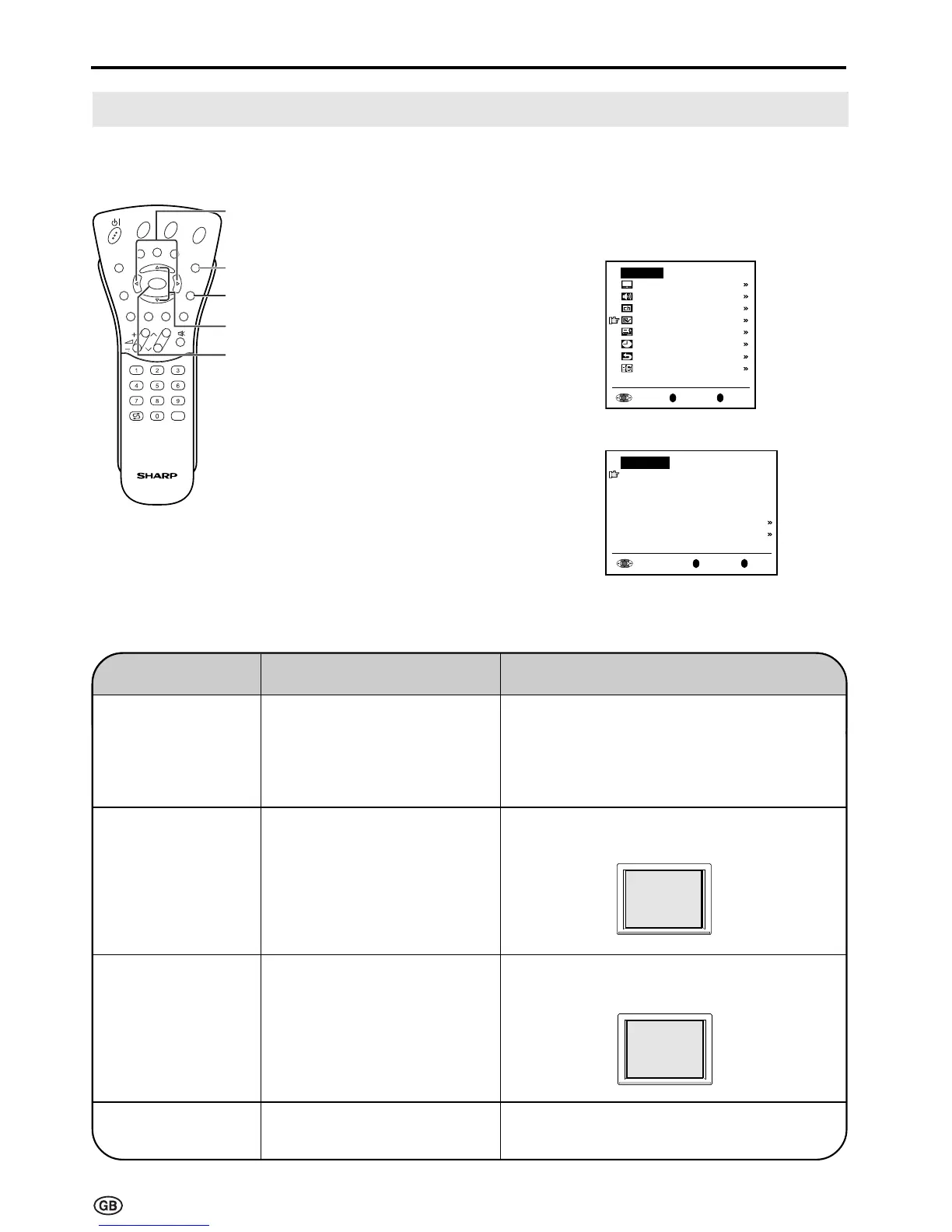
1 Press MENU to display the TV
menu.
2 Press ]/[ to select “Features”,
and then press OK to display the
“Features” screen.
3 Press ]/[ to select the desired
adjustment item, and then press
OK.
4 Press </> to make the
adjustment. (Except “On-screen
display” and “Child lock” menu
items)
5 Press END to exit.
E
CH
TV/VIDEO
REVEAL
HOLD
END
M
MENUSOUND
SUBTITLE
OK
SUBPAGE
TEXT
ROTATE
BRIGHT
T
Useful Features (Continued)
</>
] /[
MENU
OK
OK
Back
M
End
E
TV menu
Picture
Sound
Programmes
Features
AV connections
Timer functions
First installation
Language
OK
Back
M
End
E
Features
Brightness
[
bright
]
Rotate horizontally
[
off
]
Rotate vertically
[
off
]
Auto power off
[
off
]
On-screen display
Child lock
ABC
Selected item
Brightness*
Rotate horizontally*
Rotate vertically*
Auto power off
(only TV mode)
Factory setting
[bright] Maximum brightness
[off] Normal
horizontal image
orientation
[off] Normal
vertical image
orientation
[off] This feature is inactive.
Setting change
[medium] Brightness 60% → Suitable for
viewing in well-lit areas. Saves
energy.
[dark] Brightness 20% → Sufficiently
bright when viewing in dim areas.
[on] Mirror image → To display mirror
images for special uses.
[on] Inverted image → To display images
upside down for special uses.
[on] The power of the LCD TV set is turned
off when there is no signal for 5 minutes.
ABC
ABC
* Brightness and Rotate can be switched in one touch using the remote control (See page 27).
END













 To Next Page