25
Programmes (Continued)
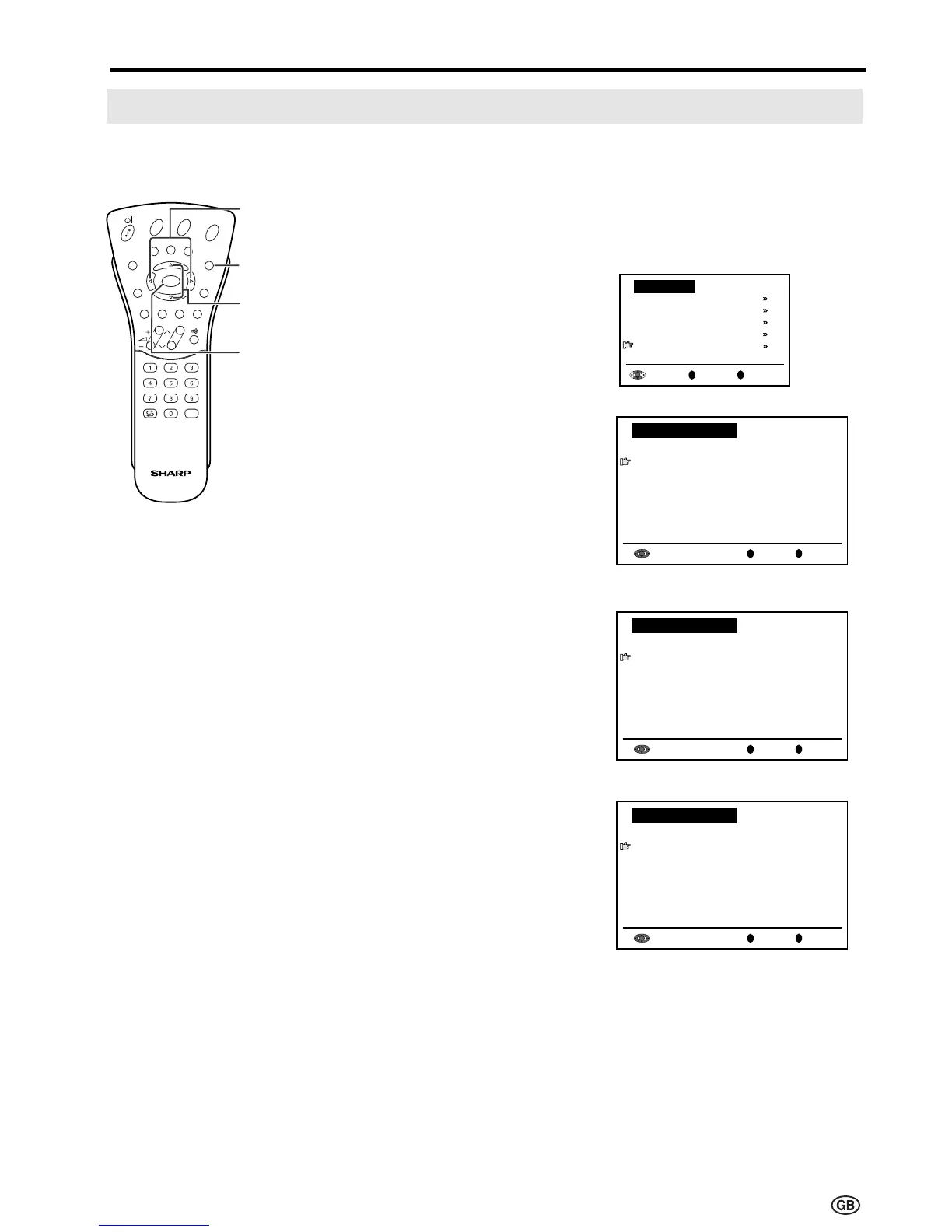
[5] Enter/change name
The name of an individual programme can be entered or changed.
1 Perform steps 1 and 2 in
[1] Automatic search to display
the “Programmes” screen.
2 Press ]/[ to select “Enter/
change name”, and then press OK
to display the “Enter/change
name” screen.
3 Press ]/[ and/or </> to select
the desired programme, and then
press OK. The character at the
input position blinks.
4 Press </> to select the input
position, and then press ]/[ to
select the desired character.
5 Press OK to accept the name
entered, and then press END to
exit.
0
OK
Back
M
End
E
0
0
0
0
0
0
0
0
0
0
0
Enter/change name
8 E 9 16 E54
1 _ 6 9 E1 17 E56
2 S 8 1 E11 18 E57
3 S1 11 E36 19
4 S11 12 E37 2
5 E 3 13 E38 21
6 E 5 14 E5 22
7 E 6 15 E53 23
0
OK
Back
M
End
E
0
0
0
0
0
0
0
0
0
0
0
Enter/change name
8 E 9 16 E54
1 S 6 9 E1 17 E56
2 S 8 1 E11 18 E57
3 S1 11 E36 19
4 S11 12 E37 2
5 E 3 13 E38 21
6 E 5 14 E5 22
7 E 6 15 E53 23
0
OK
Back
M
End
E
0
0
0
0
0
0
0
0
0
0
0
Enter/change name
8 E 9 16 E54
1 S 6 9 E1 17 E56
2 S 8 1 E11 18 E57
3 S1 11 E36 19
4 S11 12 E37 2
5 E 3 13 E38 21
6 E 5 14 E5 22
7 E 6 15 E53 23
Useful Features (Continued)
OK
Back
M
End
E
Programmes
Automatic search
Manual adjustment
Sort
Erase programme range
Enter/change name
E
CH
TV/VIDEO
REVEAL
HOLD
END
M
MENUSOUND
SUBTITLE
OK
SUBPAGE
TEXT
ROTATE
BRIGHT
T
</>
] /[
END
OK













 To Next Page