20
Programmes
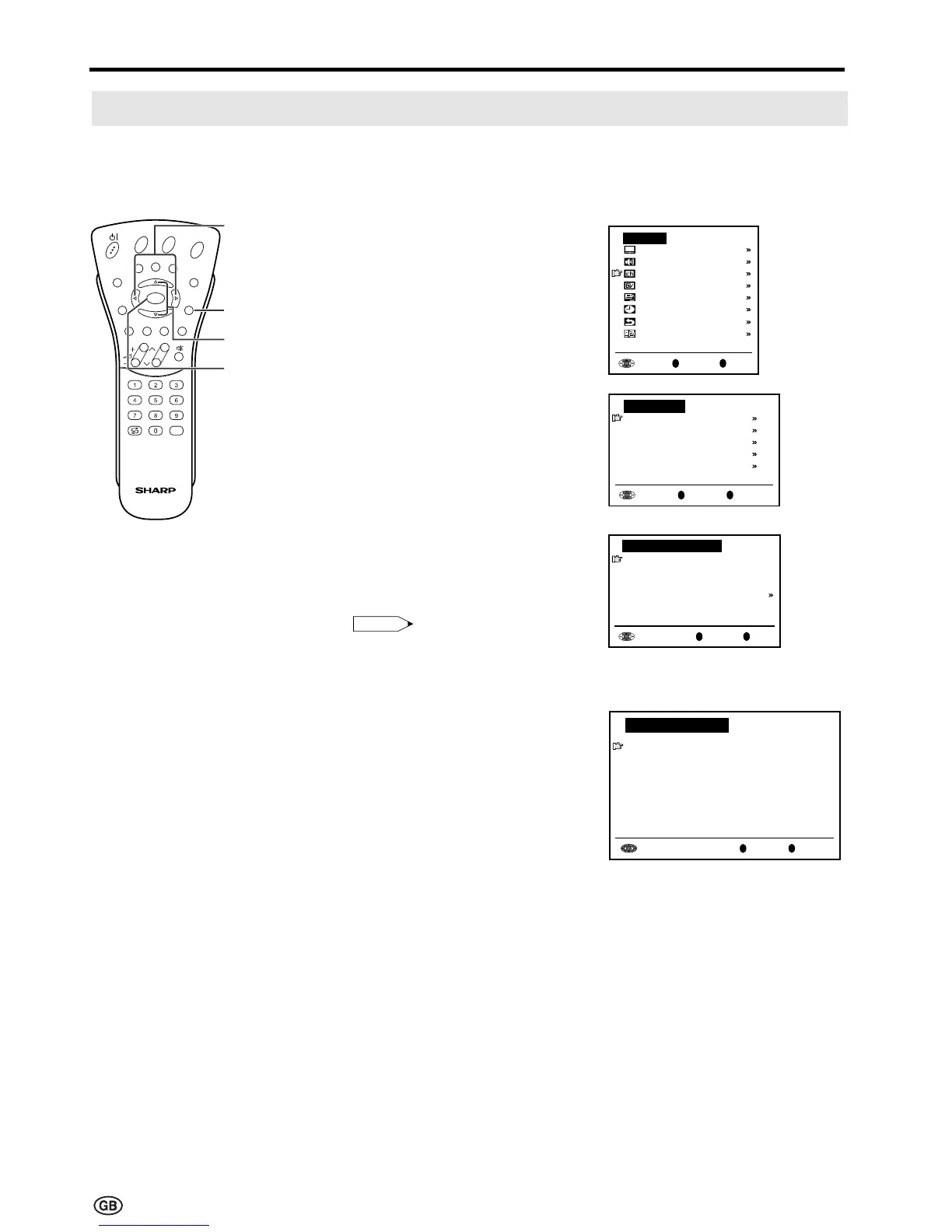
[1] Automatic search
Perform the procedure below to search for and store new programmes after the First Installation
routine.
1 Press MENU to display the TV
menu.
2 Press ]/[ to select
“Programmes”, and then press
OK to display the “Programmes”
screen.
3 Press ]/[ to select “Automatic
search”, and then press OK to
display the “Automatic search”
screen.
4 Press ]/[ to select the desired
item, and then press OK.
Press </> to select the desired
item.
Note:
Note:
• You can change “Colour system”
and “Sound system” only when
“Other Countries” is selected in
“Country”.
5 Press ]/[ to select “Store progr.
from”, and then press OK to
display the “Store progr. from”
screen.
OK
Back
M
End
E
Automatic search
Country
[ UK]
Colour system
[
PAL
]
Sound system
[
I
]
Store progr. from
Start search
0
OK
Back
M
End
E
0
0
0
0
0
0
0
0
0
0
0
Store progr. from
8 E 9 16 E54
1 S 6 9 E1 17 E56
2 S 8 1 E11 18 E57
3 S1 11 E36 19
4 S11 12 E37 2
5 E 3 13 E38 21
6 E 5 14 E5 22
7 E 6 15 E53 23
Useful Features (Continued)
OK
Back
M
End
E
Programmes
Automatic search
Manual adjustment
Sort
Erase programme range
Enter/change name
OK
Back
M
End
E
TV menu
Picture
Sound
Programmes
Features
AV connections
Timer functions
First installation
Language
E
CH
TV/VIDEO
REVEAL
HOLD
END
M
MENUSOUND
SUBTITLE
OK
SUBPAGE
TEXT
ROTATE
BRIGHT
T
OK
] /[
MENU
</>













 To Next Page