14
Basic Operation (Continued)
Changing Channels
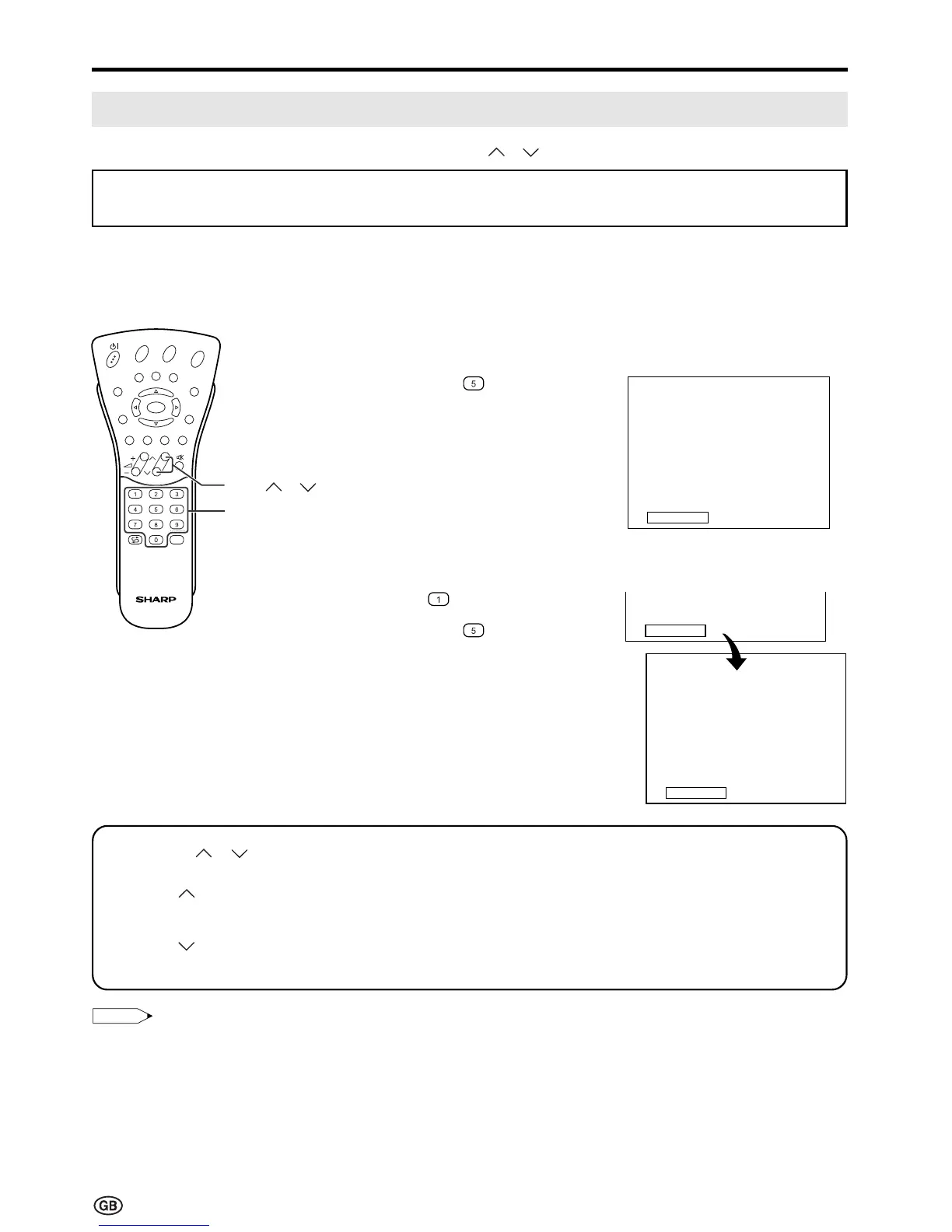
You can select channels using Channel Select or CH ( )/( ).
To select a one-digit channel
(e.g. Channel 5):
1 Hold down the button.
To select a two/three-digit channel
(e.g. Channel 15):
1 Press the button.
2 Hold down the button.
• To handle the increasing number of channels available, this LCD TV set allows you to select up to
200 channels (0 to 199).
Using Channel Select
When selecting the channel using Channel Select, finish inputting the channel number by holding down
the button for the last digit for a moment.
Using CH ( )/( )
Press CH ( ) and the channels change in the order shown below:
1 → 2 → 3 → . . . → 198 → 199 → 0 → 1 → 2 → 3 → . . .
Press CH (
) and the channels change in the order shown below:
3 → 2 → 1 → 0 → 199 → 198 → . . . → 3 → 2 → 1 → . . .
Note:
Note:
• Channel “0” is prepared for RF output of VCR.
15
1
Channel
Select
E
CH
TV/VIDEO
REVEAL
HOLD
END
M
MENUSOUND
SUBTITLE
OK
SUBPAGE
TEXT
ROTATE
BRIGHT
T
5
CH ( )/( )













 To Next Page