13
Sound Volume
ON/OFF Standby
Basic Operation (Continued)
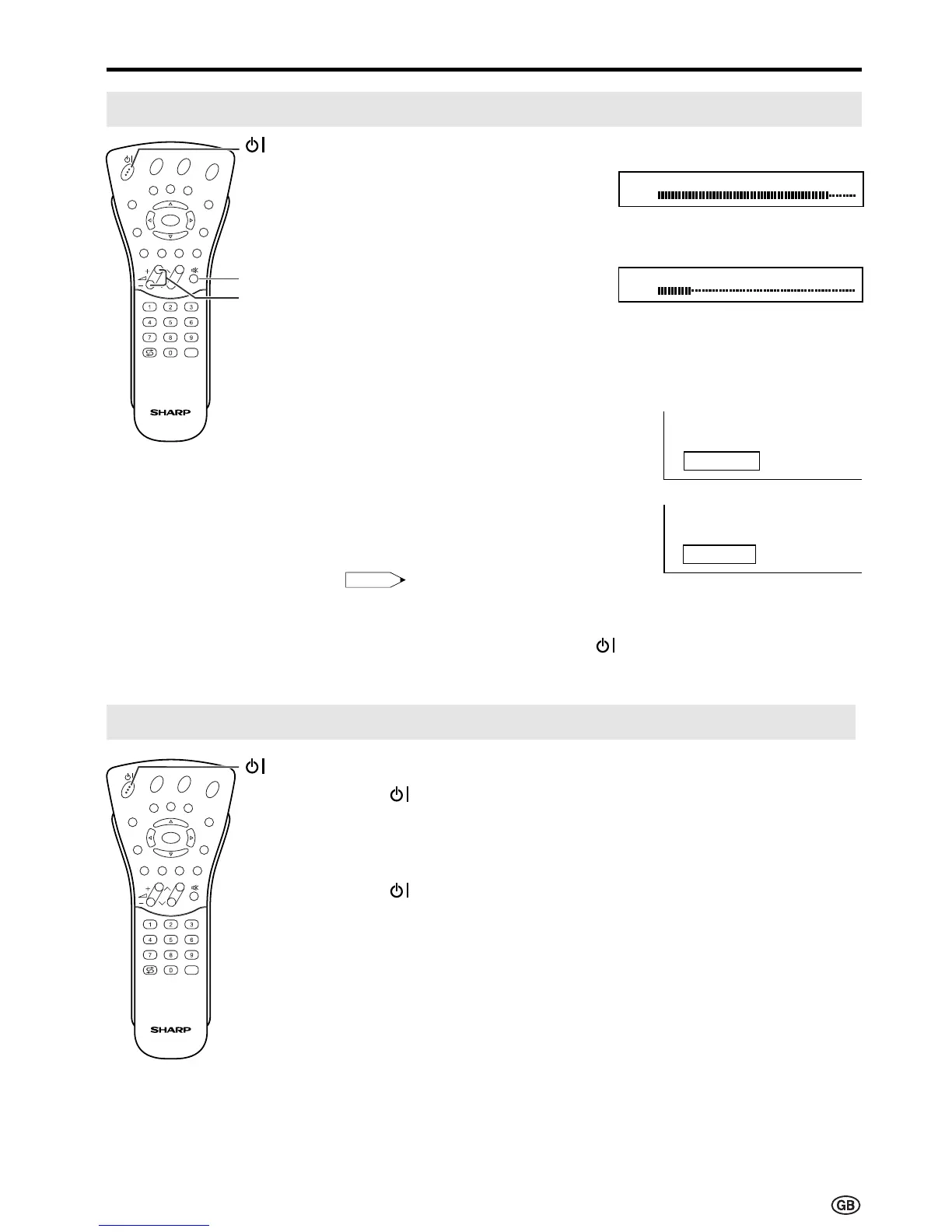
To adjust the volume
|
Press Volume (+) to increase the
sound volume. The numerical
value increases.
|
Press Volume (–) to decrease the
sound volume. The numerical
value decreases.
To mute the sound
|
Press Mute to temporarily turn off
the sound. “Sound off” is
displayed.
|
Press Mute to turn off the Mute
function. “Sound on” is displayed.
Note:
• When Volume (+)/(–) is pressed in the
Mute mode, the sound turns on and the
volume indicator is displayed.
• The Mute function is cancelled when
is pressed.
To turn off the LCD TV
Press . The power/standby indicator
will turn red.
To turn the LCD TV back on
Press again. The power/standby
indicator will turn green.
E
CH
TV/VIDEO
REVEAL
HOLD
END
M
MENUSOUND
SUBTITLE
OK
SUBPAGE
TEXT
ROTATE
BRIGHT
T
Volume
(+)/(–)
Mute
E
CH
TV/VIDEO
REVEAL
HOLD
END
M
MENUSOUND
SUBTITLE
OK
SUBPAGE
TEXT
ROTATE
BRIGHT
T
Sound off
Sound on
Volume
50
Volume
10













 To Next Page