30
Child Lock (Continued)
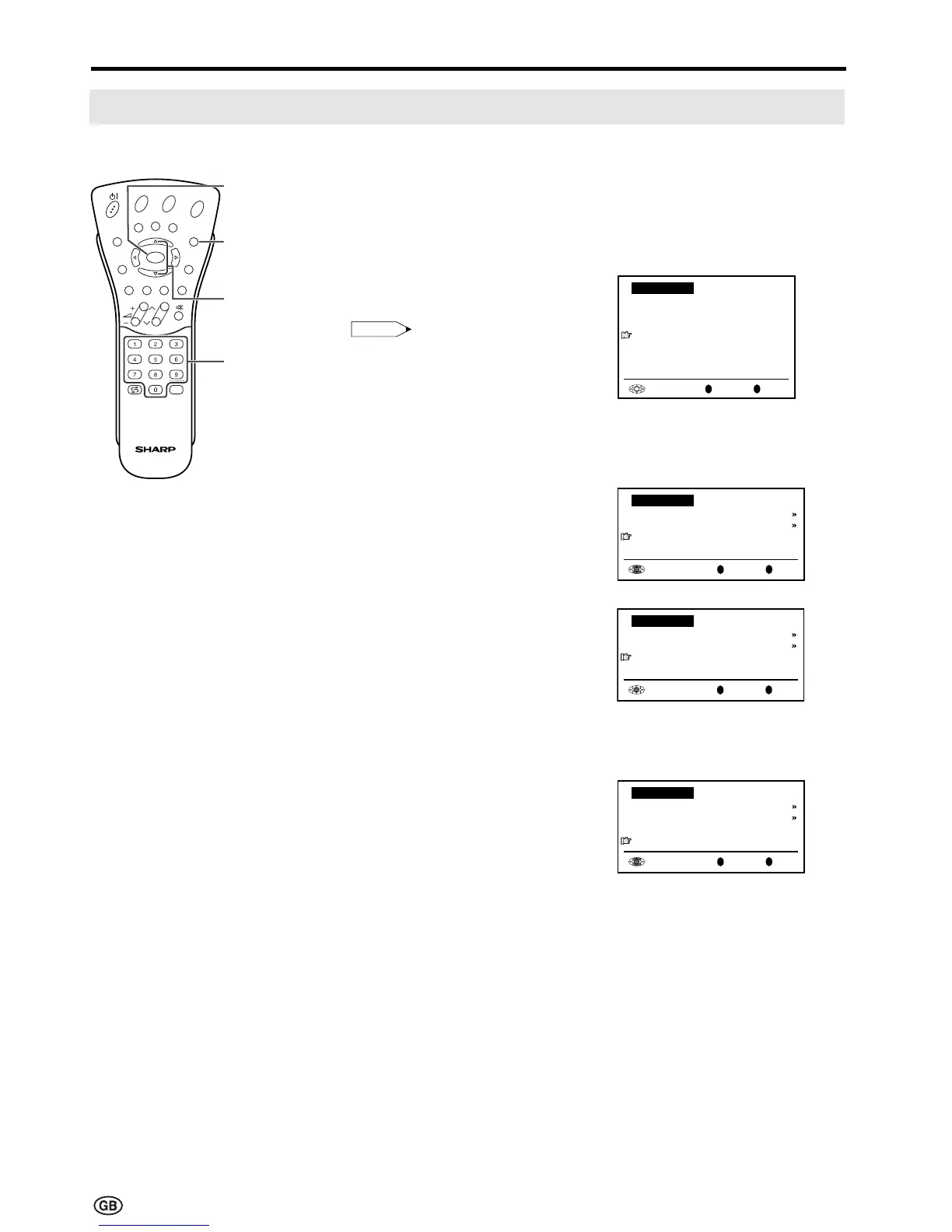
[2] Changing/Cancelling a PIN
To change a PIN
1 Perform steps 1 to 3 in
[1] Defining a PIN to display the
PIN input screen.
2 Enter your four-digit PIN (e.g.
1234) with Channel Select.
Note:
Note:
• Numbers entered are hidden with
????.
• If the PIN has been input incorrectly,
“Wrong PIN!” is displayed.
When the PIN is correctly entered,
the “Child lock” screen appears.
3 Press ]/[ to select “Change
PIN”, and then press OK. The
currently defined PIN is displayed.
4 Input the new four-digit PIN (e.g.
5678) with Channel Select.
5 Press END to exit.
To cancel a PIN
| In step 3 above, press ]/[ to
select “Cancel PIN”, and then
press OK to cancel the currently
defined PIN.
E
CH
TV/VIDEO
REVEAL
HOLD
END
M
MENUSOUND
SUBTITLE
OK
SUBPAGE
TEXT
ROTATE
BRIGHT
T
END
]/[
OK
Back
M
End
E
Child lock
For all programmes
For individual progr. only
Change PIN
[
1234
]
Cancel PIN
Useful Features (Continued)
Channel
Select
OK
Back
M
End
E
Child lock
For all programmes
For individual progr. only
Change PIN
[
1234
]
Cancel PIN
OK
OK
Back
M
End
E
Child lock
Please define your PIN:
Child lock
[
????
]
OK
Back
M
End
E
Child lock
For all programmes
For individual progr. only
Change PIN
[
5678
]
Cancel PIN













 To Next Page