
 Need help?
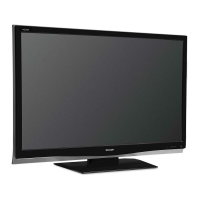
Do you have a question about the Sharp AQUOS LC-42PD7X and is the answer not in the manual?
Instructions for inserting batteries into the remote control unit.
Guidance on operating the remote control and its sensor.
Important warnings for using the remote control unit safely.
Step-by-step guide for attaching the TV stand securely.
Instructions for connecting the AC cord and bundling cables.
Details on mounting the TV using an optional wall bracket.
Procedure for detaching the TV stand, usually before wall mounting.
Connecting antennas and AC power outlet for basic TV setup.
Connecting VCRs, game consoles, camcorders, and DVD players.
Guide for connecting a personal computer using the DVI terminal.
Identification of the front panel controls and indicators on the TV.
Diagram and labeling of the rear panel terminals and connections.
Detailed layout and function of each button on the remote control.
Procedures for powering the TV on and off using the remote or unit.
Methods for selecting channels using remote buttons and direct input.
Functionality of Flashback and MPX buttons for channel and audio mode.
Adjusting TV volume and using the mute function.
Setting the TV to automatically turn off after a specified time.
How to switch between Analog, Digital TV, and Radio broadcast modes.
Guide to using menu buttons and understanding on-screen display elements.
List of adjustable picture settings for various input sources.
List of adjustable picture settings for HDMI and DVI input sources.
Procedures for automatic channel scanning and program setup.
Detailed manual adjustments for search, fine-tuning, and colour system.
Configuring sound systems and naming channels.
Setting up channel skipping and parental control features.
Organizing channels and deleting unwanted programs.
Selecting picture modes and adjusting automatic brightness control.
Fine-tuning picture quality parameters like brightness, contrast, and sharpness.
Introduction to detailed picture adjustment options.
Adjusting color temperature and dark portion of the image.
Settings for monochrome display, film detection, and OPC sensor range.
Configuring audio settings like treble, bass, balance, and surround sound.
Managing power saving features like no signal or no operation shutoff.
Overview of menu options available in Digital TV mode.
Accessing TV schedules and detailed program information.
Creating and managing a list of preferred TV channels.
Navigating the channel list and setting parental restrictions.
Initial setup for digital channels, including automatic scanning.
Manual channel tuning and regional scanning for DTV signals.
Configuring video output format and clearing channel data.
Selecting audio output and language options for digital broadcasts.
Setting the local time zone for the TV.
Configuring display settings and checking system information.
Setting a password to protect TV settings from unauthorized changes.
Skipping inputs and configuring PC signal settings.
Adjusting PC image position and synchronization automatically or manually.
Assigning labels to inputs and adjusting picture position.
Automatic screen format switching and aspect ratio settings.
Configuring standby behavior and restoring factory default settings.
Selecting screen sizes for TV and AV input sources.
Selecting screen sizes for PC input sources.
Disabling video for audio-only playback and digital noise reduction.
Configuring settings for HDMI terminals and signal types.
Setting on-screen display language and TV colour system.
Displaying subtitles and subpages from Teletext broadcasts.
Setting Teletext language and capturing video frames.
Solutions for common problems encountered with the TV operation.
Specific troubleshooting steps for Digital TV reception issues.
Technical details for PC control via the RS-232C serial port.
Table of supported PC resolutions and frequencies.




 To Next Page
 General